How can I verify a user's rights to complete a purchase?
4 min
To complete a purchase on Azure Marketplace, a user must have either Owner or Contributor rights on the target subscription. You can quickly verify whether a user has the correct permissions by following these steps:
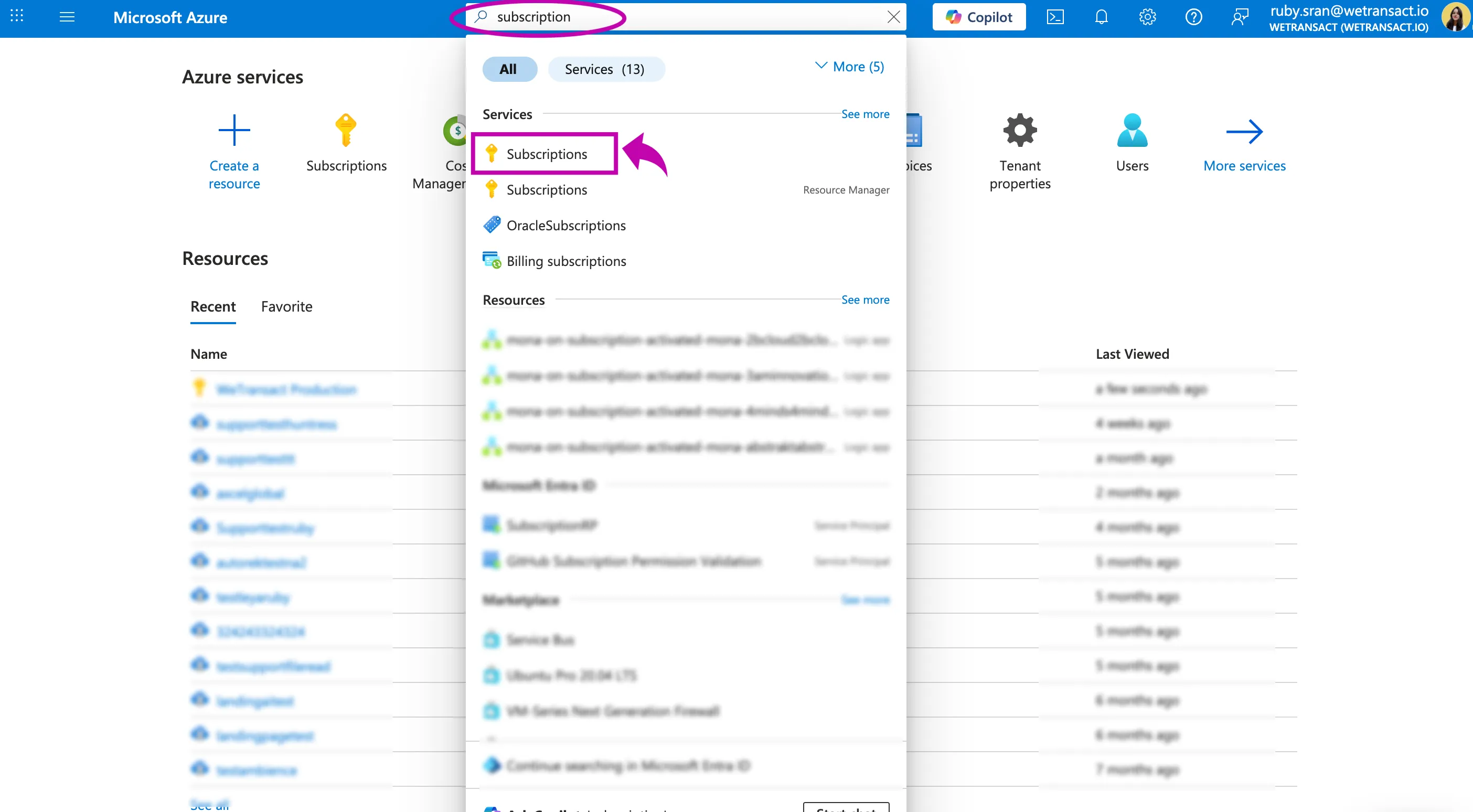
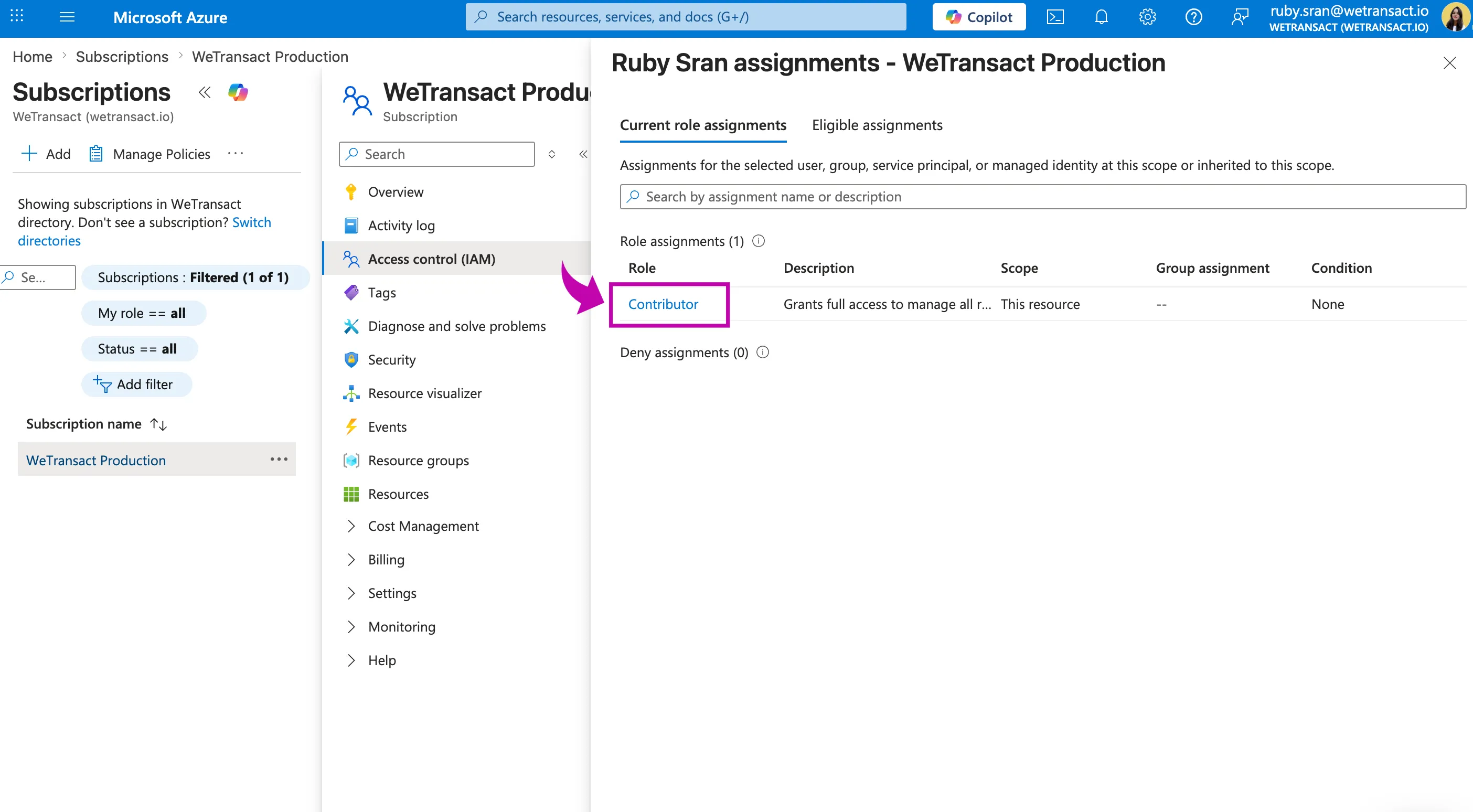
🟣 Log in to your Azure portal, search Subscriptions and click on it.
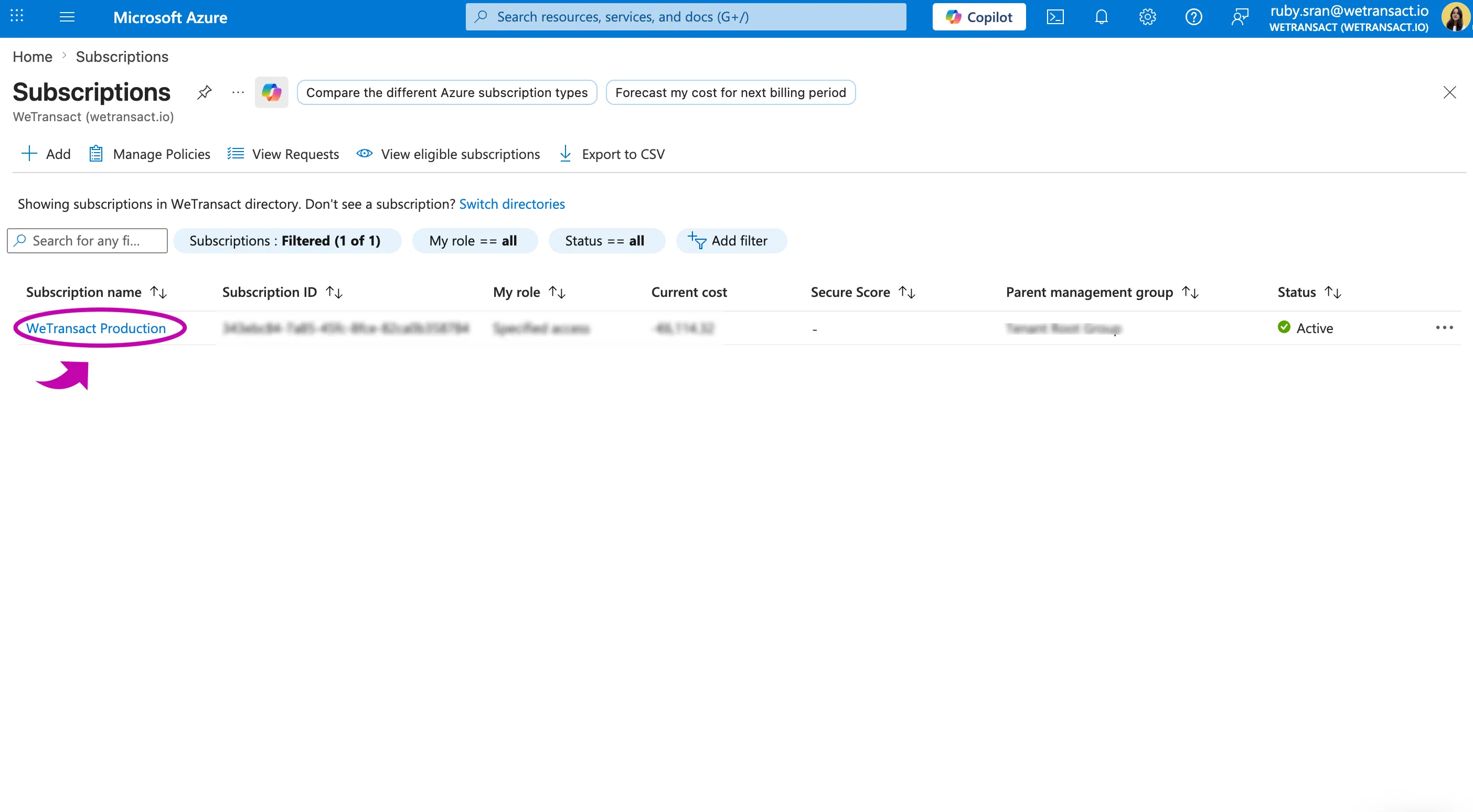
🟣 Click on the subscription you want to use for the purchase.
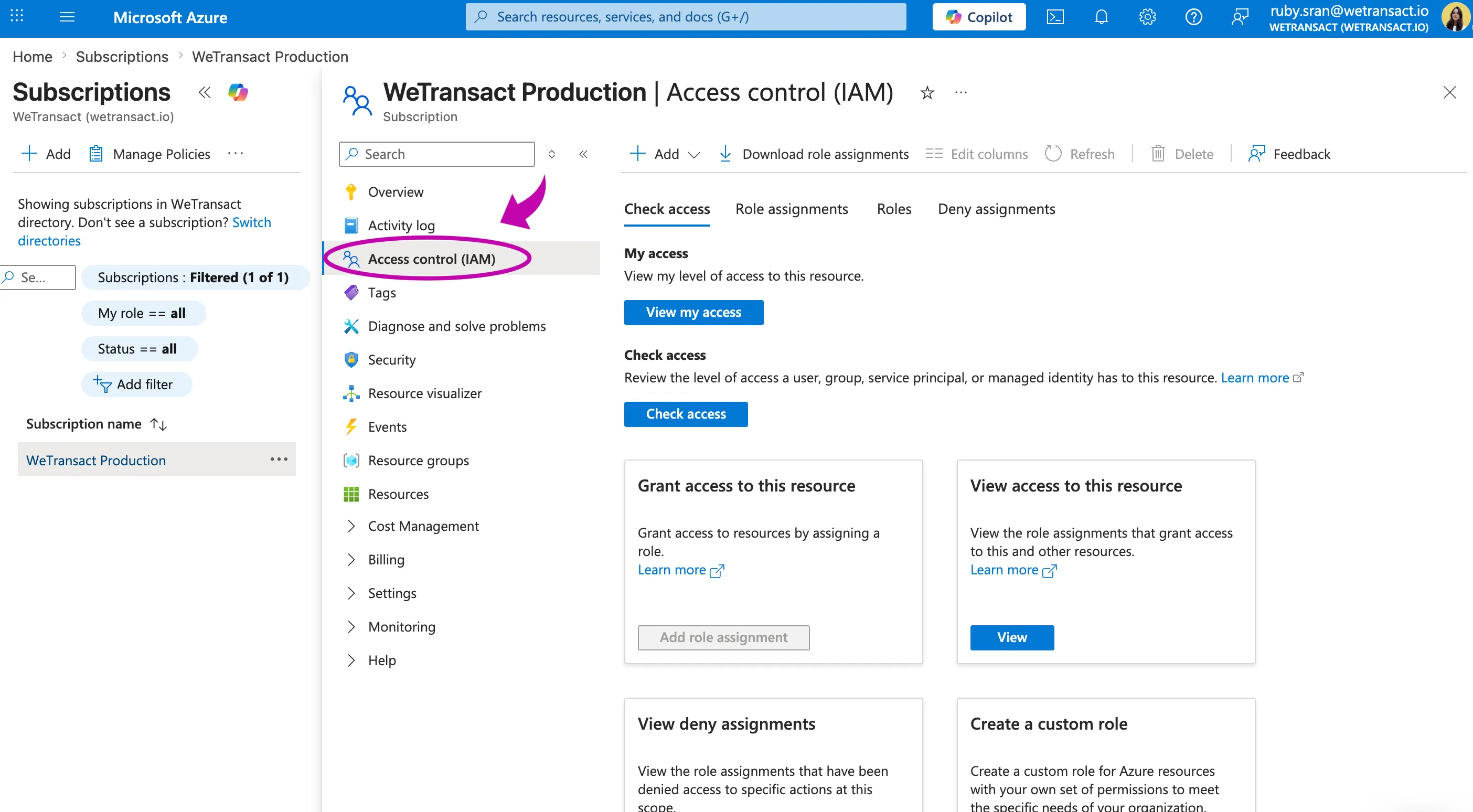
🟣 Select Acces Contol (IAM)
🟣 Click on View my access
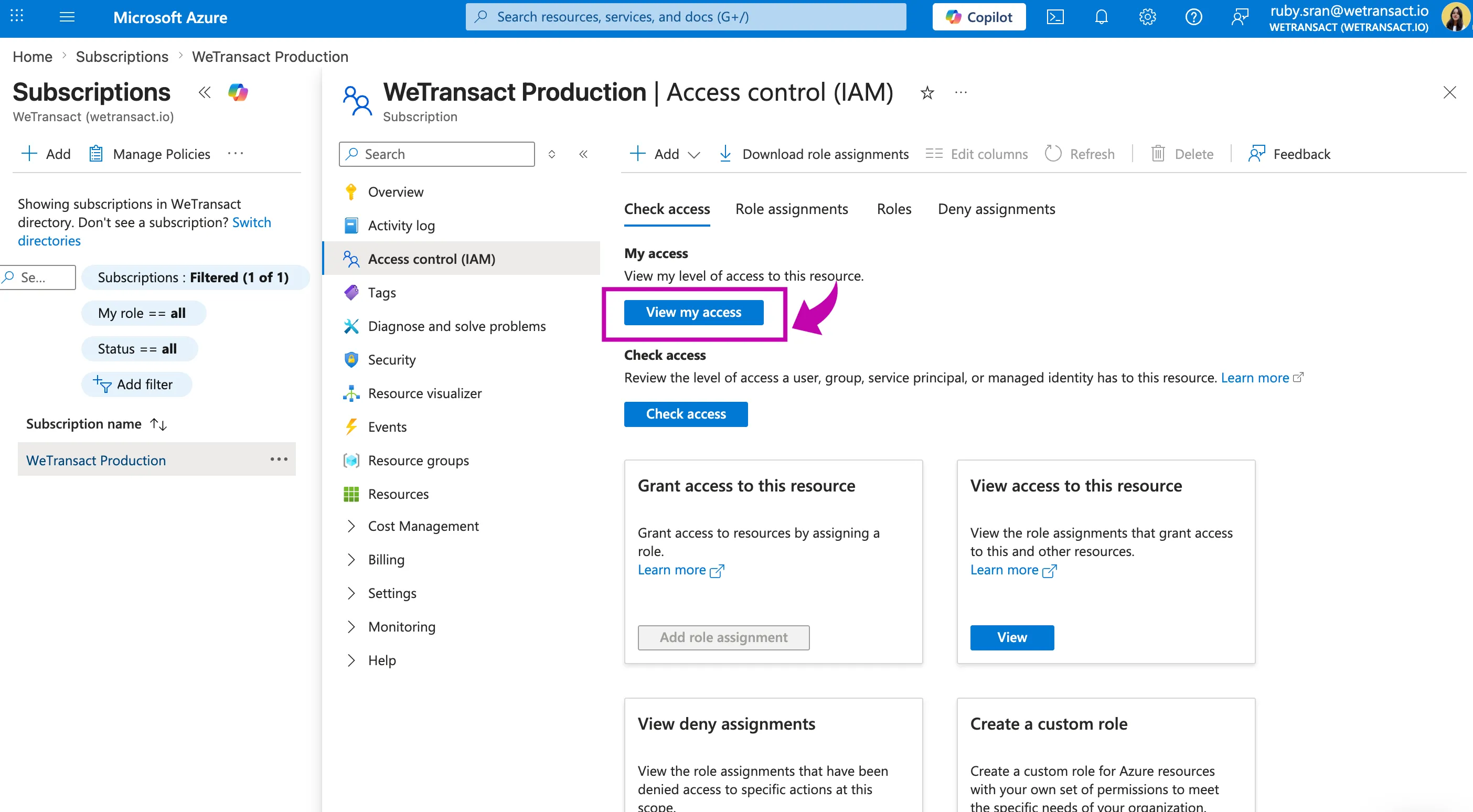
🟣 You can see the roles assign to this user.
To complete a purchase you will need either owner or contributor rights.
💬 For more, contact us at : [email protected]