Invite External Users in Azure Portal
10 min
If you are unable to add WeTransact users ([email protected] and [email protected]) directly in Partner Center — for example, because your account does not yet have the required admin permissions — you can invite them as external users through the Azure Portal instead.
This is the recommended workaround in those cases. Once the users have been added in Azure, you will then return to Partner Center to assign them the appropriate roles, as outlined in the steps below.
🟣 Sign in to Azure portal (https://azure.microsoft.com)
🟣 Search Users
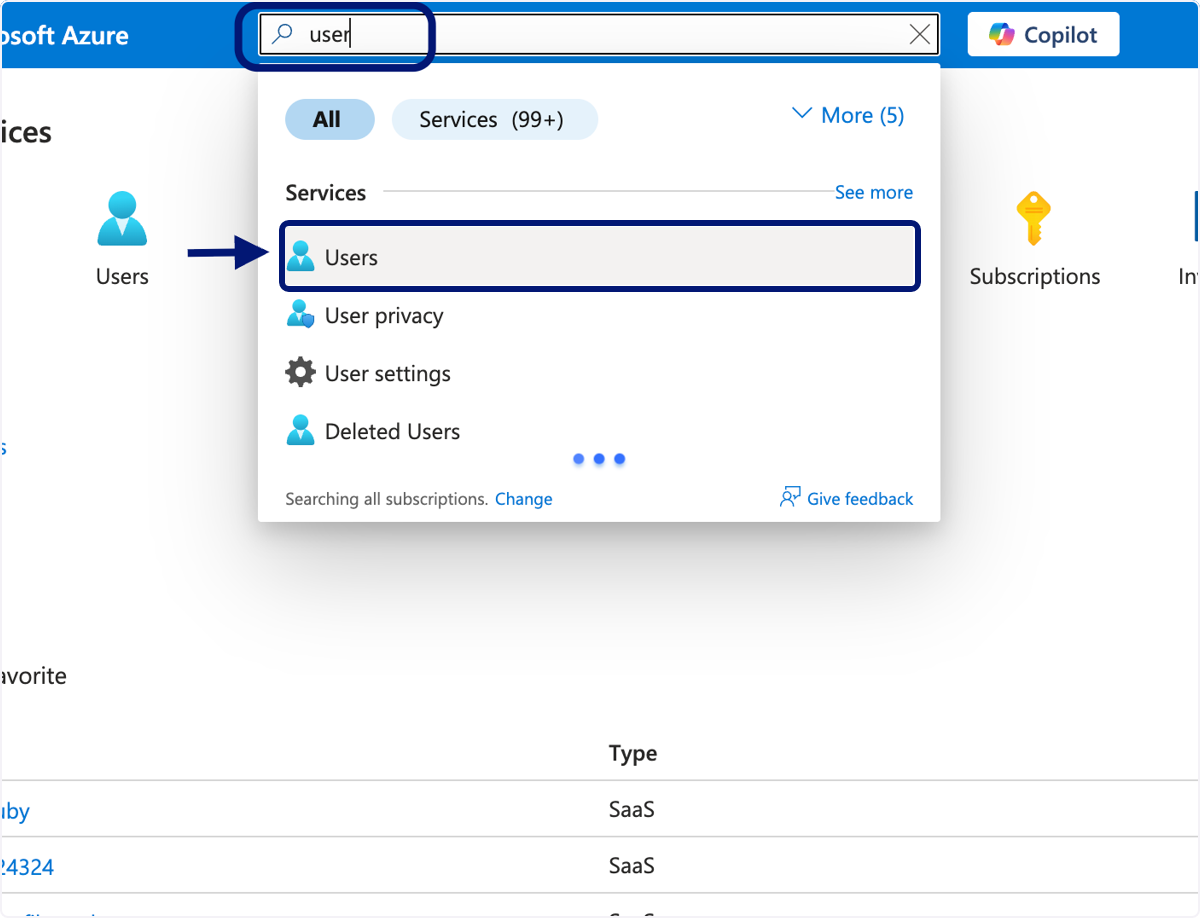
🟣 Click on New user
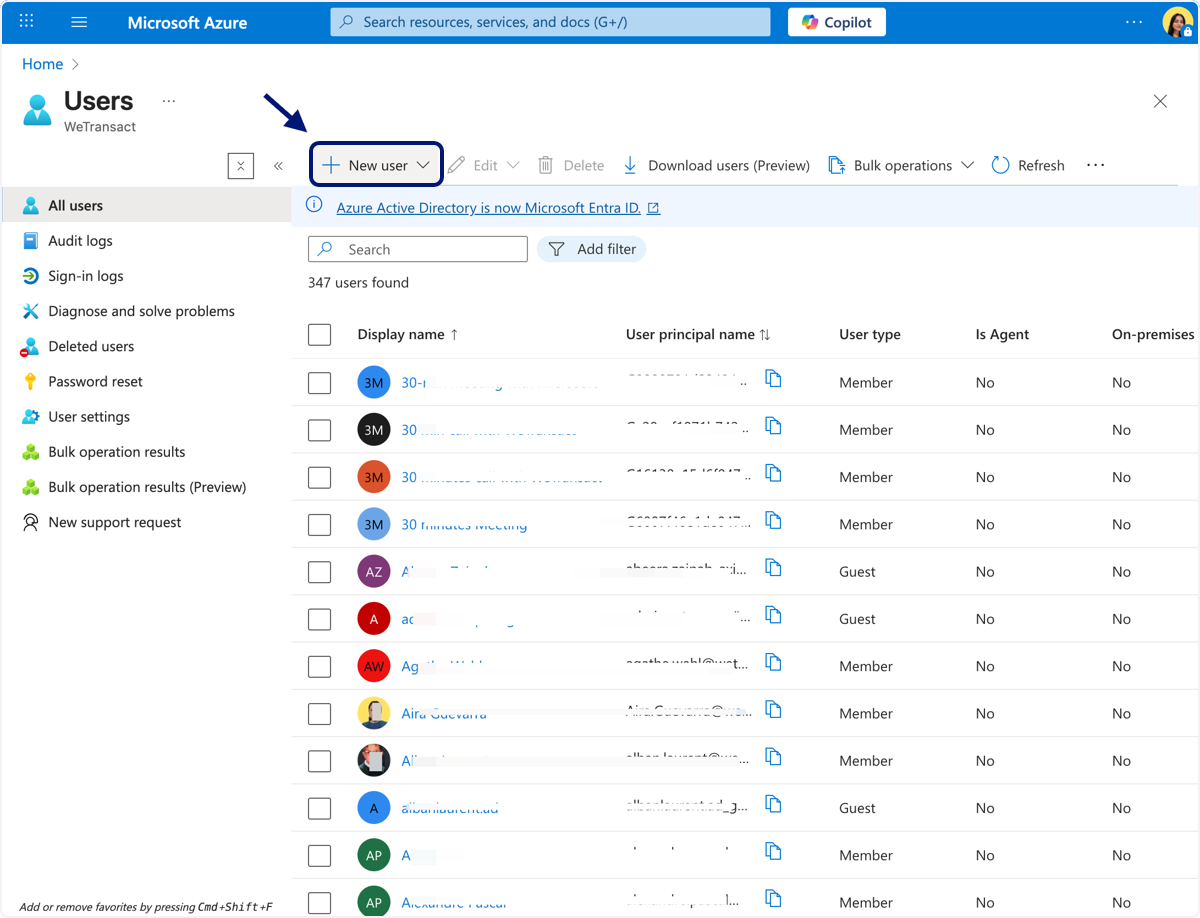
🟣 Click on Invite external user…
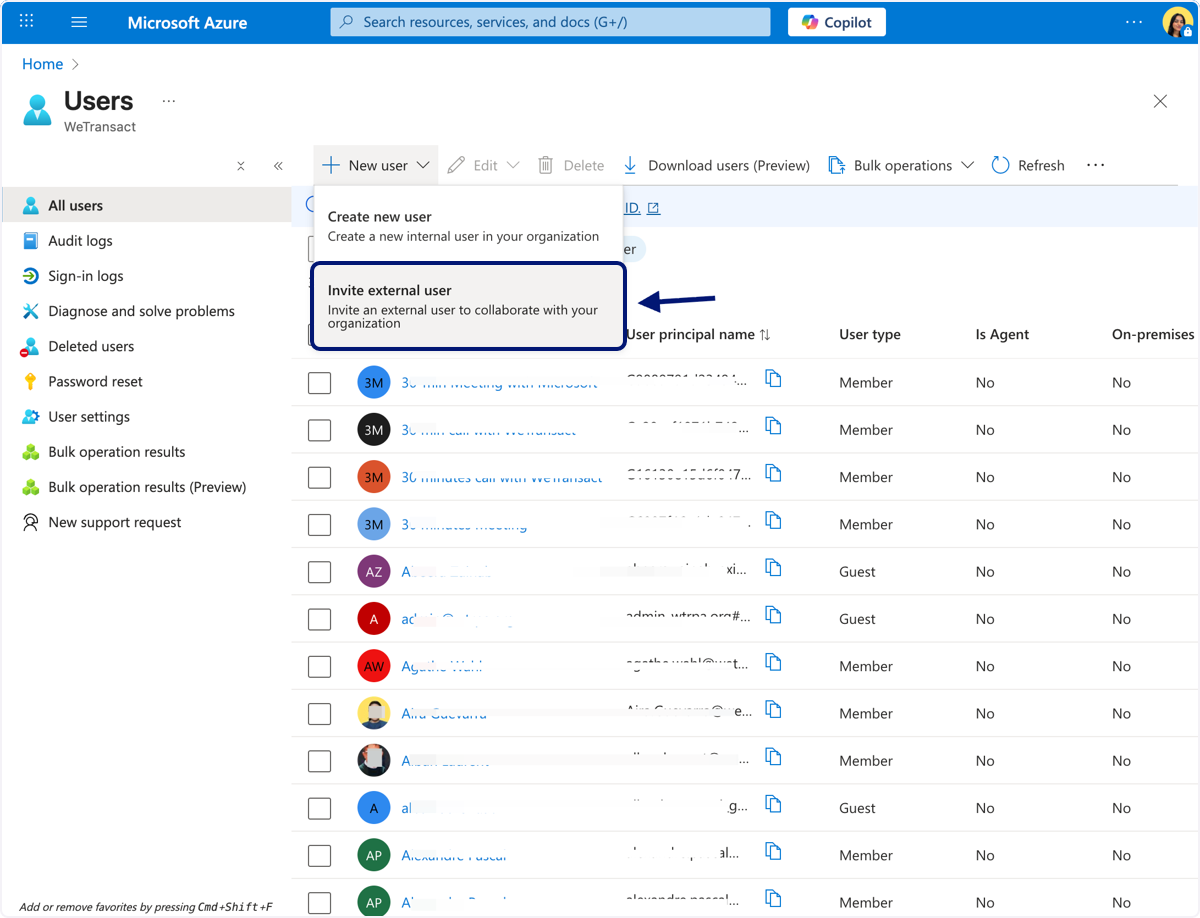
🟣 Type '[email protected]' and click on 'review + invite'
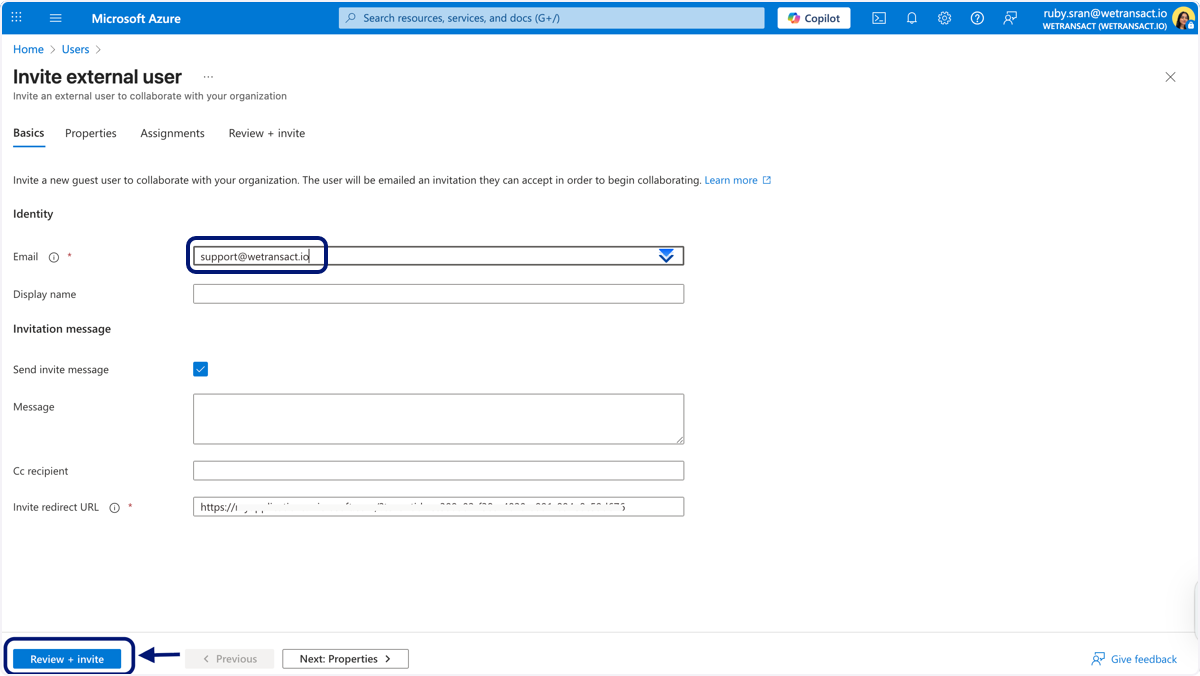
🟣 Type '[email protected]' and click on 'review + invite'
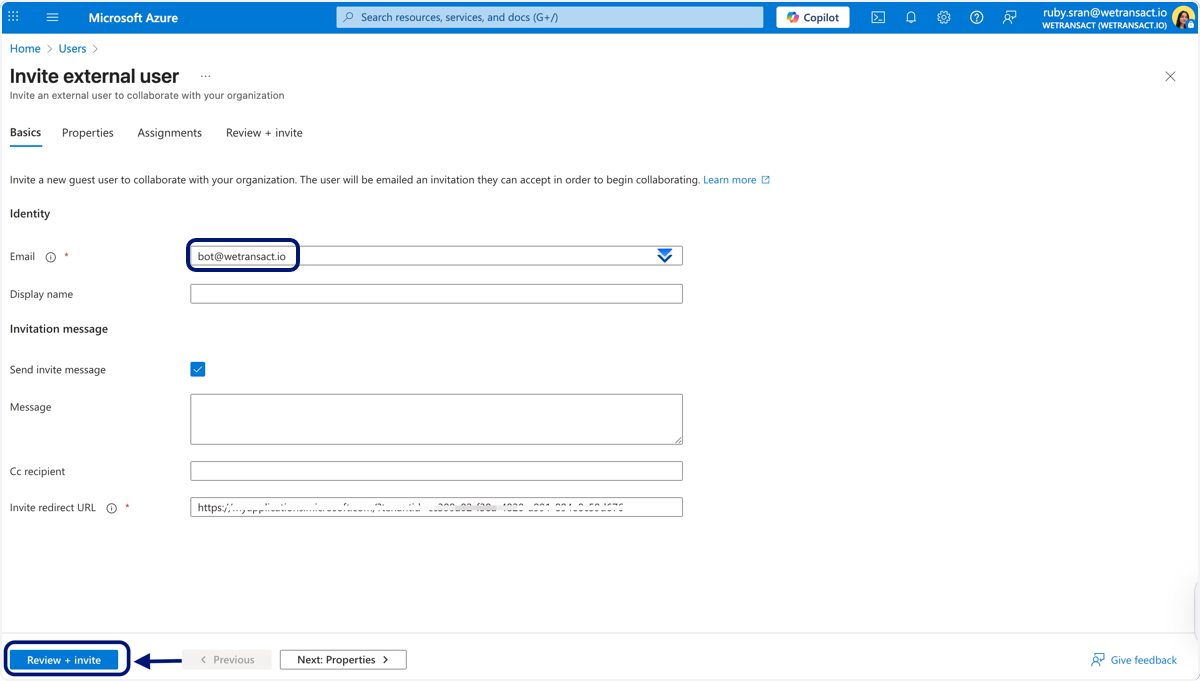
Once you add the users, Sign in to Partner center (https://partner.microsoft.com/) to assign roles to these external users
Go to Partner center and sign In, follow the steps below.
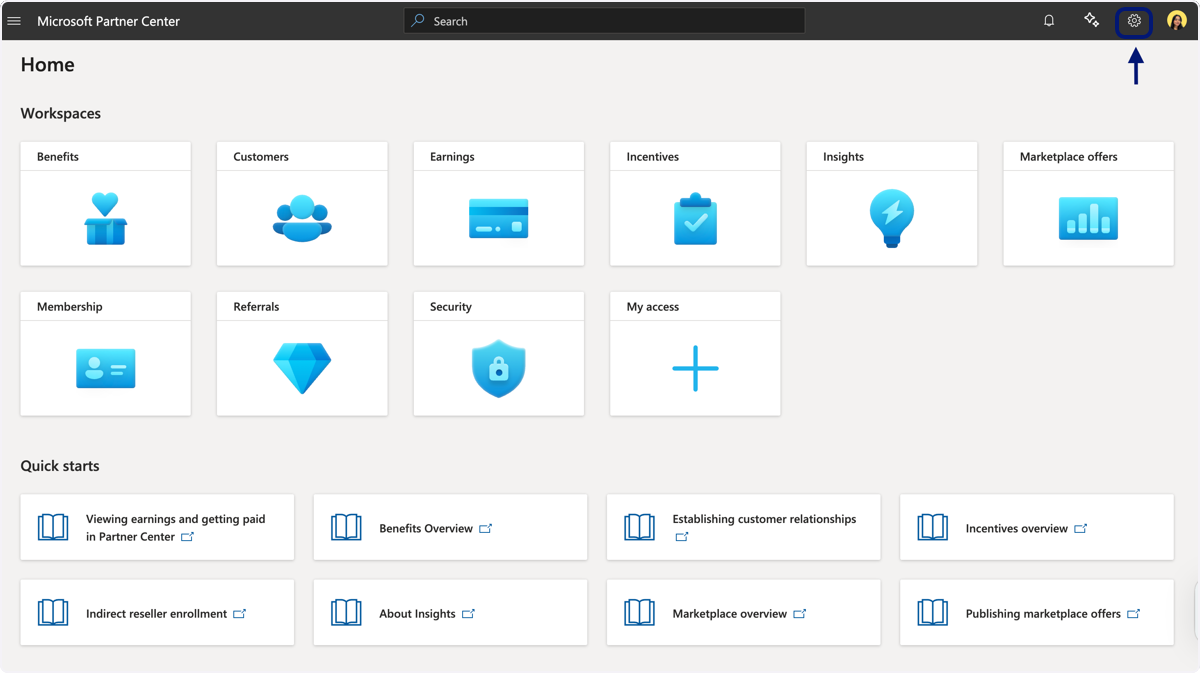
🟣 Click on Settings
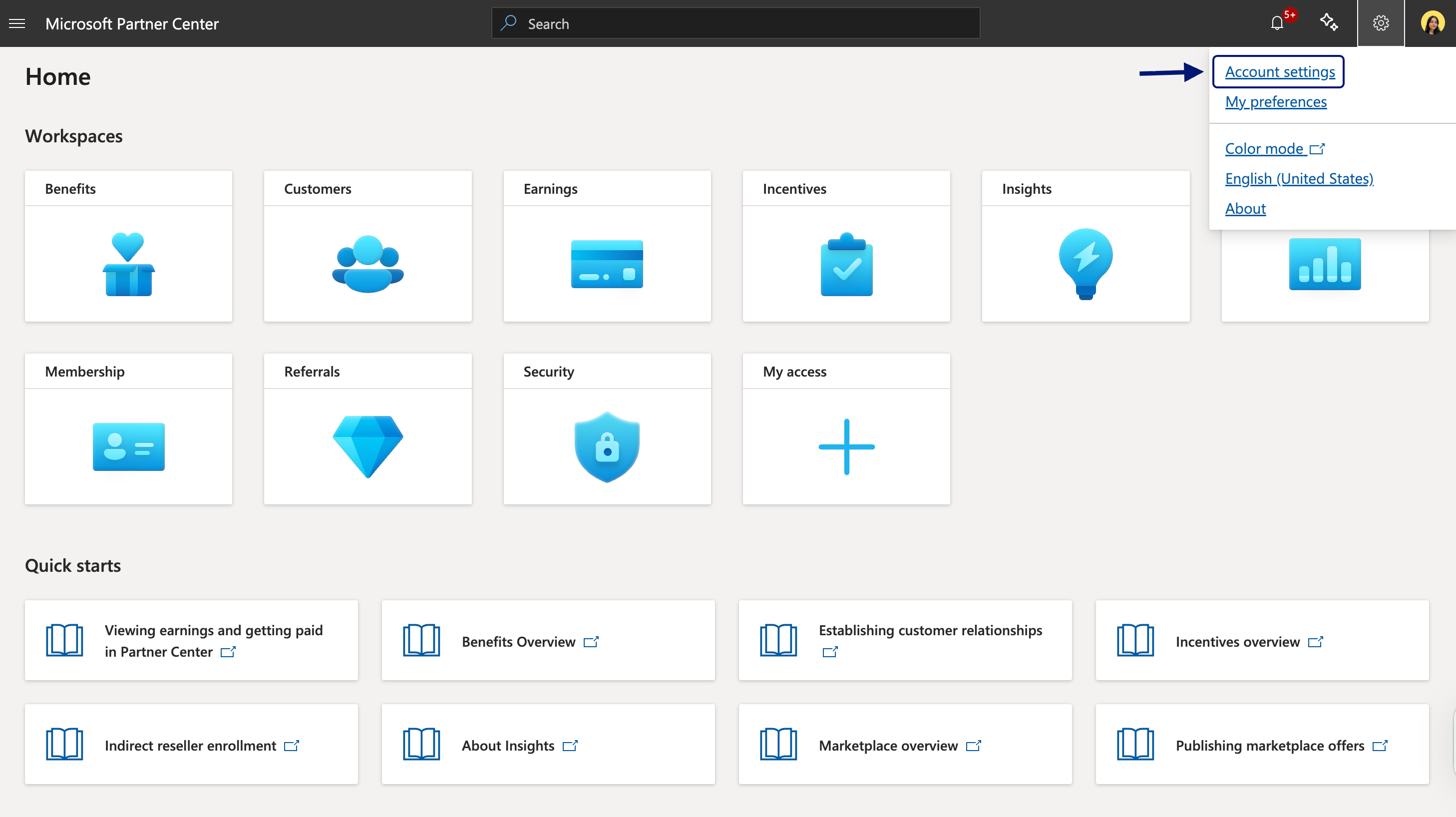
🟣 Click on Account settings
🟣 Click 'User mangement' and Search 'support@wetransact.io' in the search bar and click on the email 'support@wetransact.io'

🟣 Scroll down on this page and assign the roles, 'developer,business and finance' and click on 'Update'

🟣 Click 'User mangement' and Search '[email protected]' in the search bar and Click on the email.

🟣 Scroll down on this page and assign the roles, 'developer,business and finance' and click on 'Update'
💬 Need Help?
Contact: [email protected]