How to update credentials for finance Tab in the Wetransact Portal?
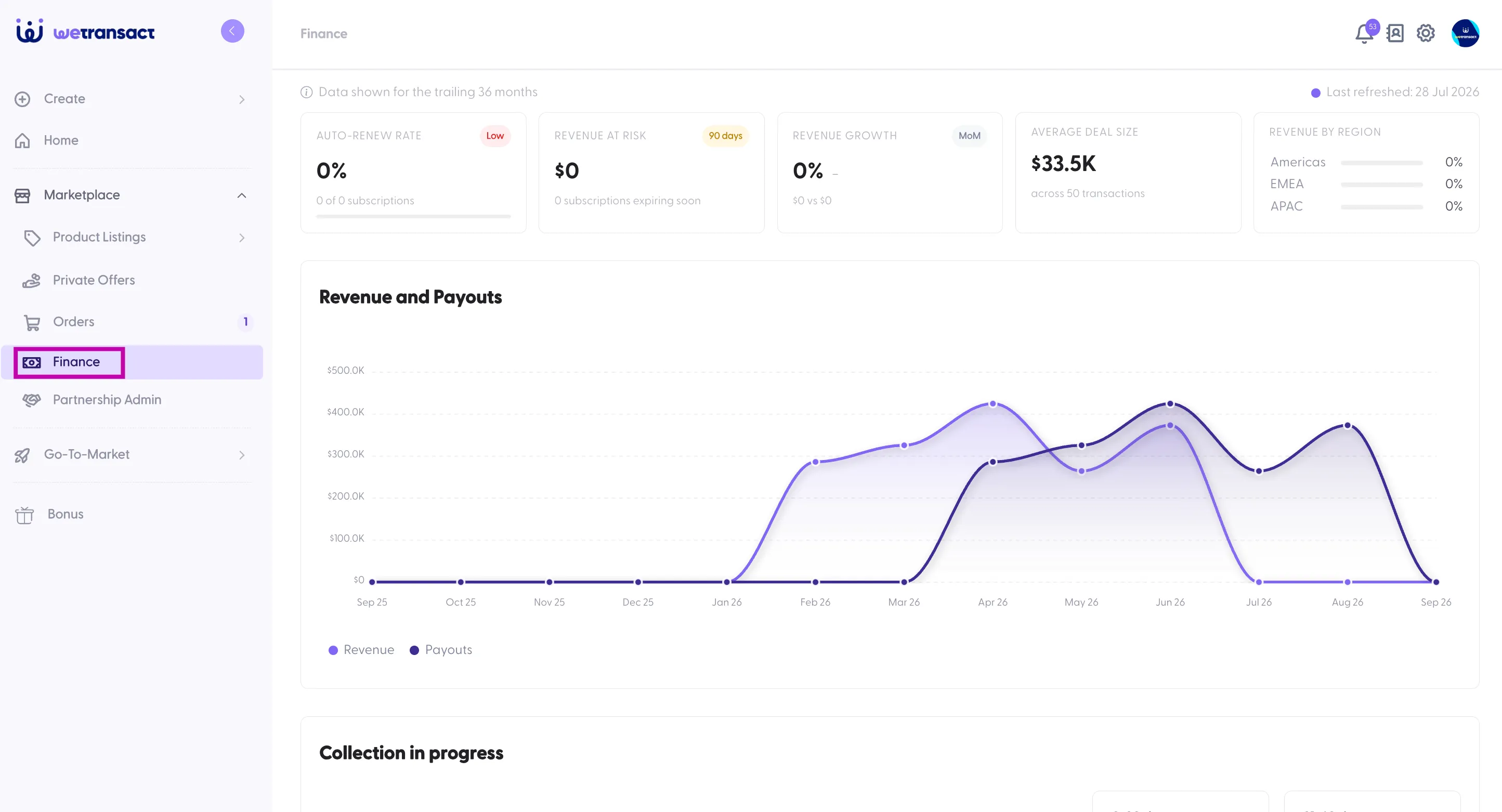
The credentials used to set up the Finance tab can expire over time. When this happens, the system is no longer able to retrieve your finance data from Partner Center.
To fix this, you’ll simply need to create new credentials and update them in the Finance tab. Once the new credentials are added, finance data will start syncing again as expected.
User Rights: You will need a Global Admin Role to perform this task
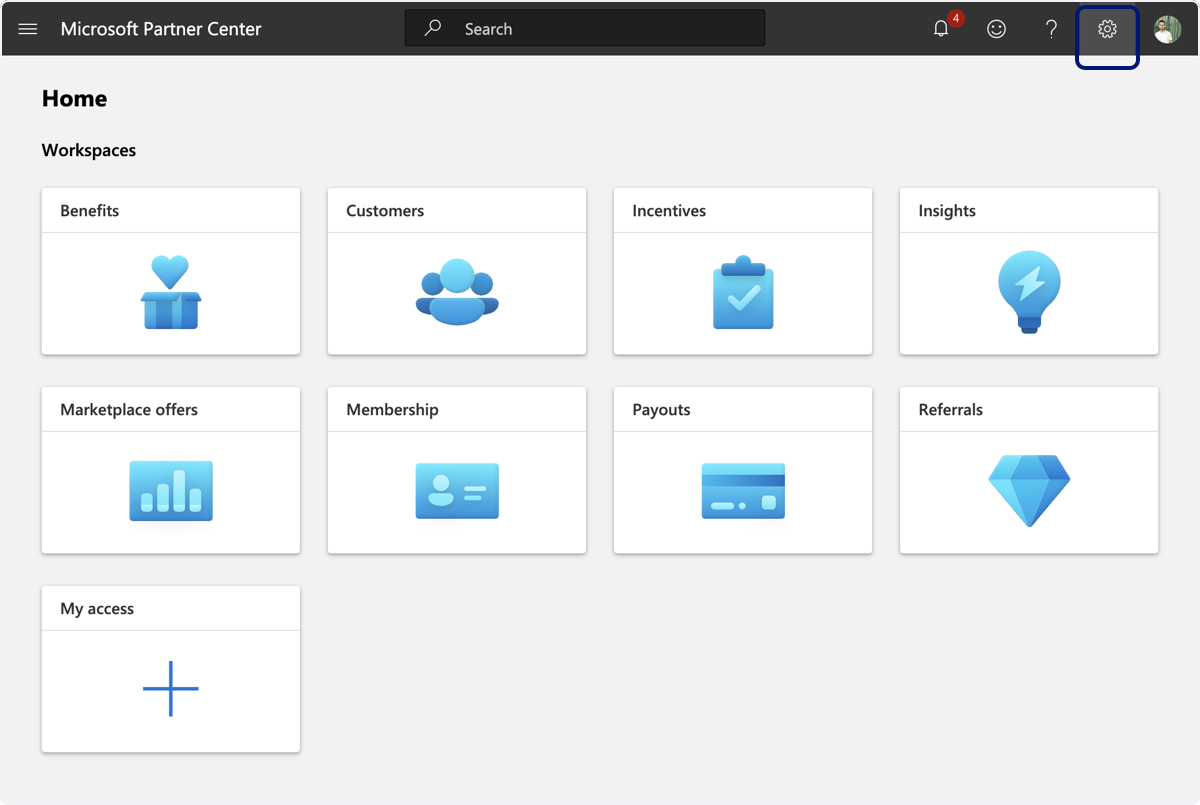
🟣 On Partner Center click on the little wheel on the top right.
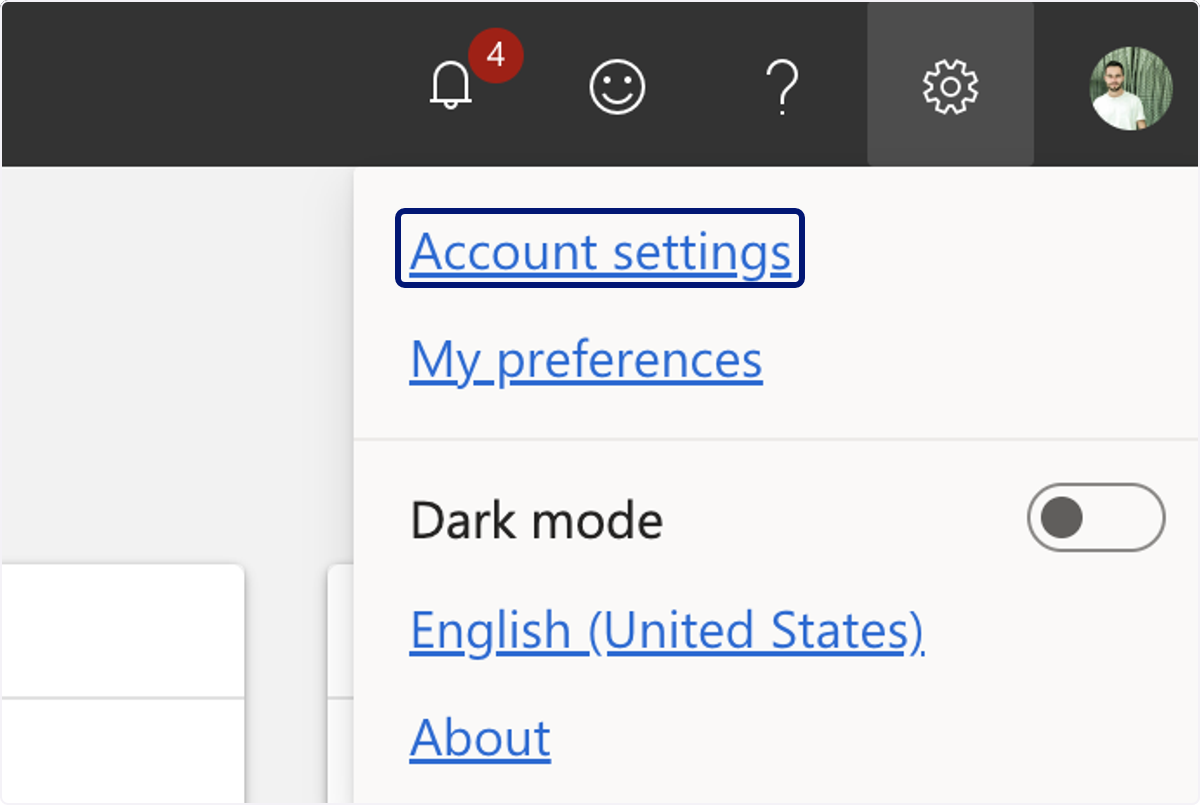
🟣 Click on Account settings
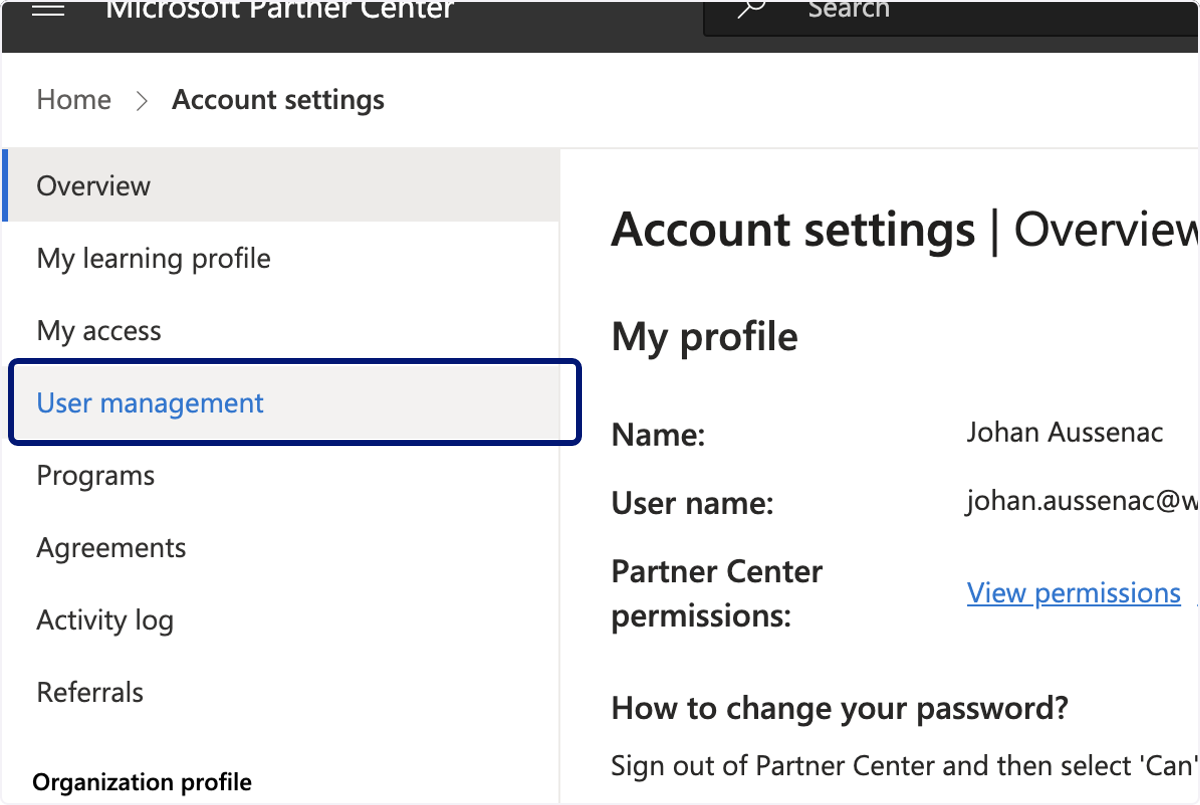
🟣 Click on User management
🟣 Click on Microsoft Entra Applications
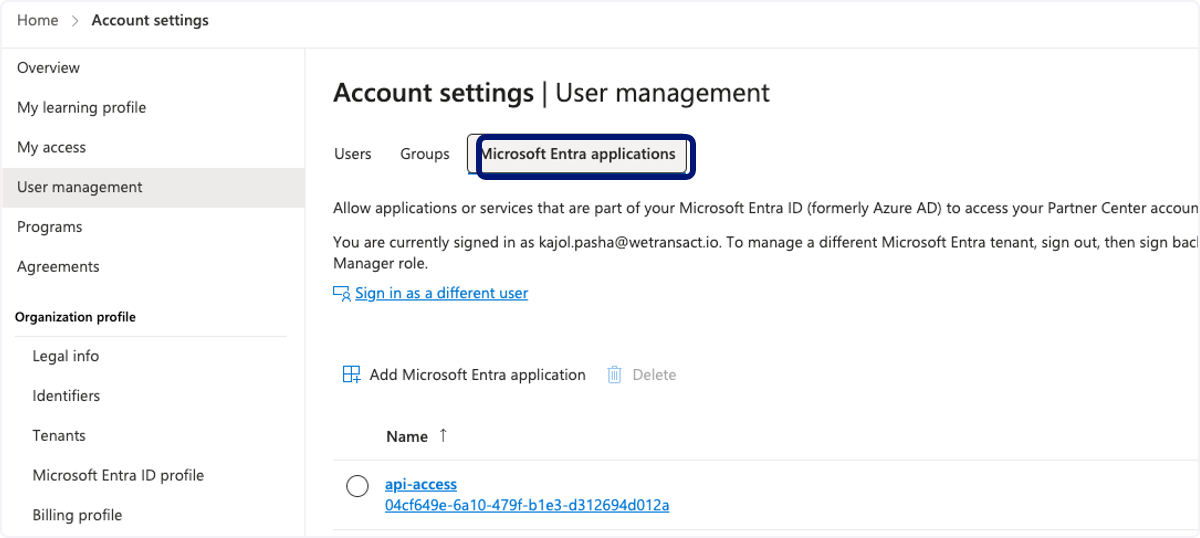
🟣 Click Add Microsoft Entra Application
Click on Existing Extra application for instance - 'api-yourcompanywetransact'
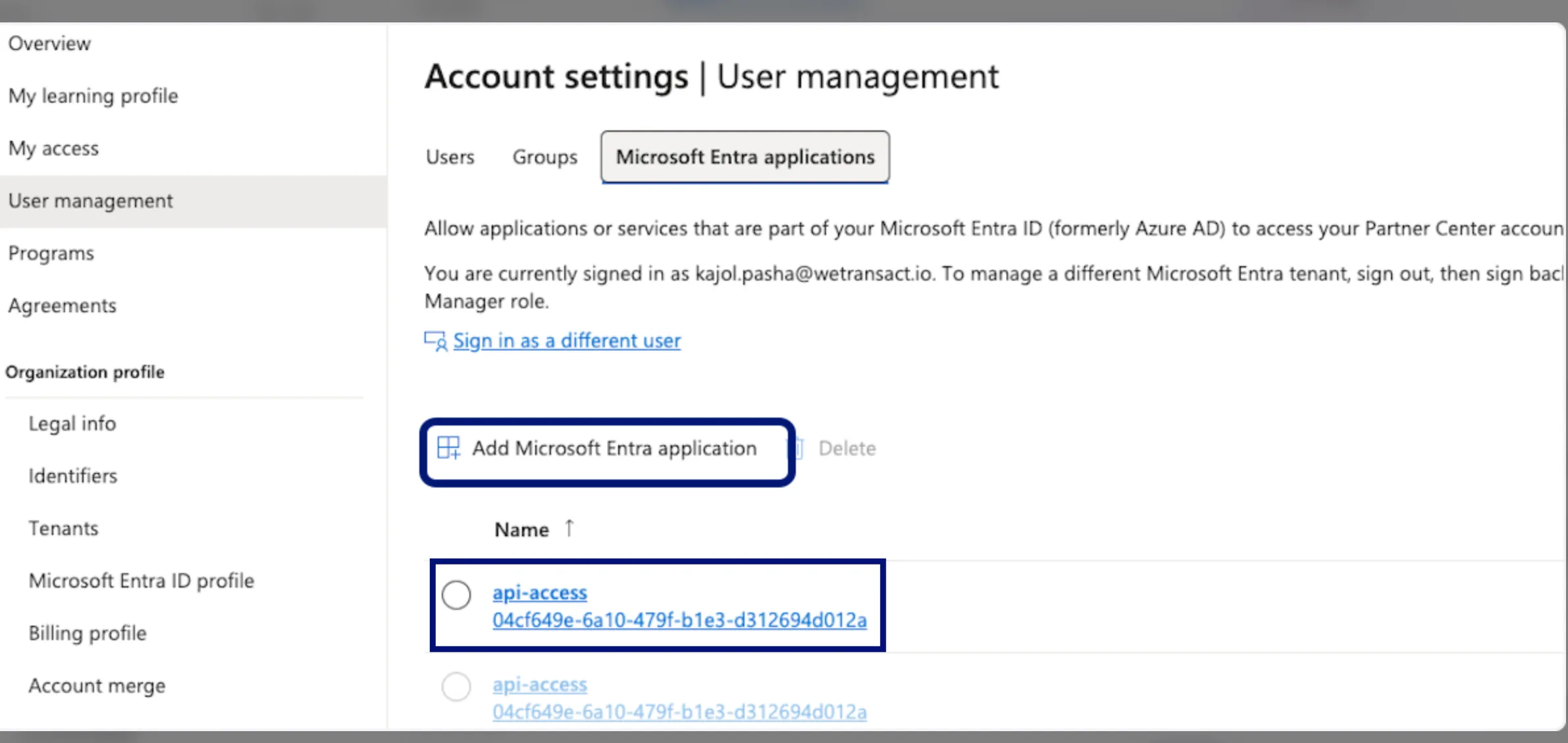
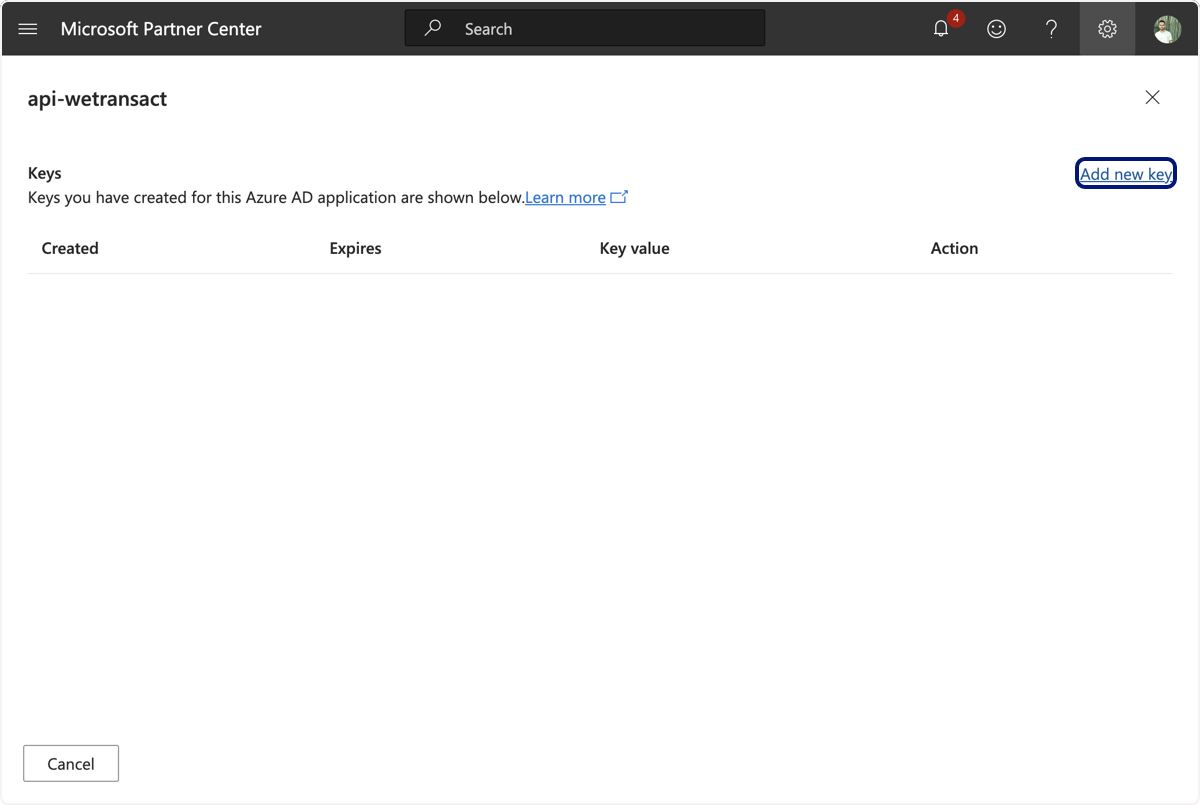
🟣 Click on Api-Access and click on add new key
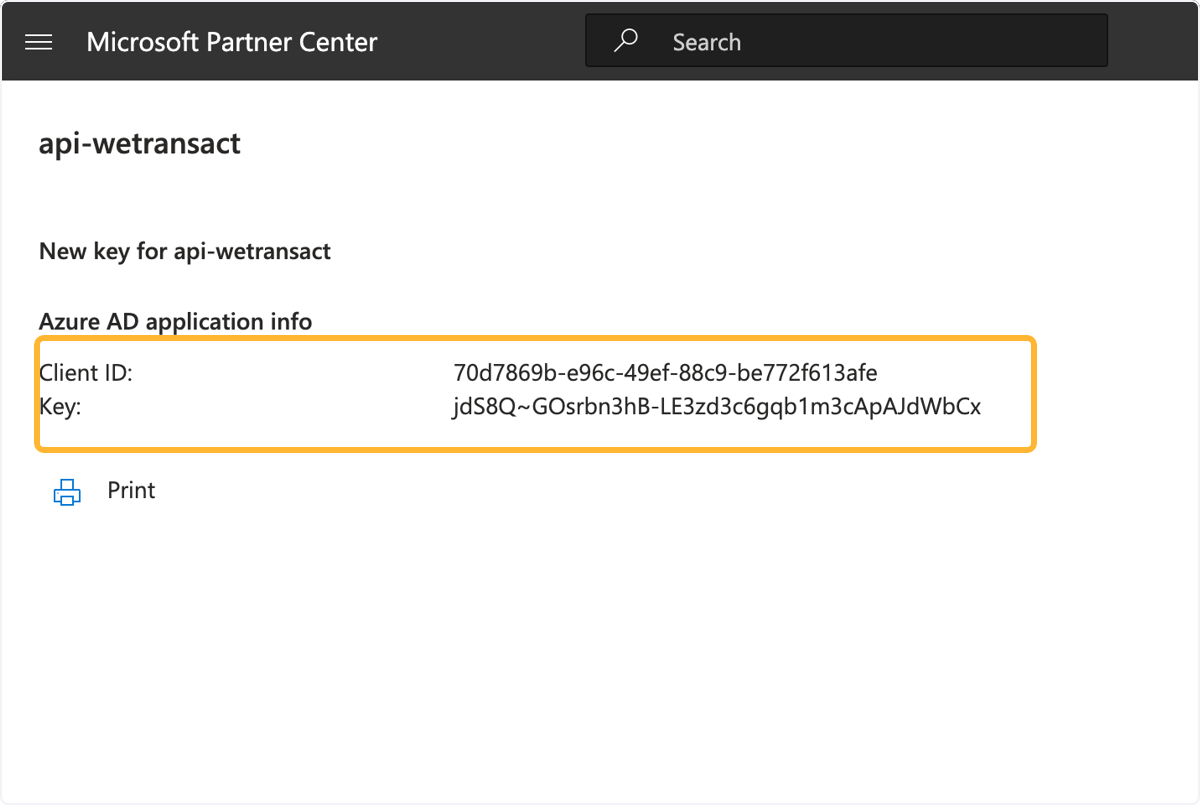
🟣 This page will appear with your Client Id and the Key. Copy and save it.
Leave that page open—if you close it, you won't be able to access your key again.
If you're in doubt, save these values
🟣 Sign in to the WeTransact portal and click on settings
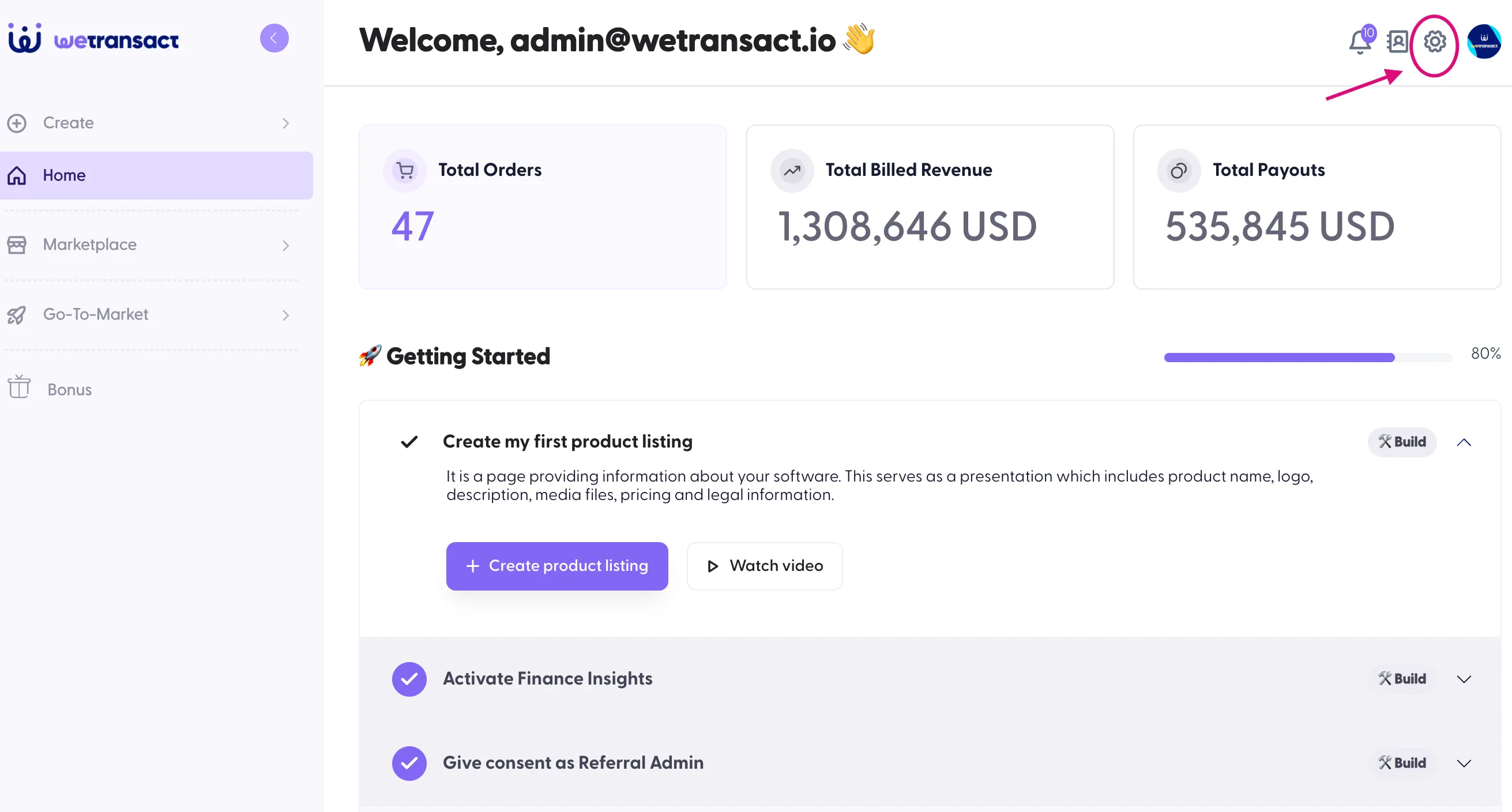
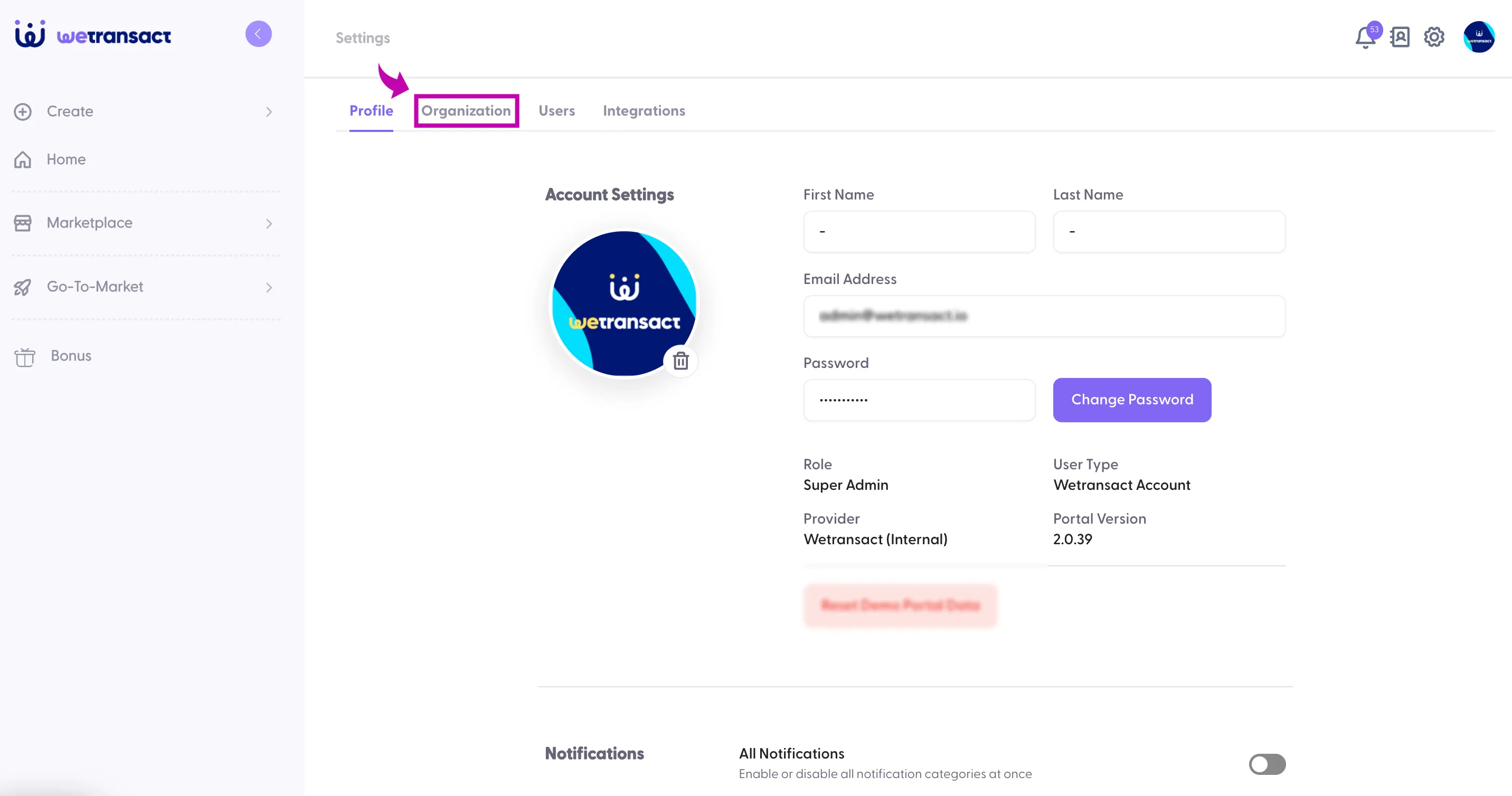
🟣Click on Organisation
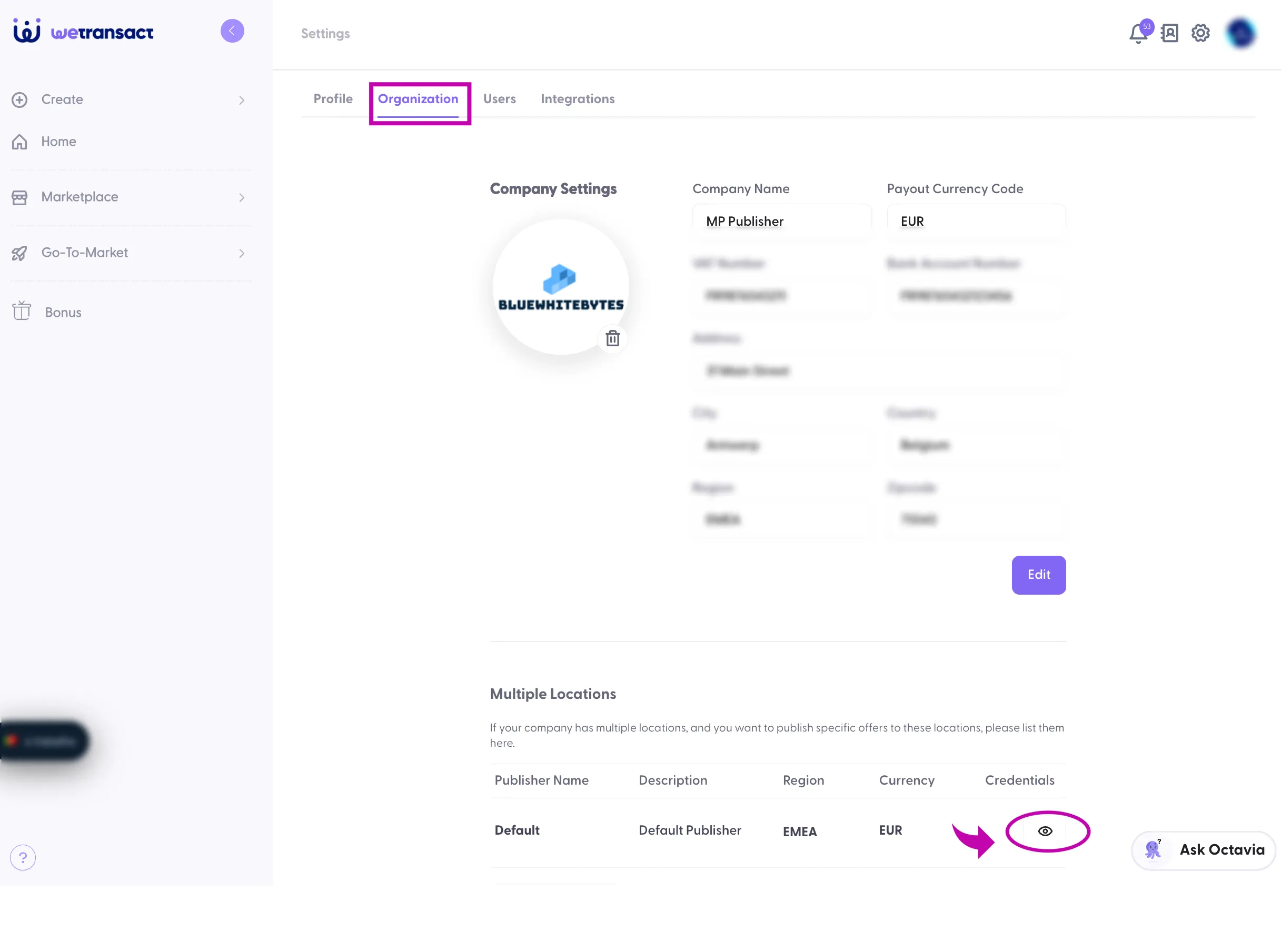
🟣 You'll see the Multiple Locations section. Under Credentials, click the 👁️ symbol.
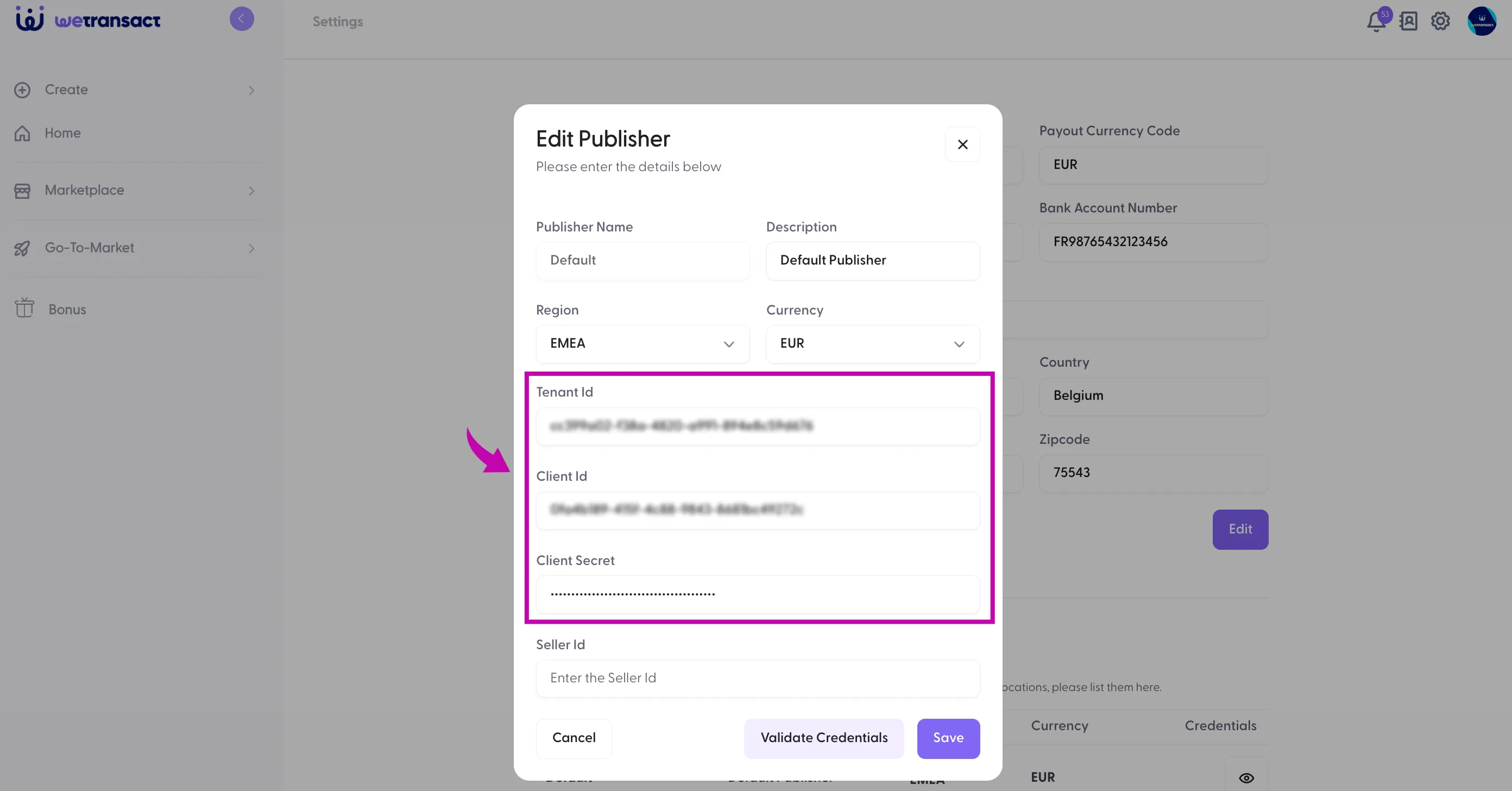
🟣 Enter tenant ID, Client ID and secret with Seller ID
The Seller ID can be found in Partner Center under Account settings → Legal info → Developer tab.
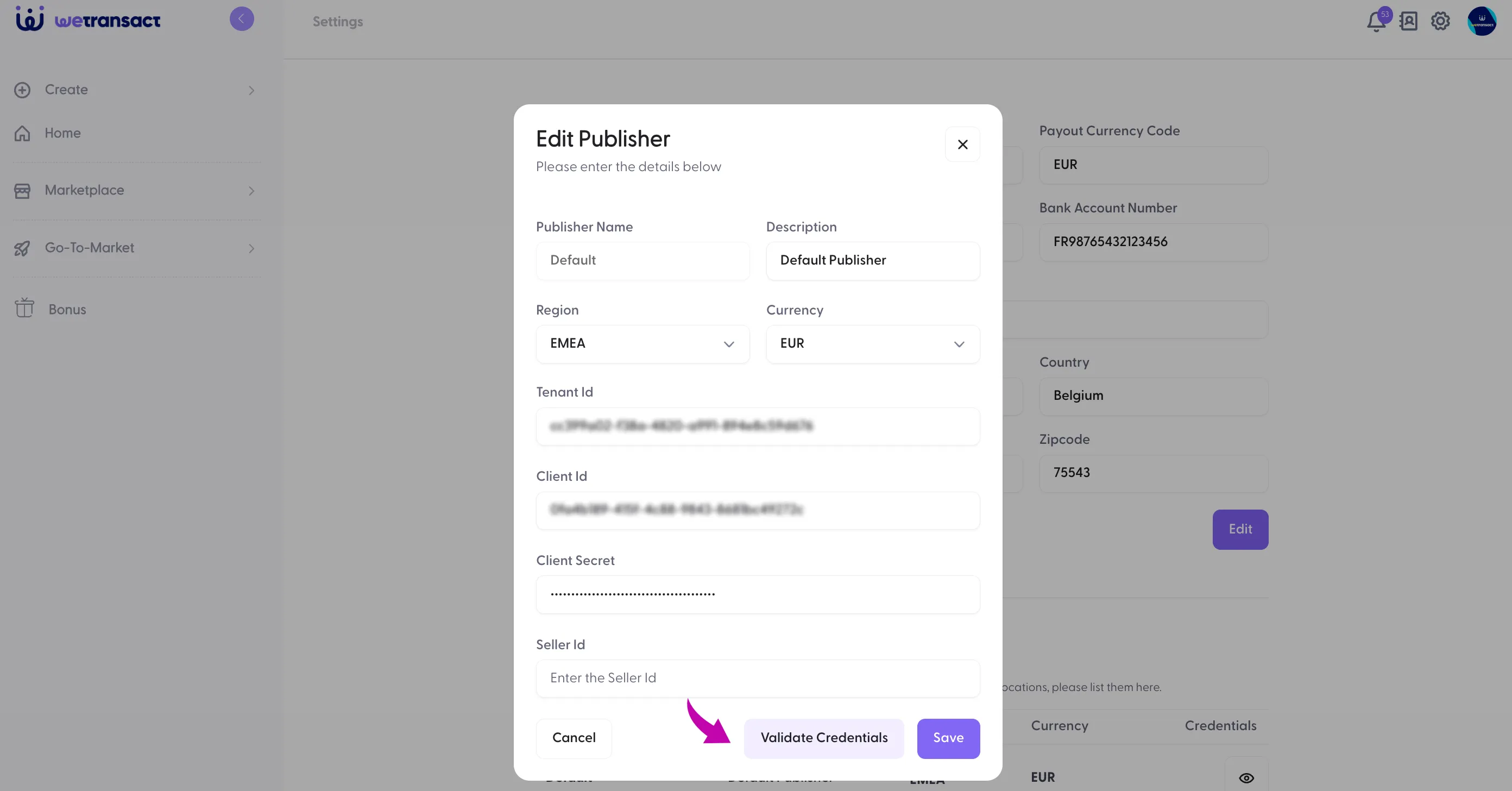
🟣 Click on Validate Credentials and Save
🟣 The Finance Tab is all set with new credentials !
💬 For more, contact us at : [email protected]