How do I turn off Auto Renew on Azure Subscriptions?
4 min
If you don’t want your subscription to renew automatically, you can turn off the auto-renewal option in the Azure portal. This ensures the subscription ends at the current term without generating a new billing cycle. please follow these steps:
🟣 Go to the Azure portal.
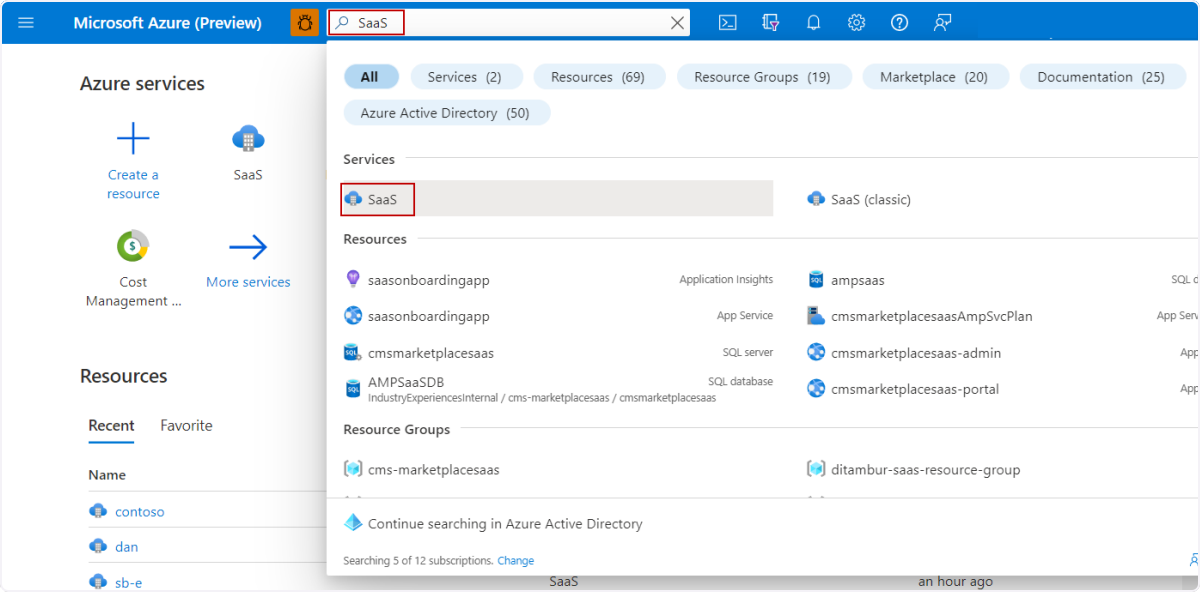
In the global search box at the top of the page, enter SaaS and then under Services, select SaaS.
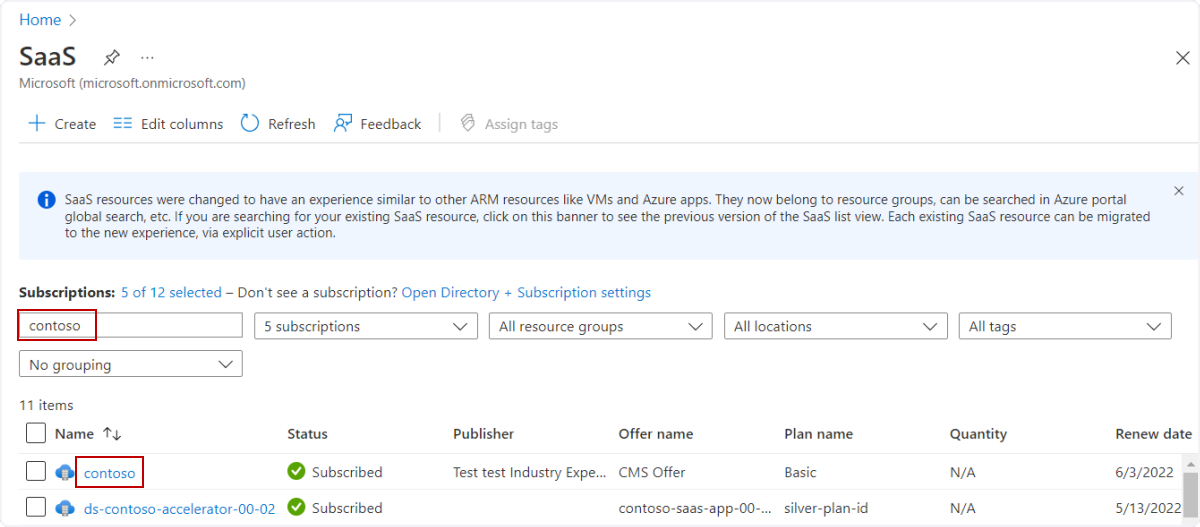
🟣 The SaaS blade in the Azure portal displays your SaaS subscriptions.
In the Filter by Name box, enter the subscription name and then in the Name column, select the subscription.
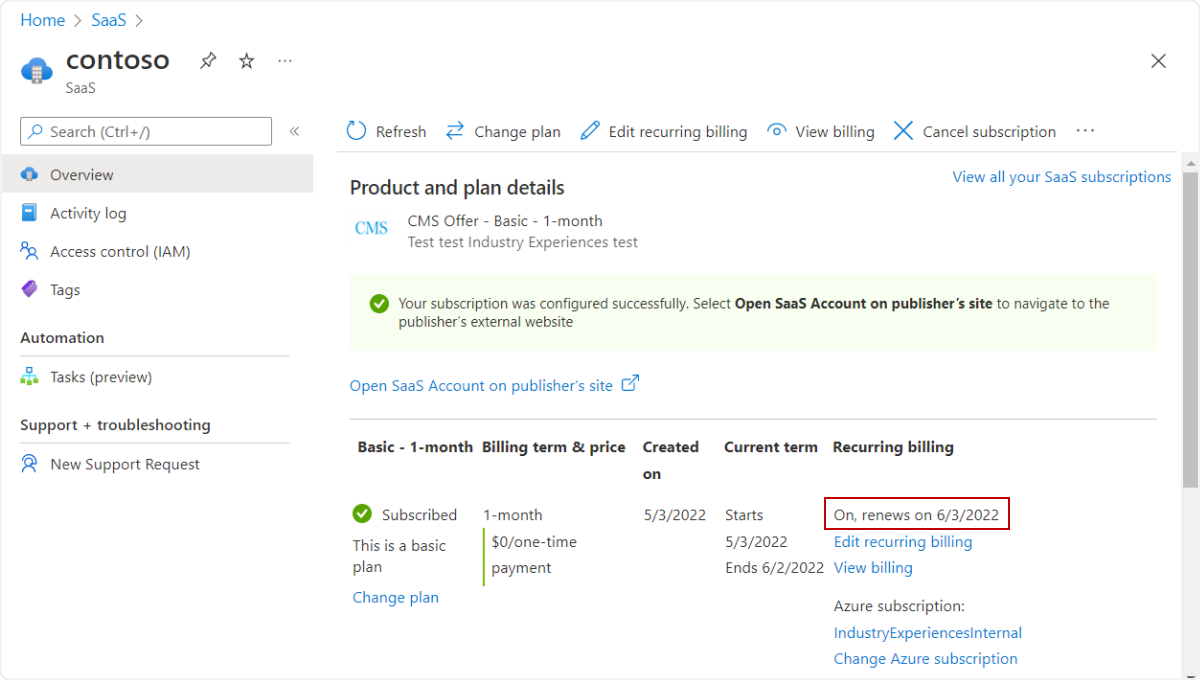
🟣 The Product and plan details page for the offer appears where you can see recurring billing is turned on and the date that the subscription renews.
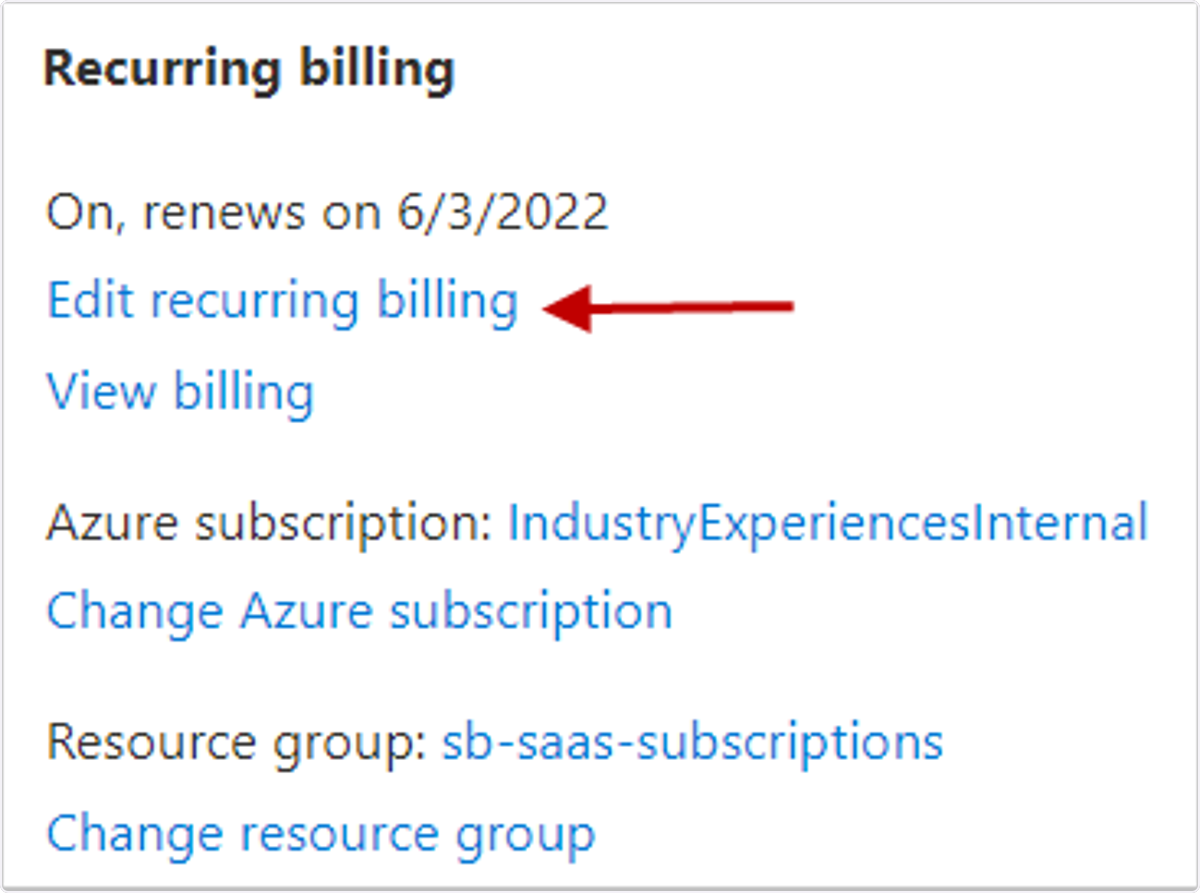
🟣 Under Recurring billing, select the Edit recurring billing link.
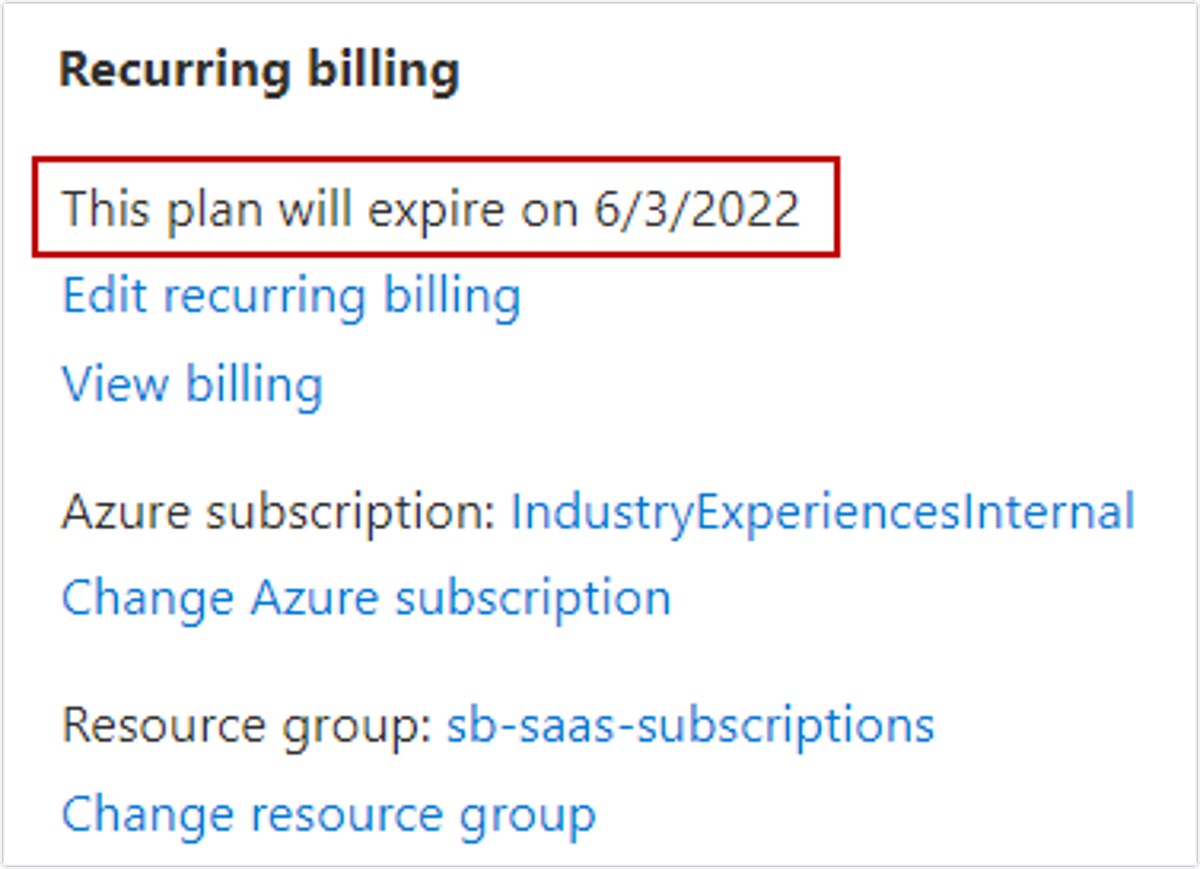
🟣 To turn recurring billing off, in the side panel that appears, select the Off button, and then select Update. Now you can see that recurring billing is turned off and the date the subscription will expire.
💬 For more, contact us at : [email protected]