How to Activate/Accept Order?
3 min
Activating or accepting an order in the WeTransact portal confirms the customer’s purchase and triggers the provisioning process. Follow the steps below:
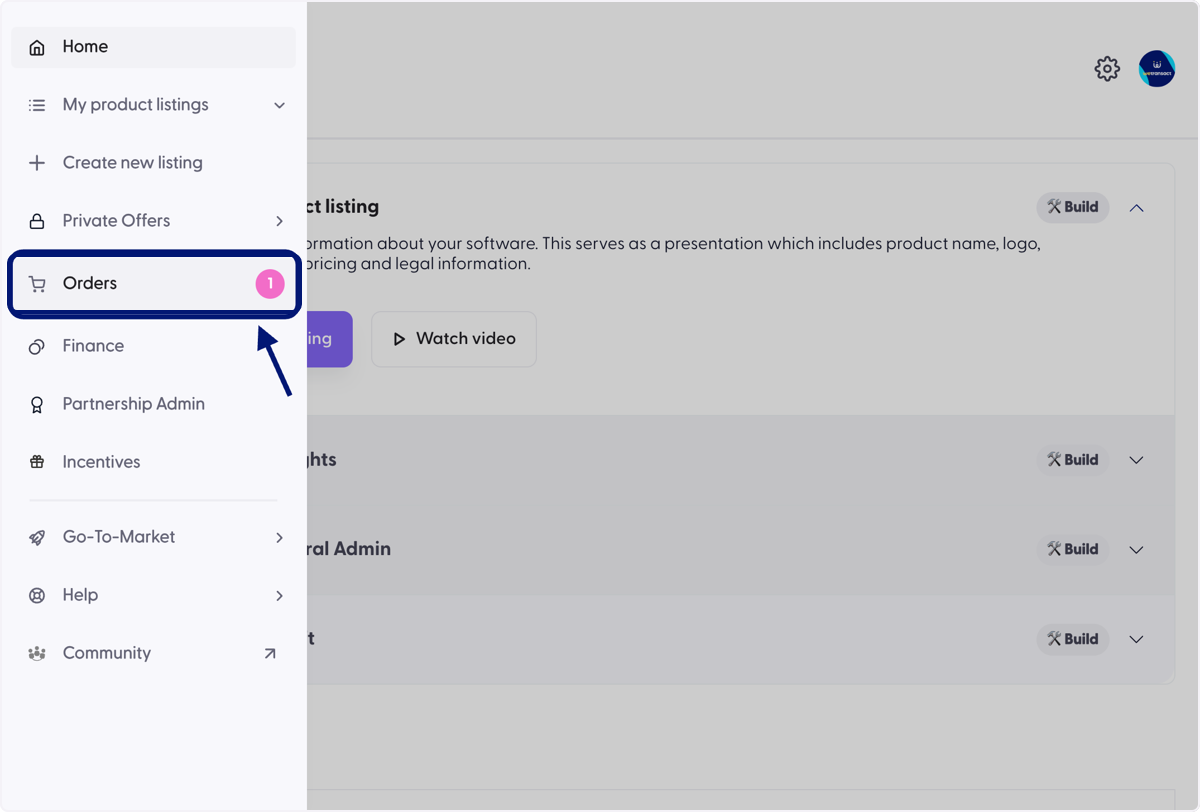
🟣 Click on Orders Tab on the left menu.
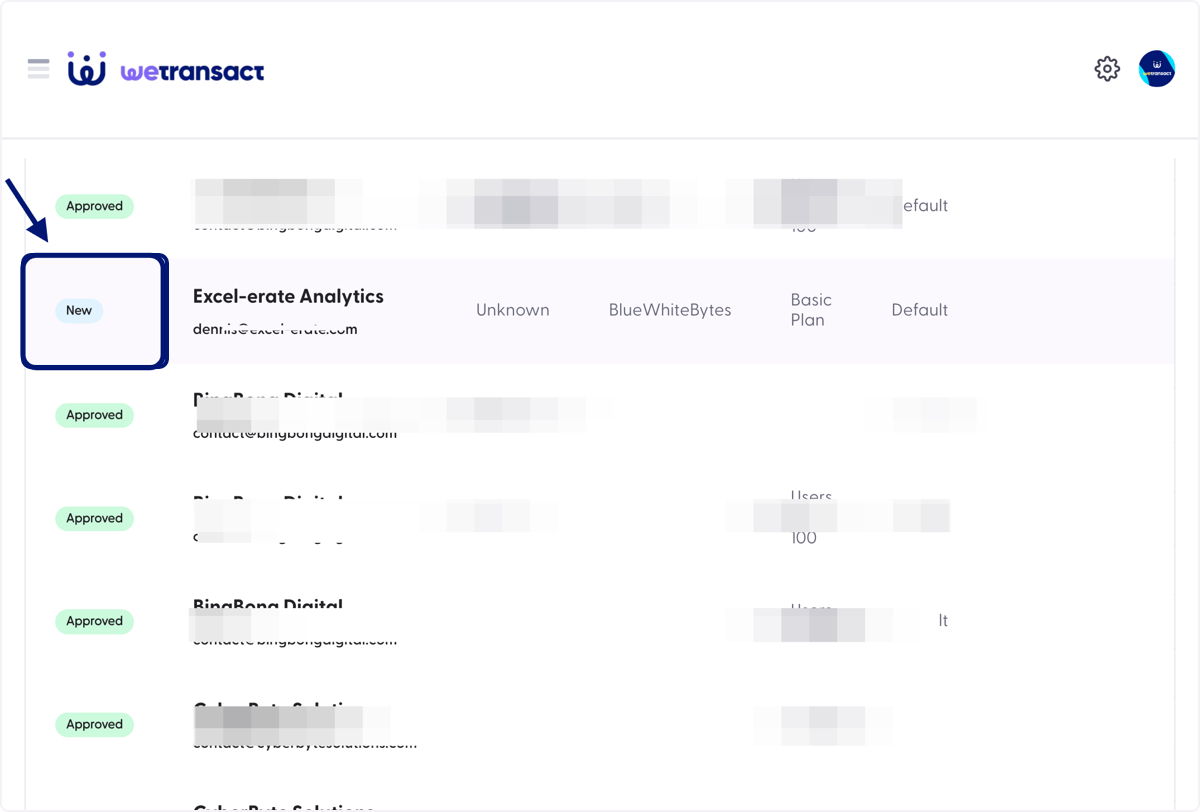
🟣 You will see the new order, Scroll on the right to see the action button.
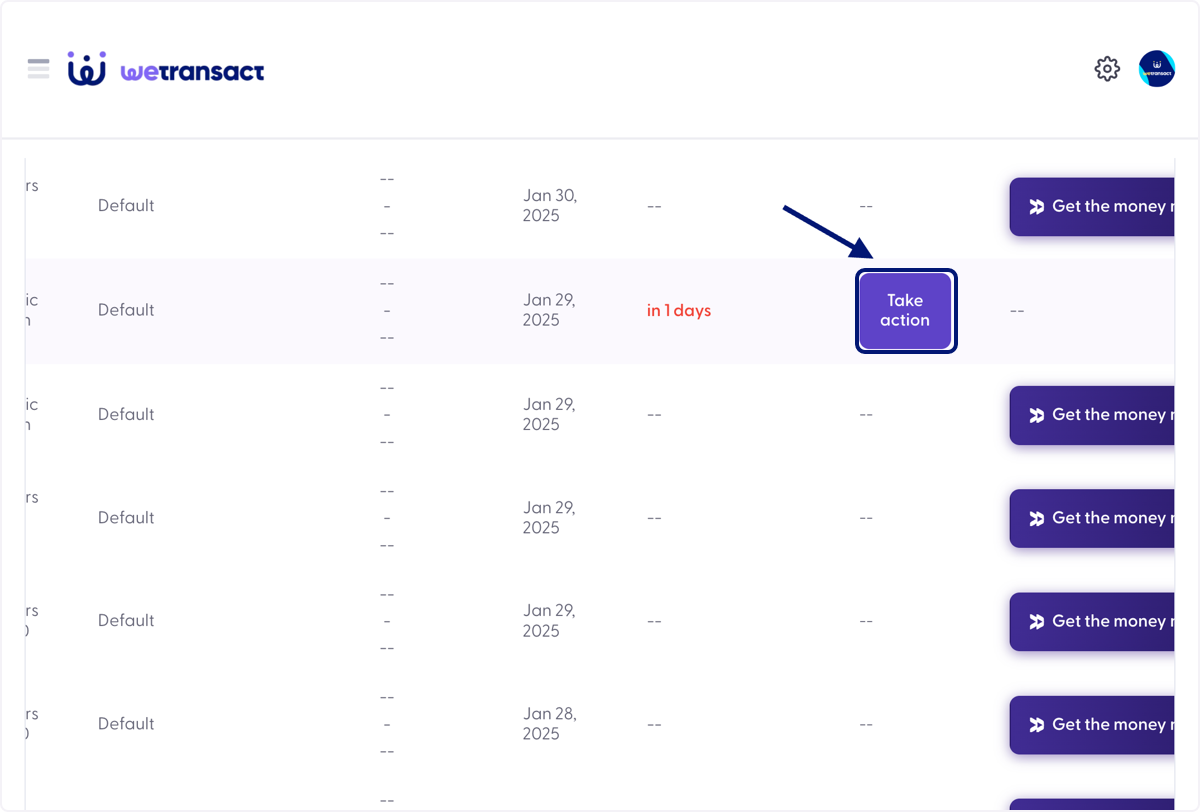
🟣 Click on Take action button
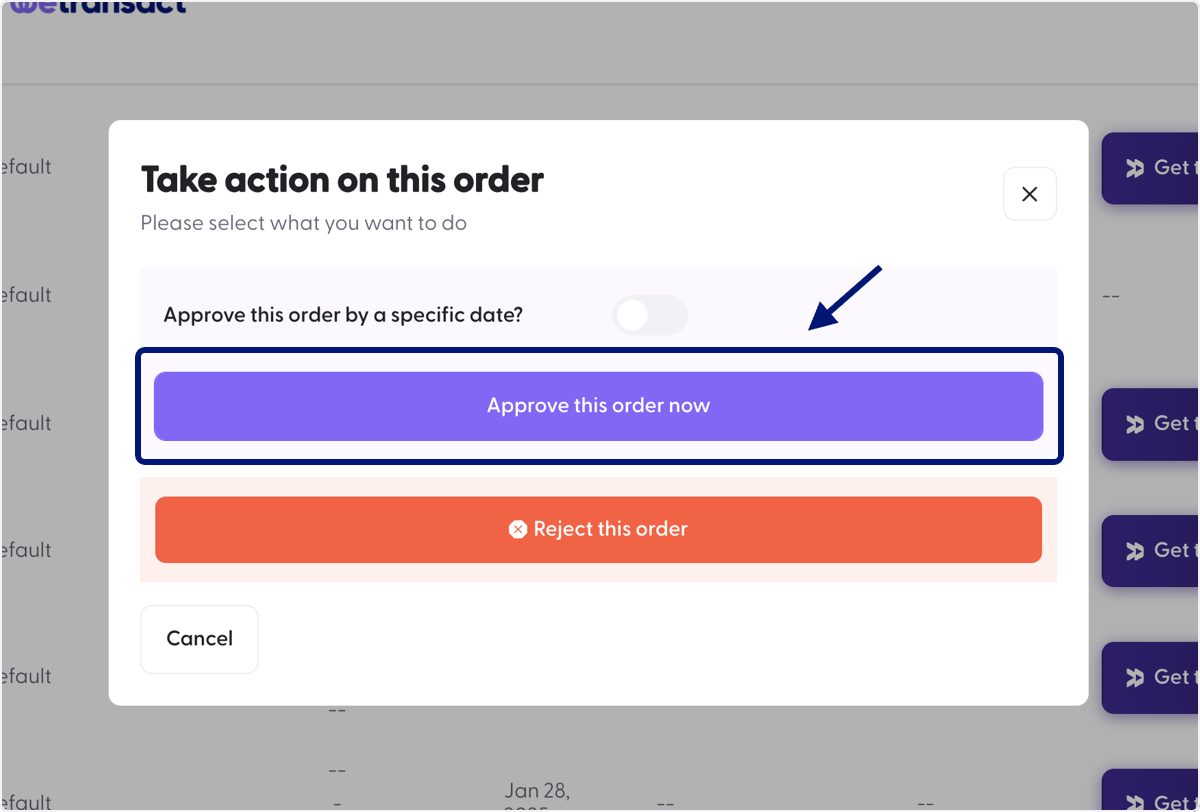
🟣 A window will pop up, Click on 'Approve this order now' option.
💬 For more, contact us at : [email protected]