Guide to Submitting the Claim for AI Build & Publish Marketplace Incentives FY27
✅ Pre-Application Gates
Before applying, ensure you meet all of the following requirements:
Requirement | Details |
|---|---|
Enrolment | Enrolled in the Microsoft Commercial Incentives program |
Tax & Banking Setup | Tax and banking profile fully configured |
Incentive Admin Role | Confirmed Incentive Admin role assigned |
Solution on Azure | Solution uses Azure services (Azure AI or Azure Analytics) |
Performance Gate | Achieve $100K+ in marketplace build sales OR $1M+ in MRR from a customer |
✅ Application Process
🟣 Access Partner Center and Click on Incentive Workspace.
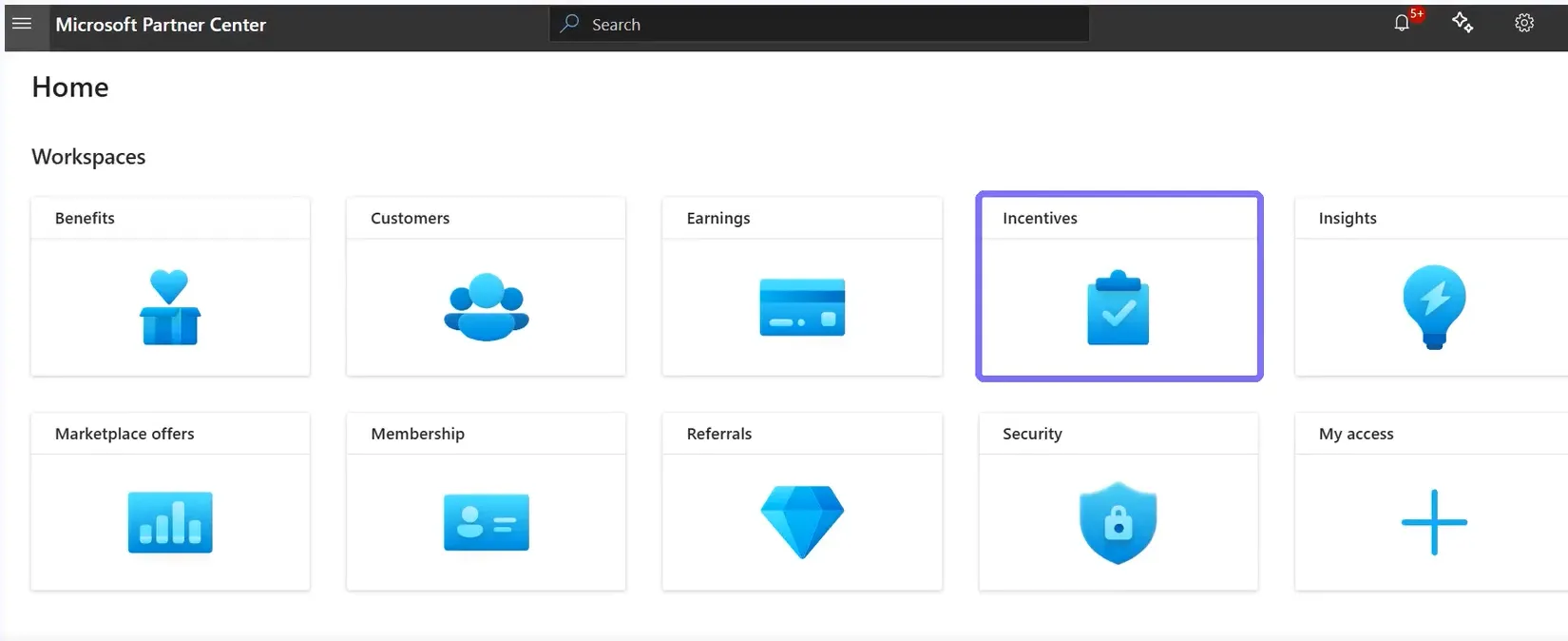
✅ Check Enrolment and Complete your Tax Profile
🟣 If you are invited but not yet enrolled, the page will look like this (below). In that case, complete the enrolment
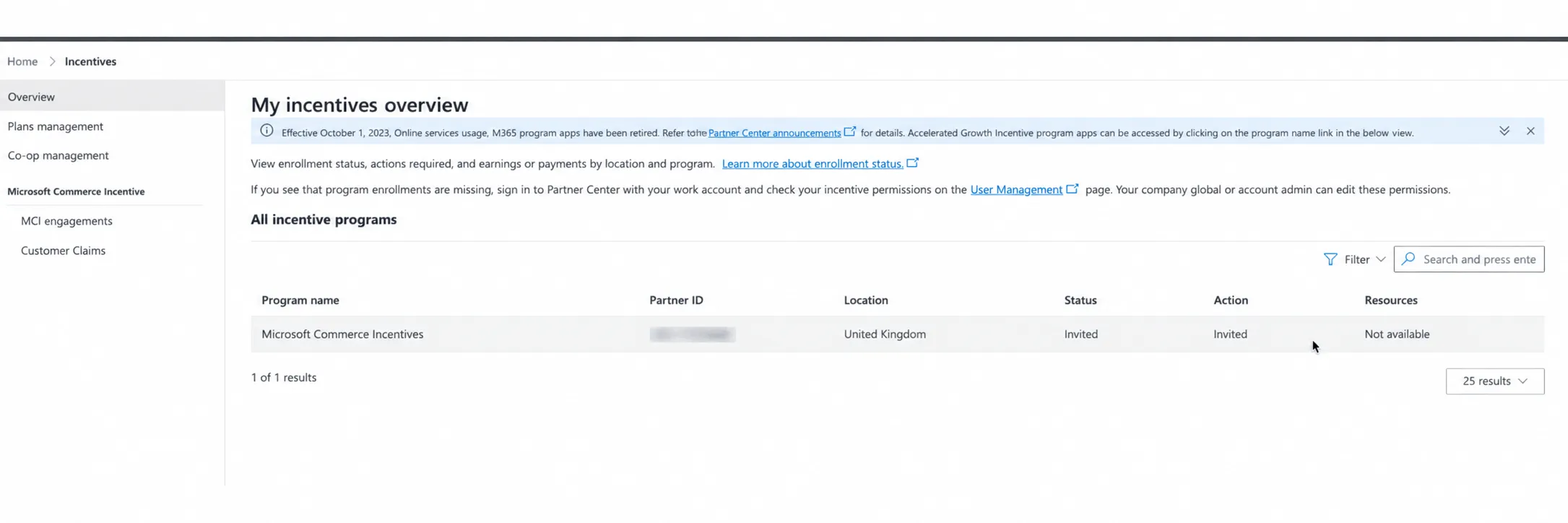
🟣 Click on Action.

When a client shows Status = Invited and Action = Enroll, that Enroll button won't work directly. You need to first select the button next to the program name. That refreshes the display, and only then can the client click Enroll.
🟣 Then the enrolment form will show; click on Enrol
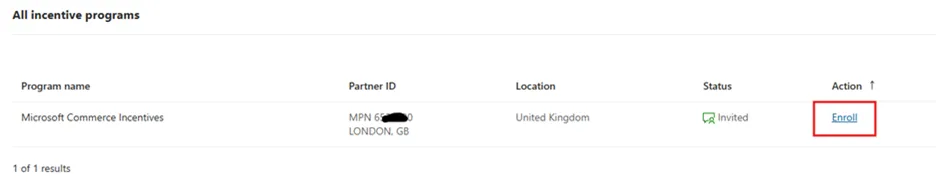
🟣 If you do not see the button, then check your email with the subject: 'Partner Incentive Enrollment Invitation'.
Note : If not found, raise a ticket using this guide
🟣 Complete the Tax profile and payout profile.

🟣 Please follow the guide to complete the tax and payout profile
✅ Customer Claims
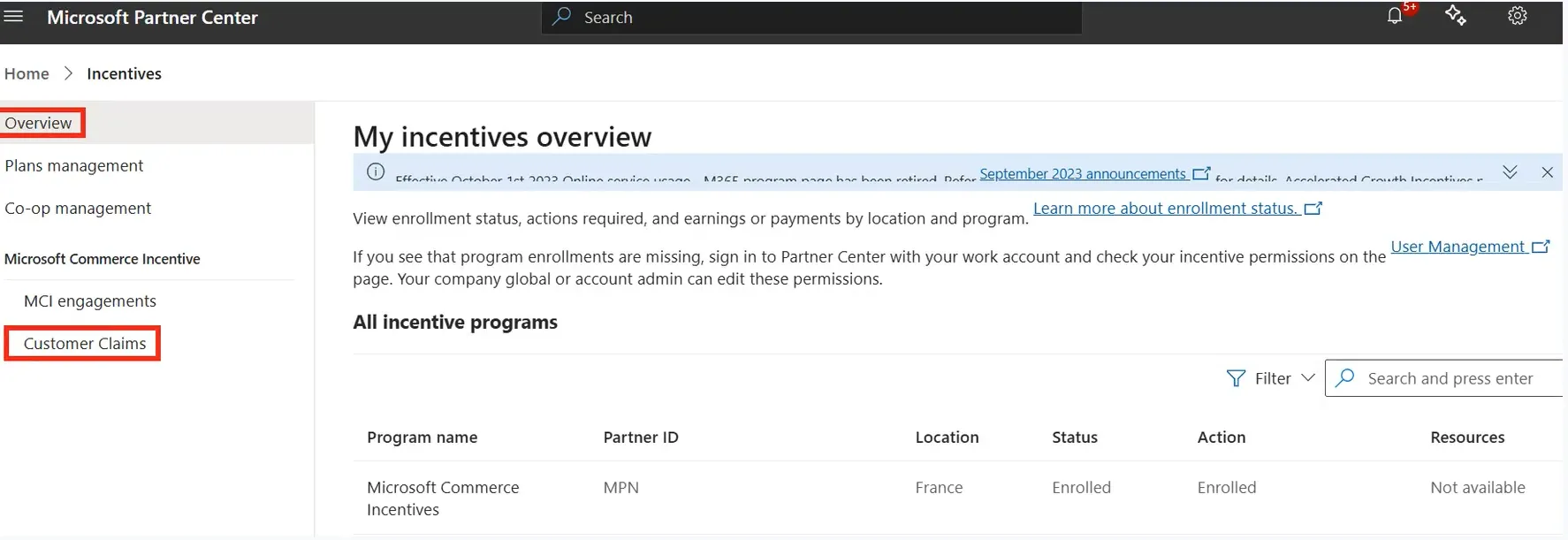
Once the tax and payout profile is complete, submit a claim.
🟣 Navigate to the Customer Claims section.
✅ Add Customer
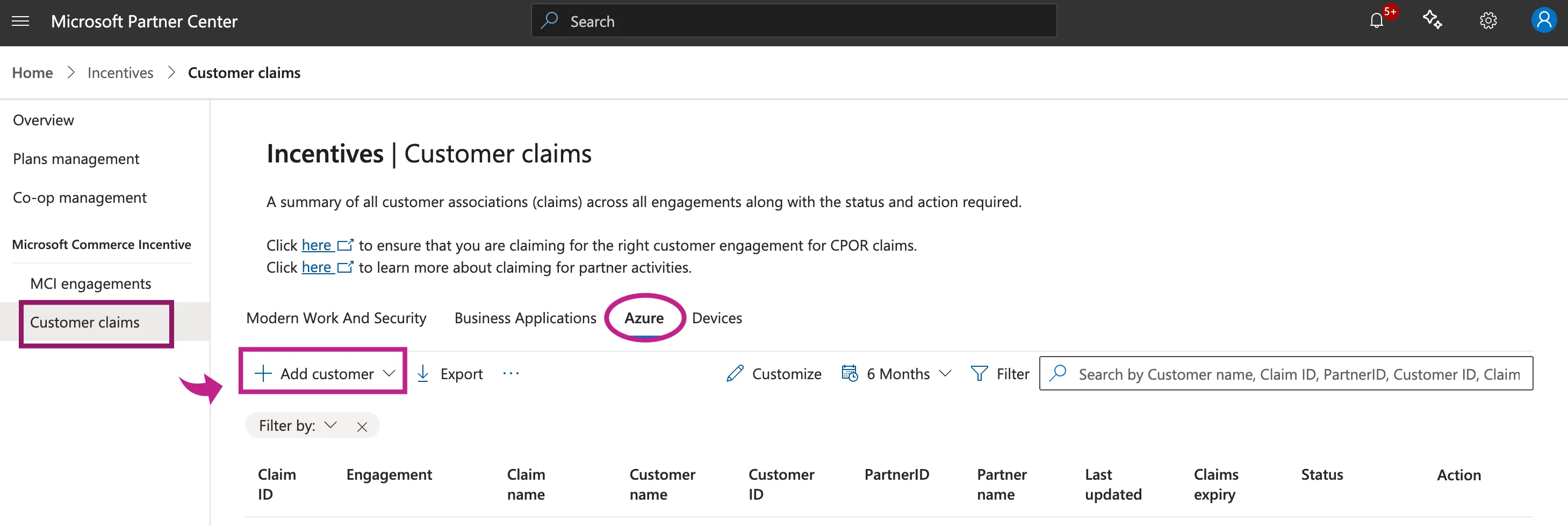
🟣 Go to Customer Claims, select Auze, and click on Add customer
🟣 1. Associate Customer
- Assign a name to the claim for tracking.
- Select your Partner Location.
- Set Customer ID Type to Tenant ID.
- Enter your Tenant ID (since you're applying for the incentive).
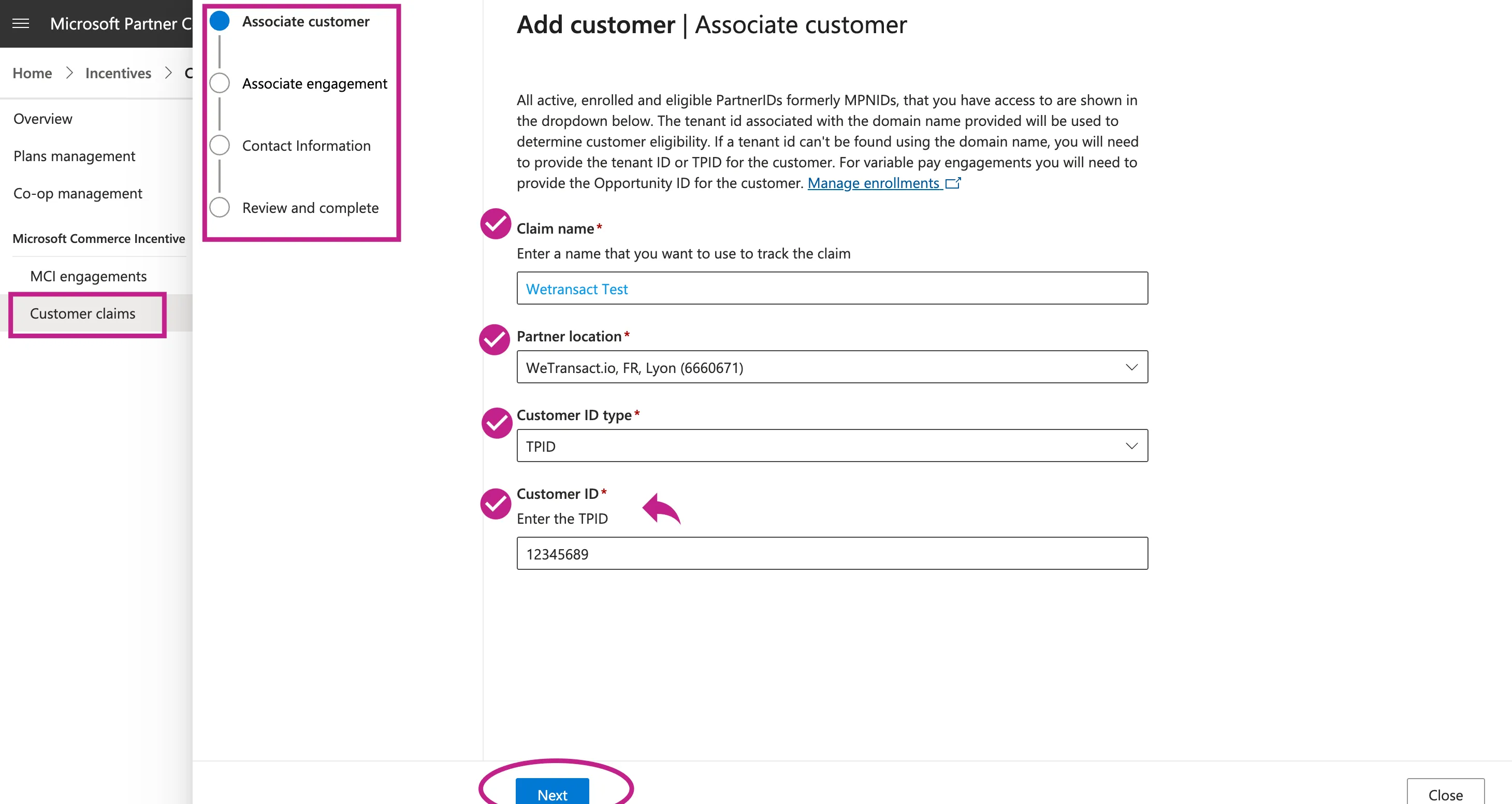
Be sure to only use the Customer TPID in the, Add Customer process
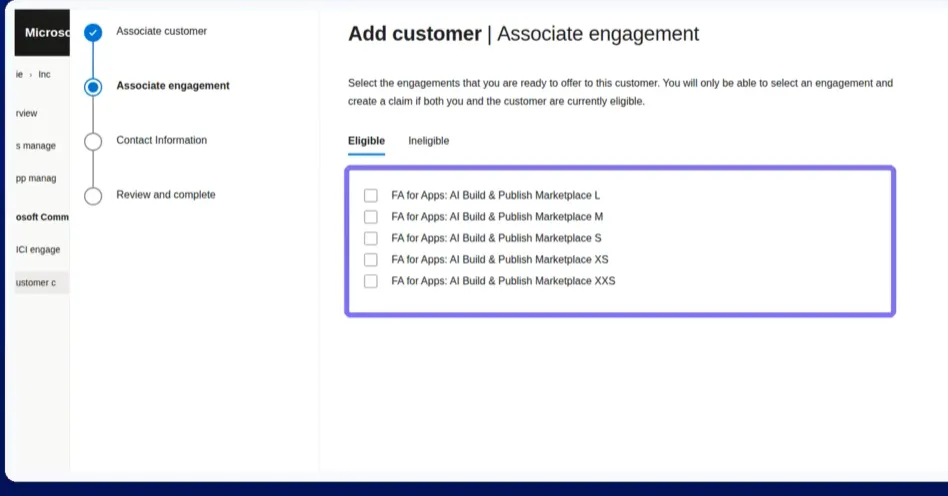
🟣 2. Associate Engagement, Select Tier
Choose the tier aligned with your projected Marketplace Billed Sales (MBS).
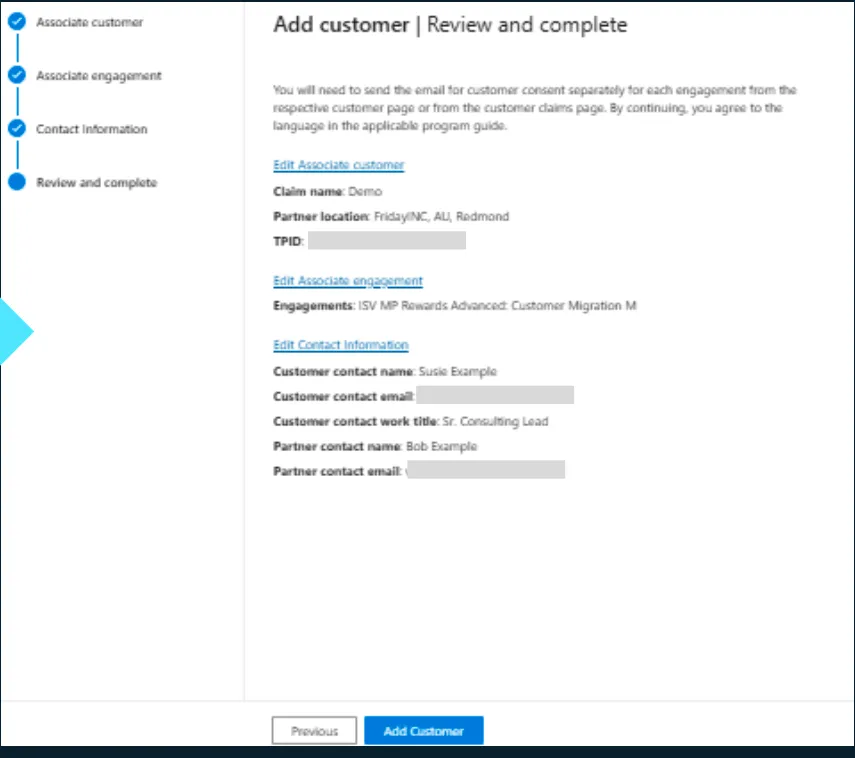
🟣 3. Add contact information
Under Contact Information, add SDC (Publisher's) details for both customer and partner
✅ Submit Claim
Enter the required contact details.
Review all checkboxes on the right.
Upload Invoice in USD
Upload Solution Architecture showing qualifying Azure services
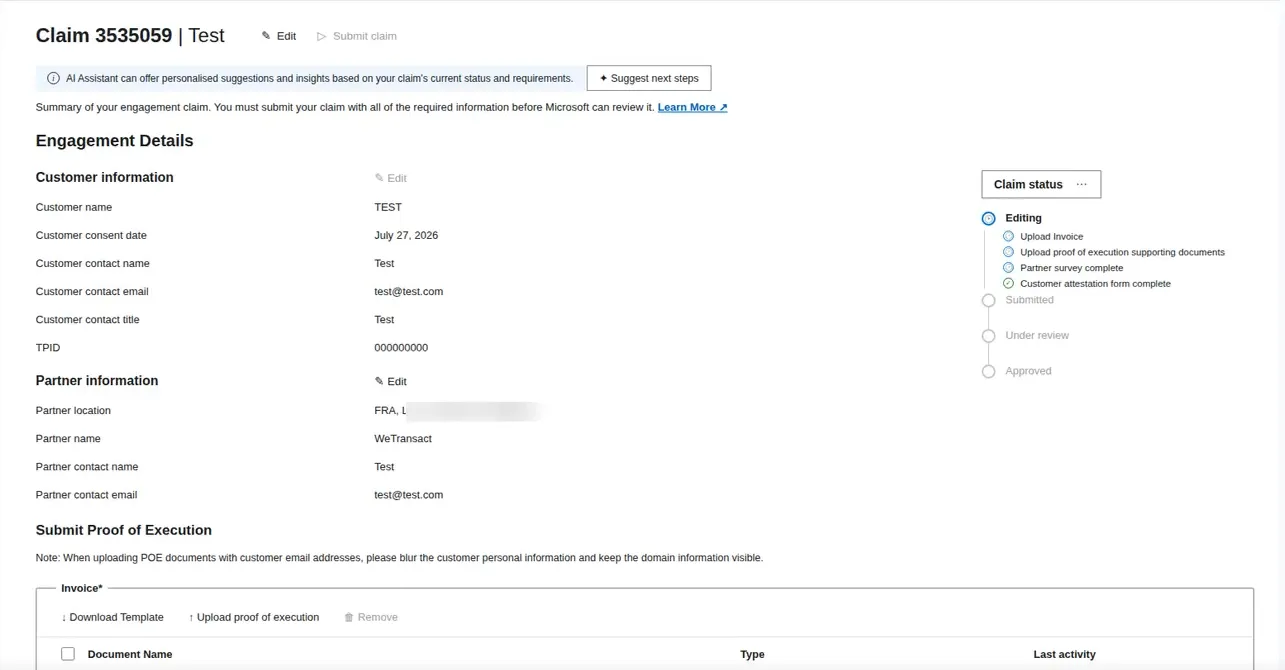
✅ When all required fields show green (indicating completion), submit the claim.
✅ If accepted, payment is issued within 45 days.
⚠️ Important Notes
- Proof of Execution: Attach substantial proof of execution. Weak proof is the primary reason for rejection.
- Invoice Template HERE
- Proof of execution template HERE
- Reference Architecture diagram HERE
- Partner Actions: Complete any required partner actions before the due date to track progress.
- Error Handling: For any Partner Center or application errors, collect your Seller ID, Partner ID, and TPID (if available), then contact [email protected].