I have added WeTransact, but support/bot can't log in.
10 min
Error Message: "Access is blocked by the organization"
It appears there are policies or restrictions in place that are preventing the required action from being completed. These may exist in one of three areas outlined below. Let us guide you through identifying and resolving the issue. Please check below:
First Check - Is the User activated ? Starting from portal.azure.com
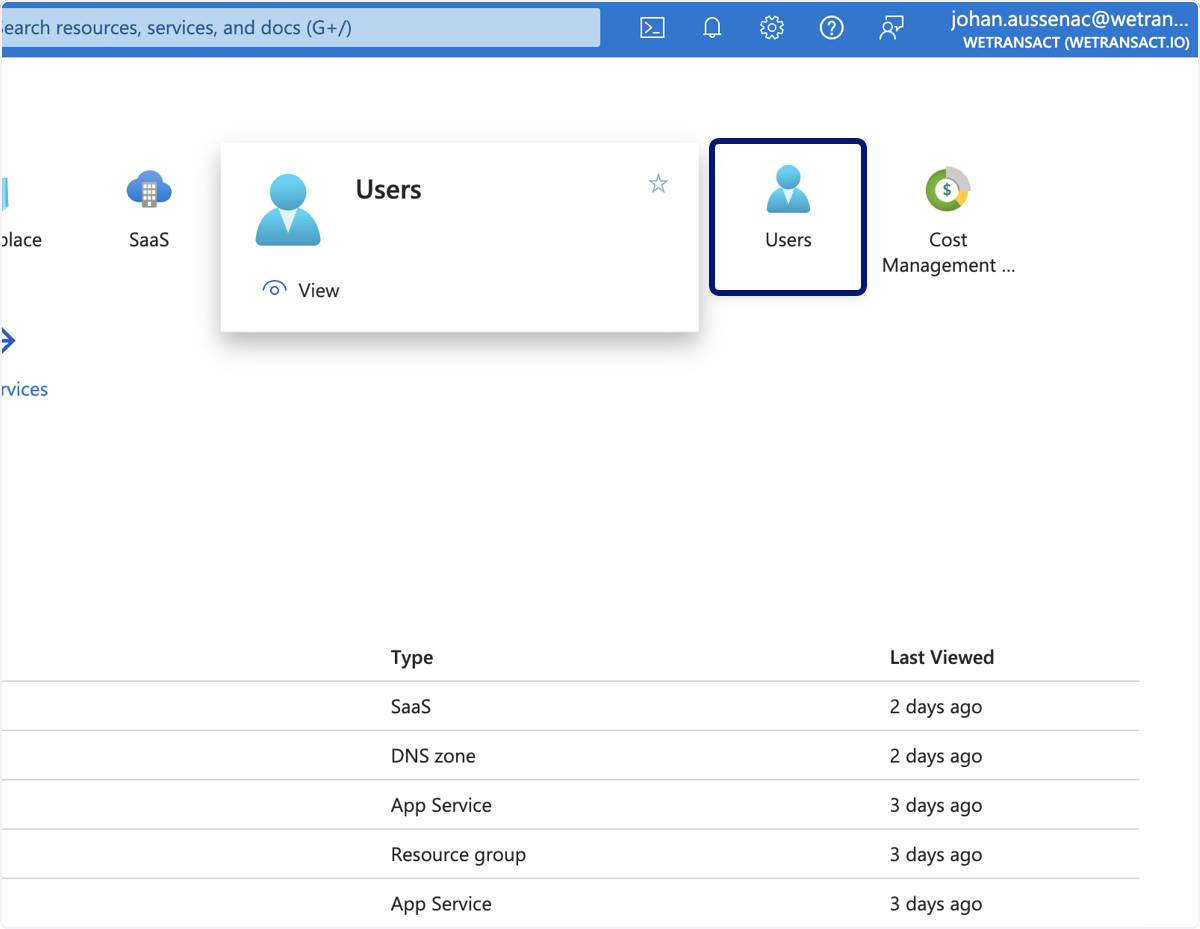
🟣 Browse to the Users tab. If it doesn't show up on homepage, you alternatively type "Users" on the search bar and navigate there.
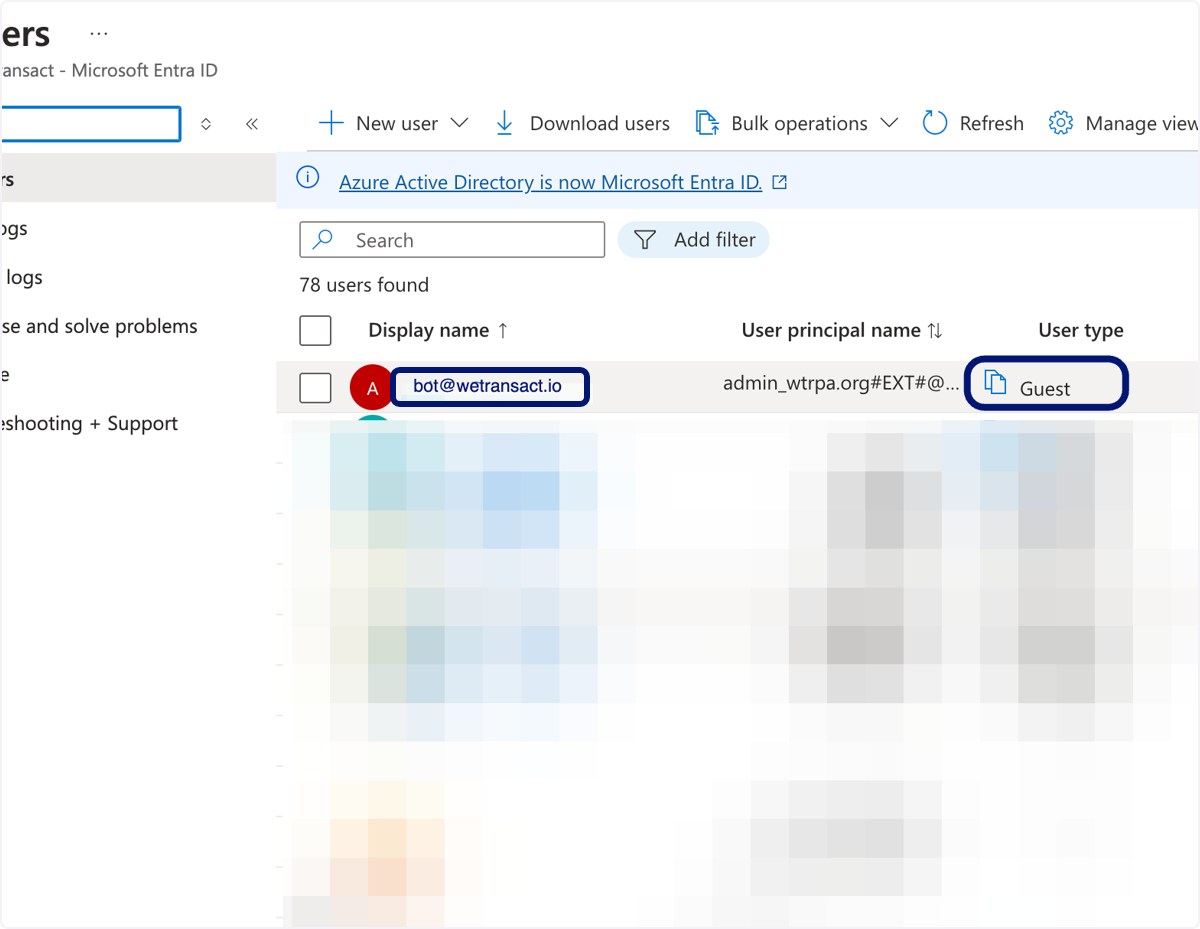
🟣 Check on the "[email protected]" and repeat the operation for "[email protected]".
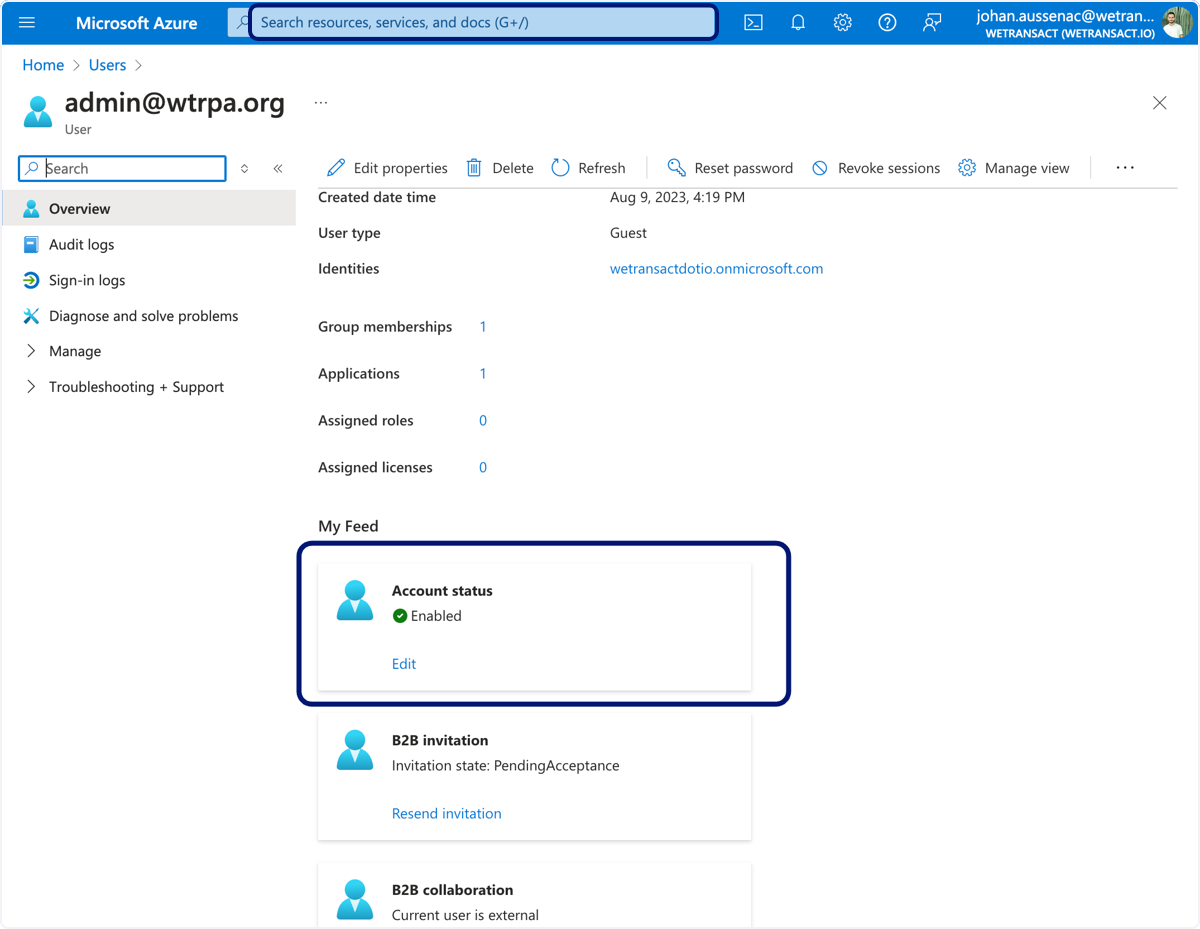
🟣 On the overview tab - please make sure the "Account Status" is showing "Enabled" if not click on Edit and enable it.
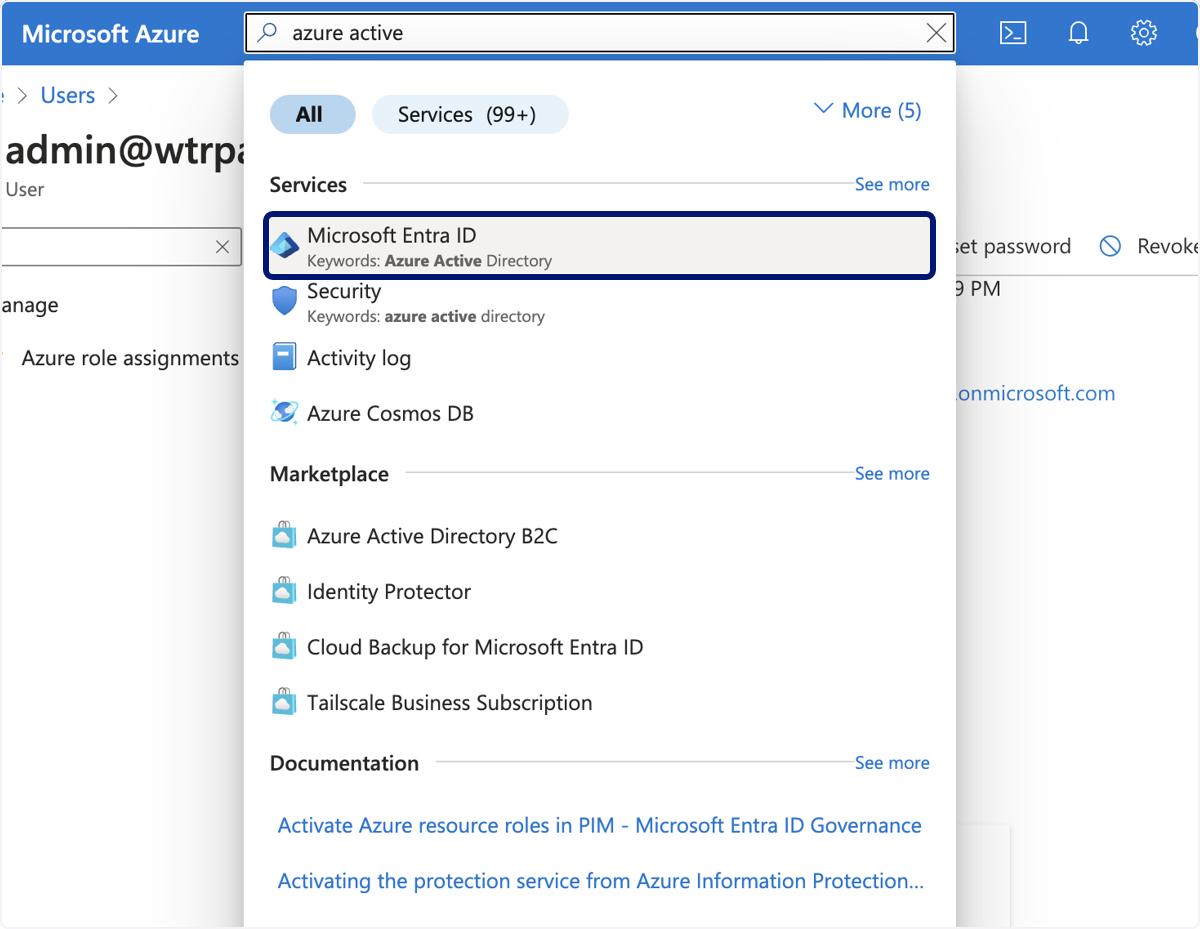
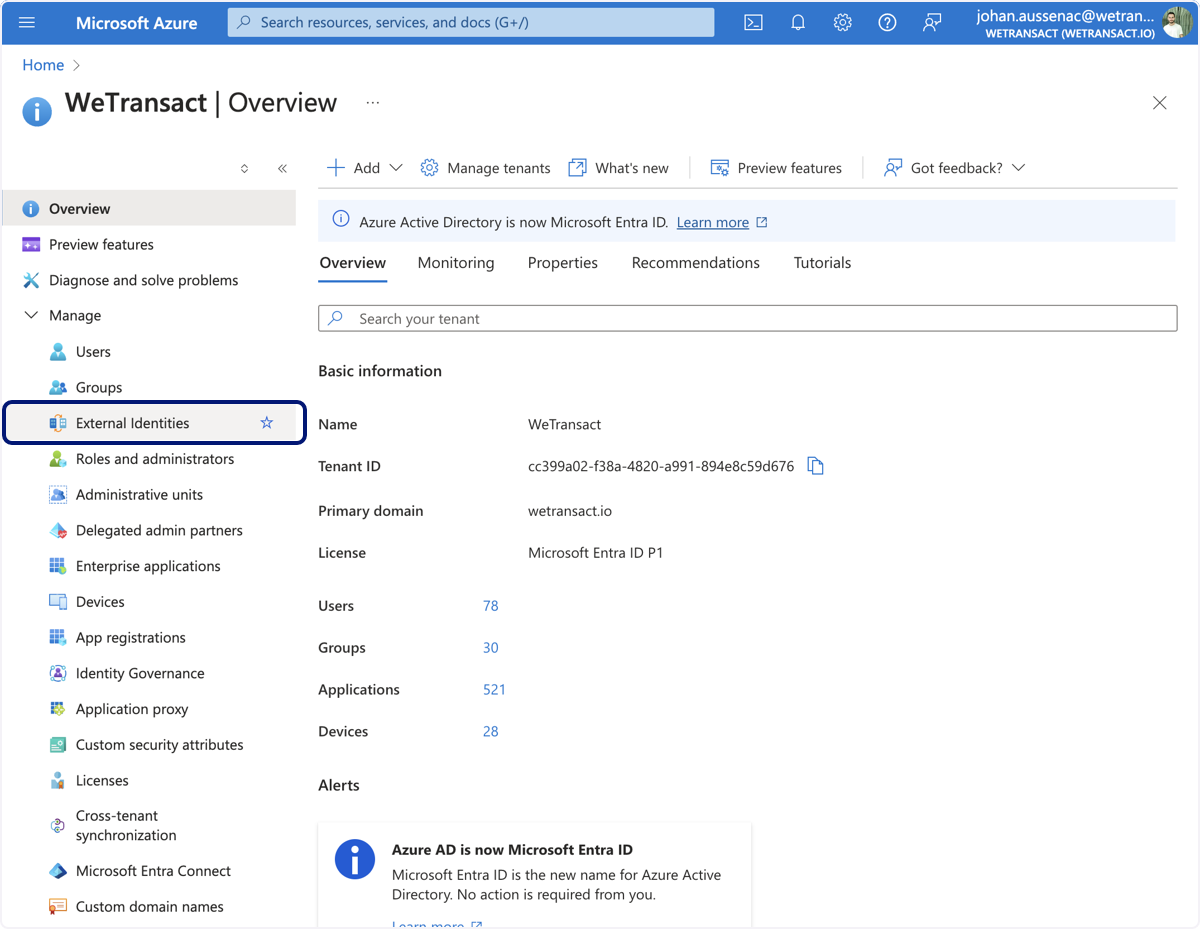
🟣 Second Check - External Collaboration Settings - navigate to Microsoft Entra Id
🟣 Click on External Identities
🟣 Click on External collaboration settings
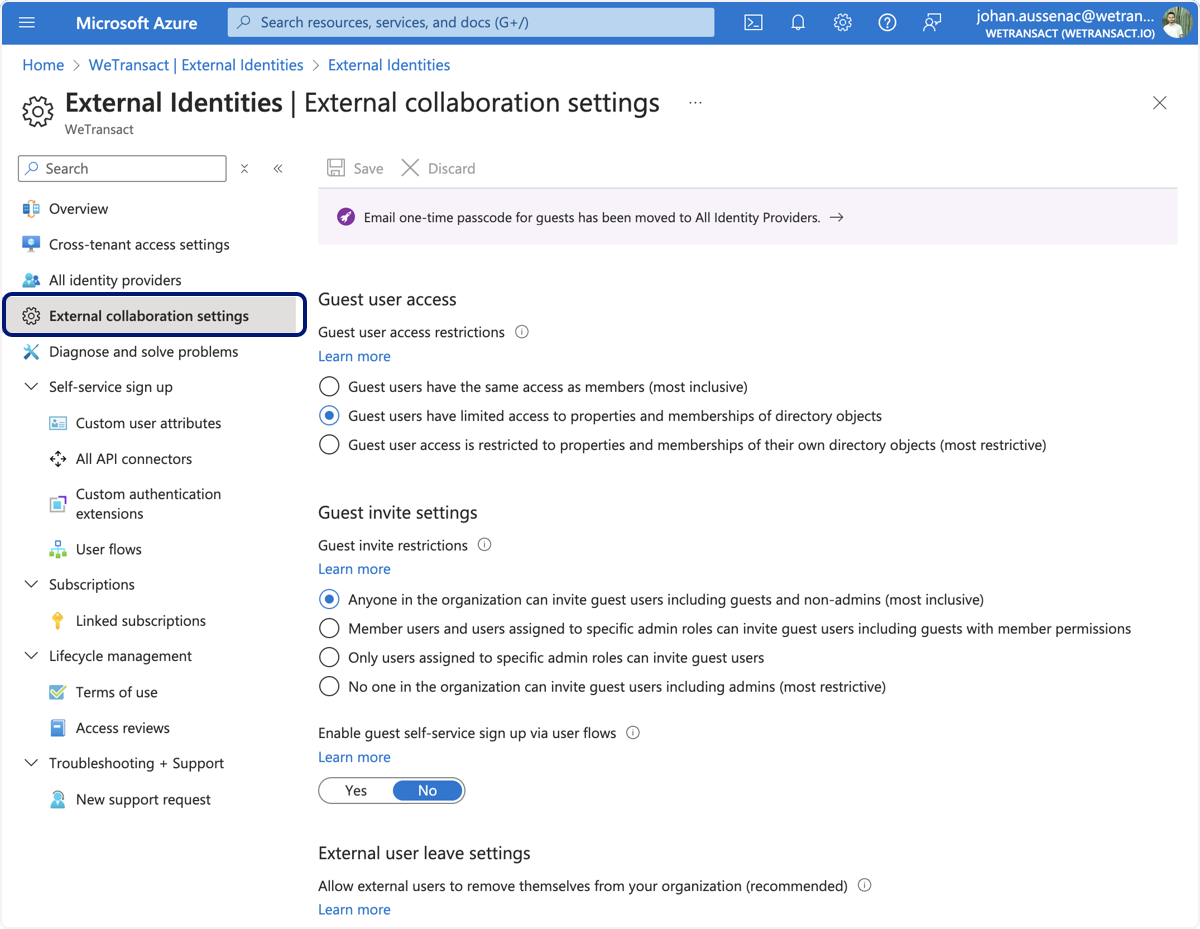
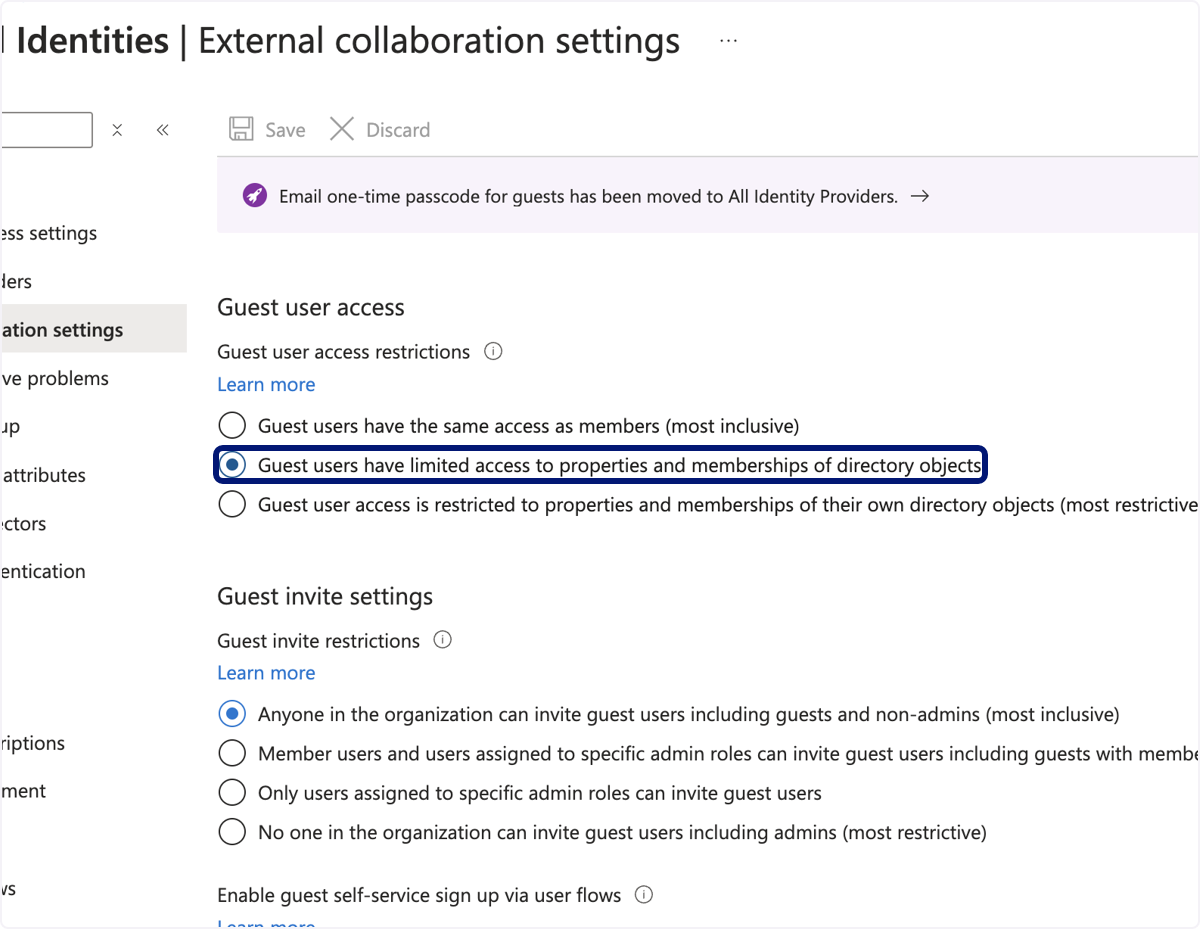
🟣Check that Guest users have
either 1. The Same access as members (not recommended)
OR 2. Guest users have limited access to properties and memberships of directory objects.
If not please perform the change
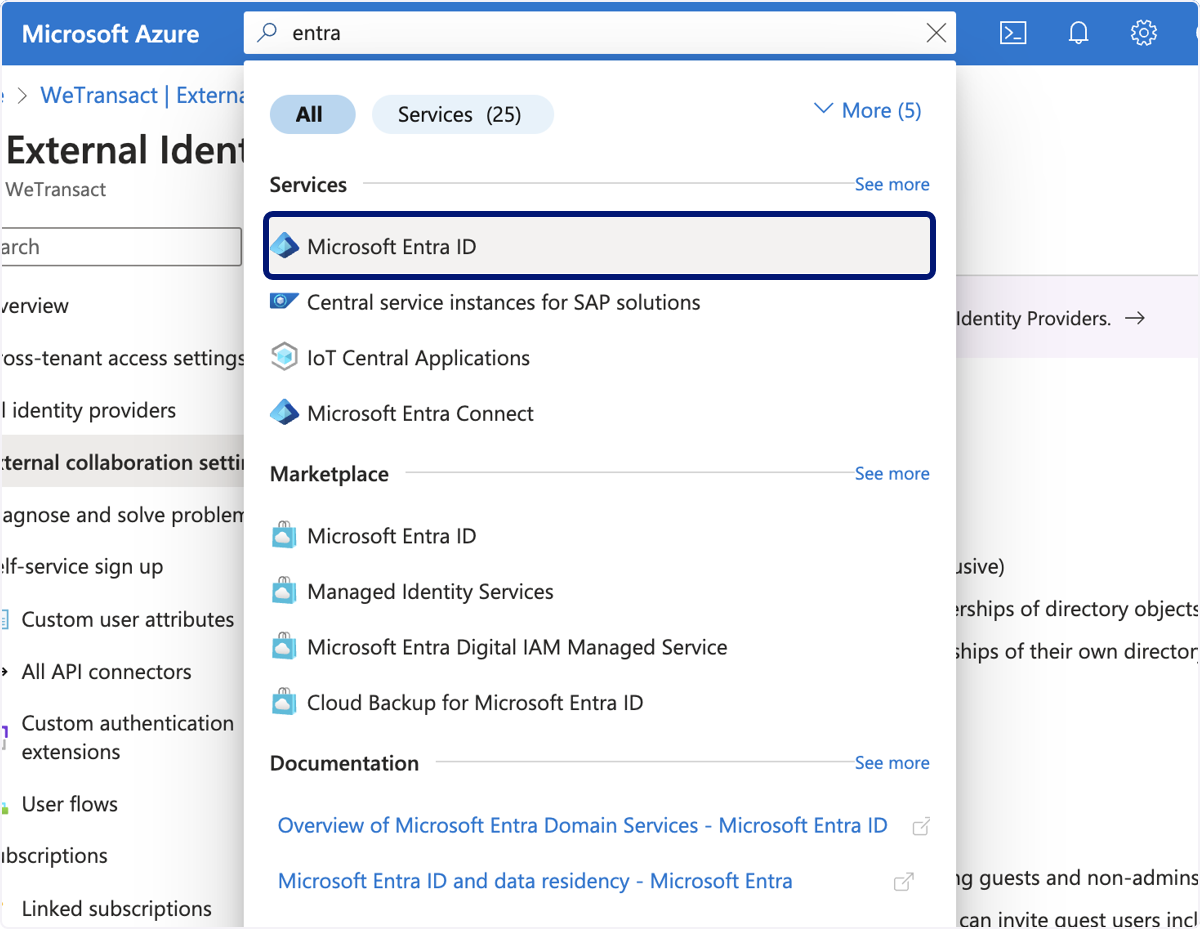
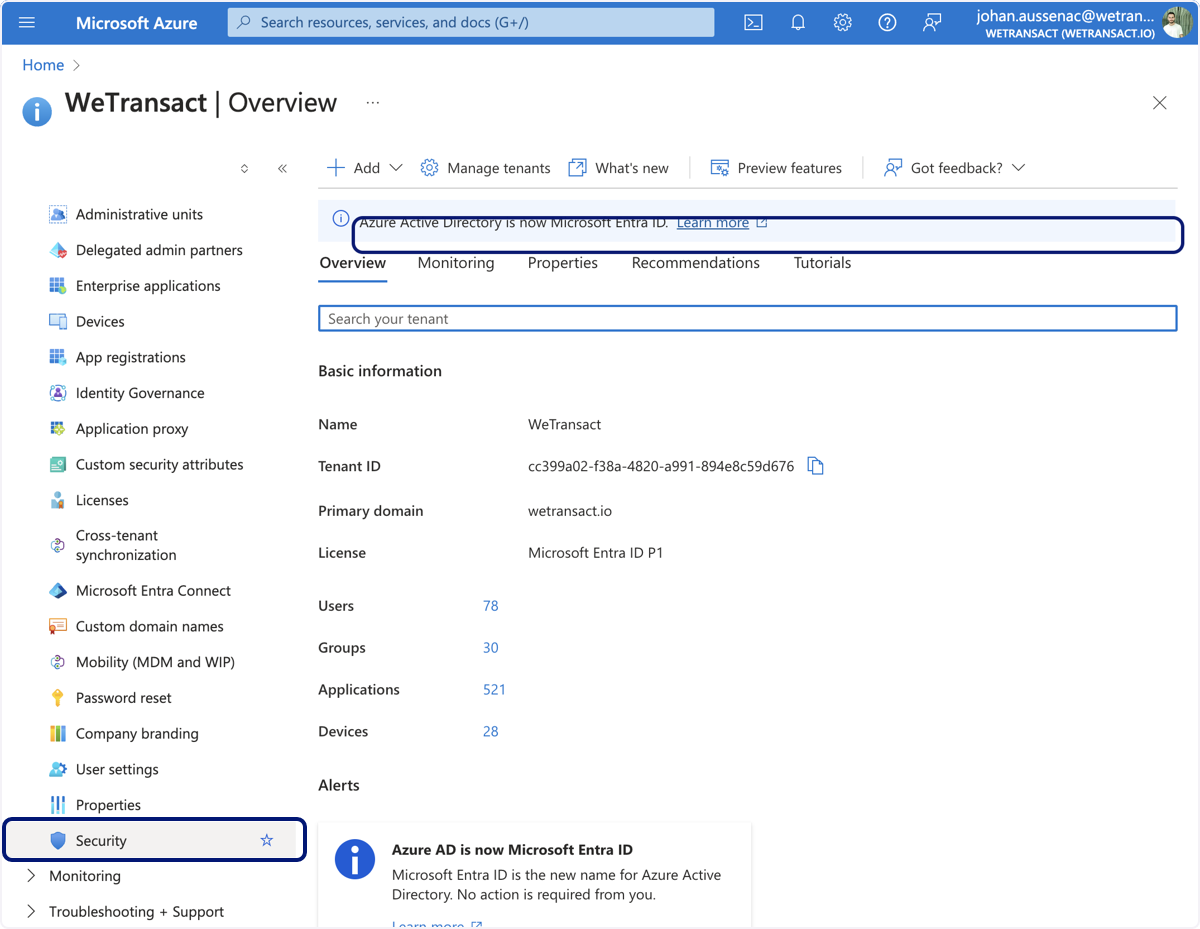
🟣 Third Check - Check on the Conditional Access Policies - Navigate to Microsoft Entra ID
🟣 Click on Security
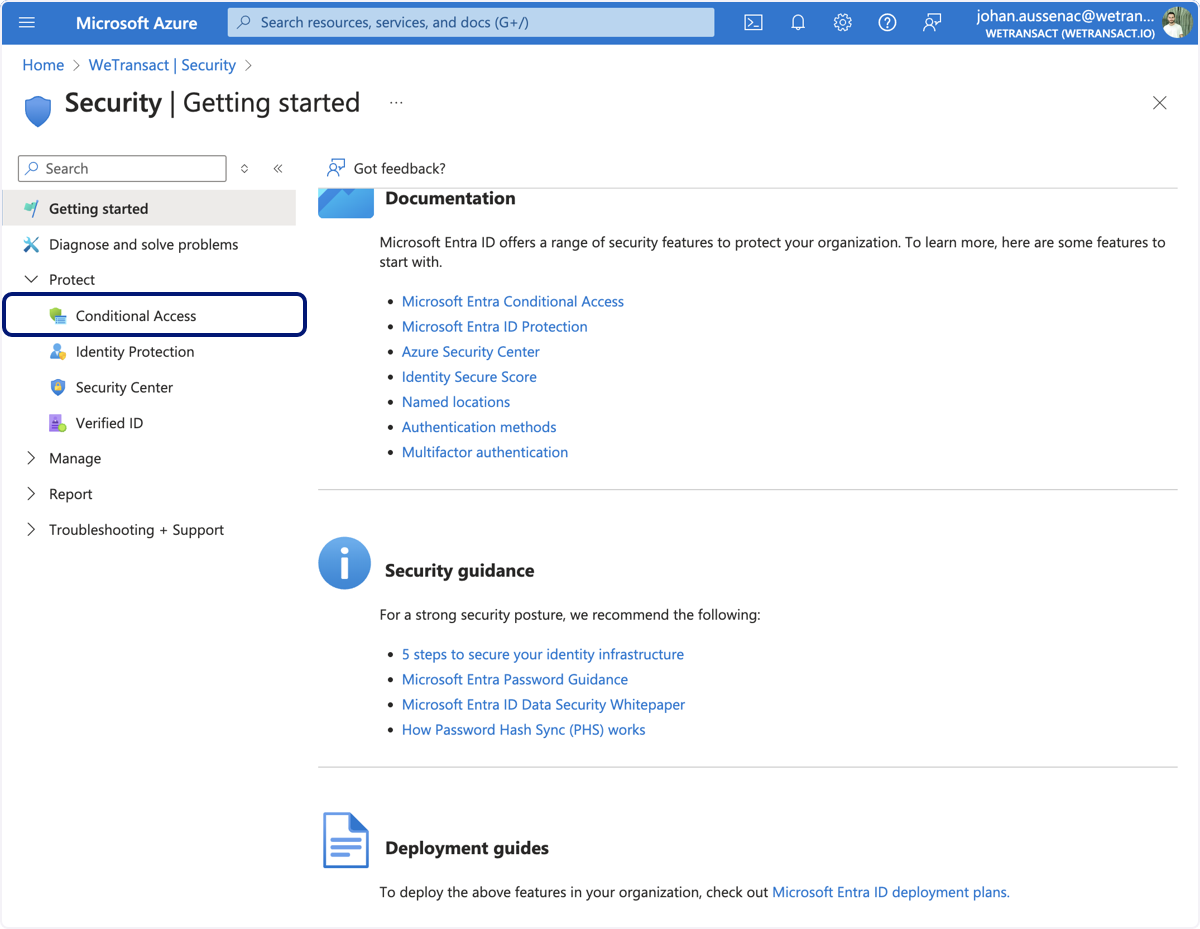
🟣 Click on Conditional Access
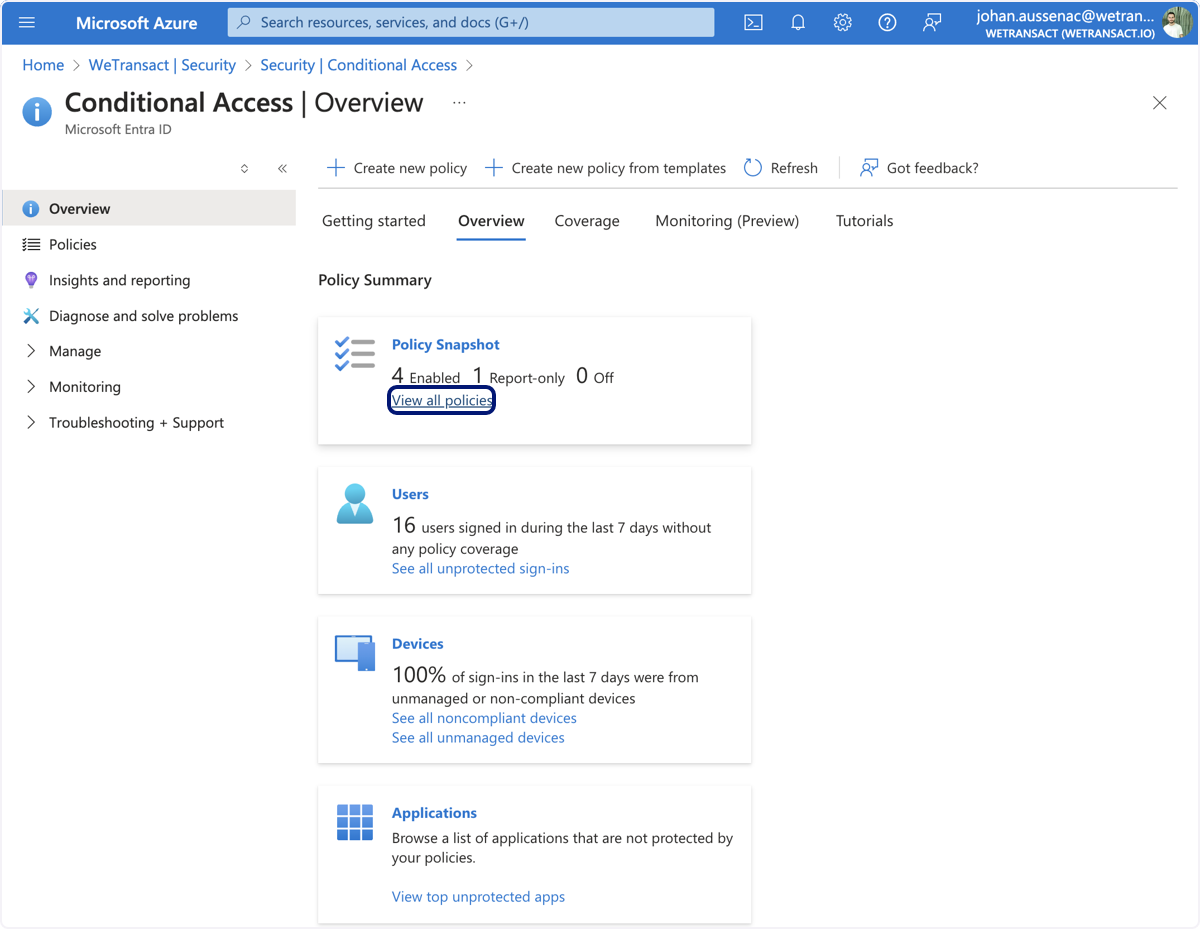
🟣 Click on View all policies
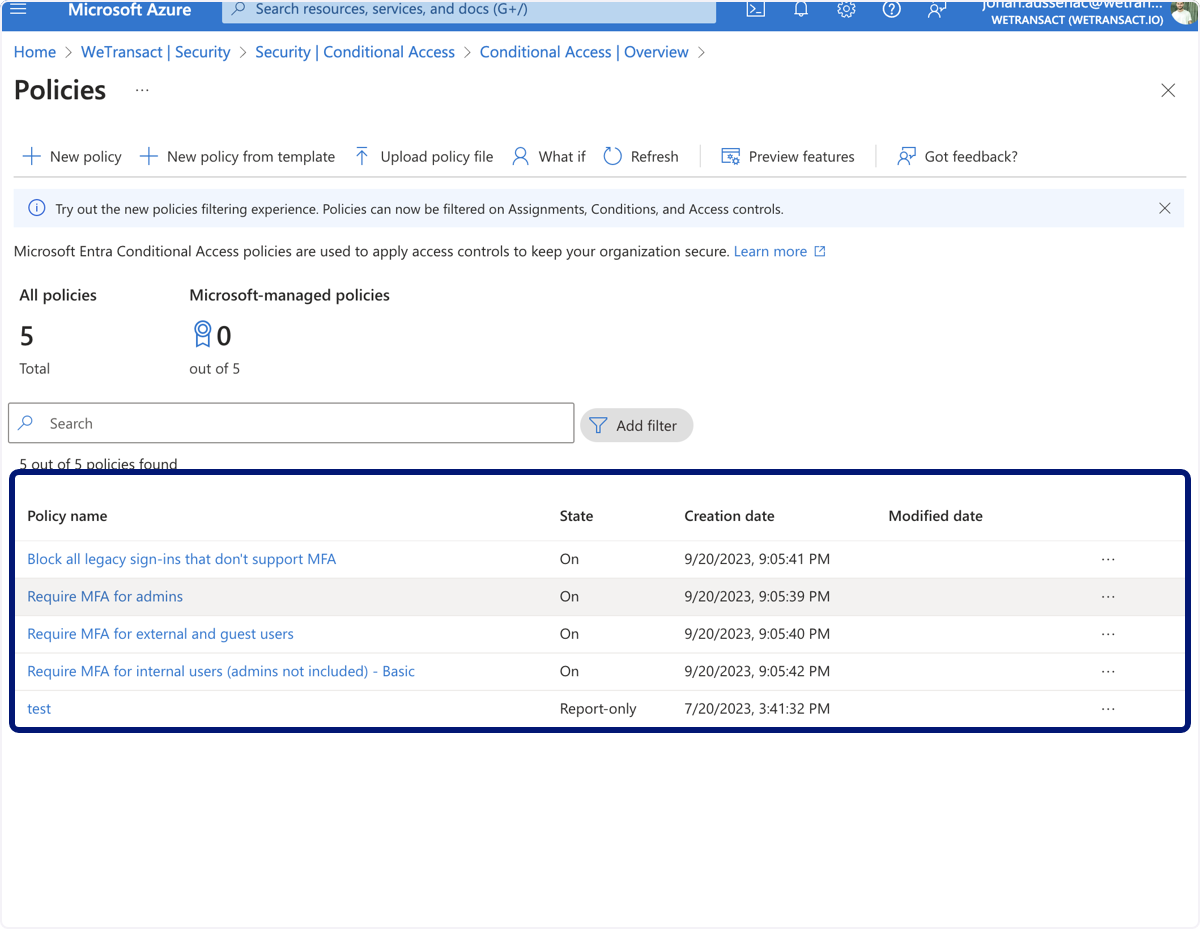
🟣 This is your list of policies- please review them as one of them could affect guest users access.
💬 Need Help?
Contact: [email protected]