Create Warmify Email Rule in Gmail
1. Open Gmail
- Go to gmail.com and log in.
2. Open Filter Settings
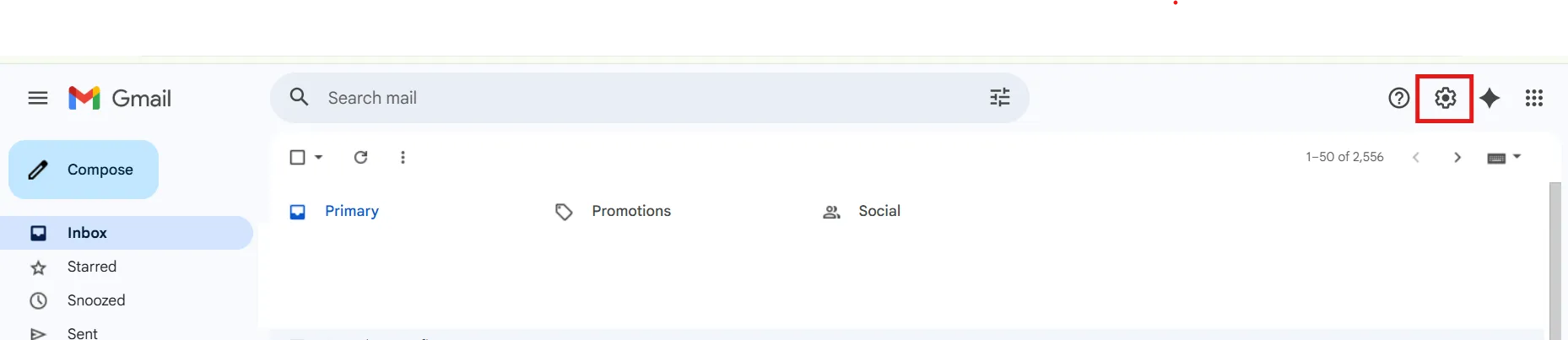
- Click the ⚙️ Settings icon (top right)
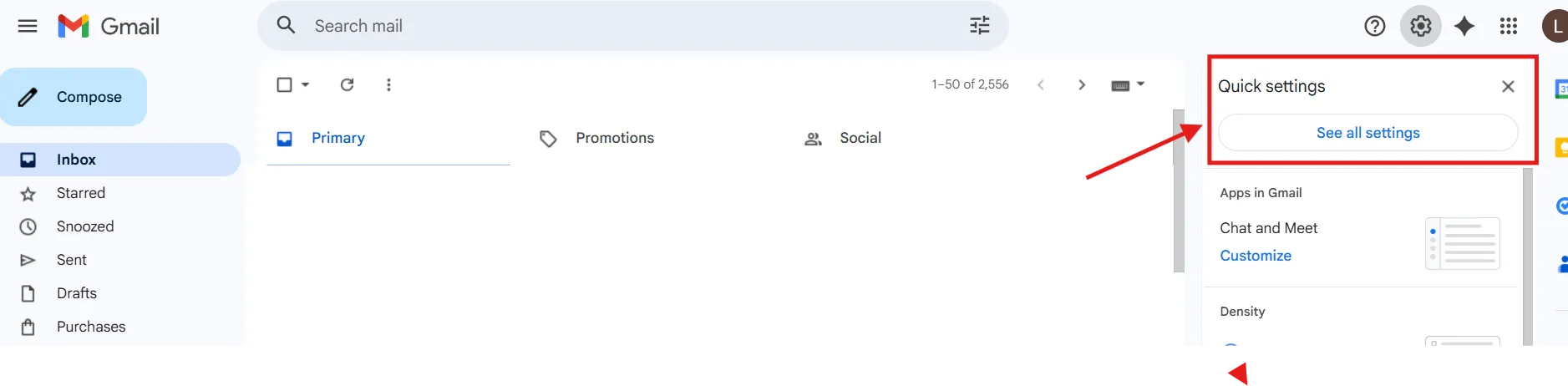
- Select See all settings
- Go to the Filters and Blocked Addresses tab

3. Create a New Filter
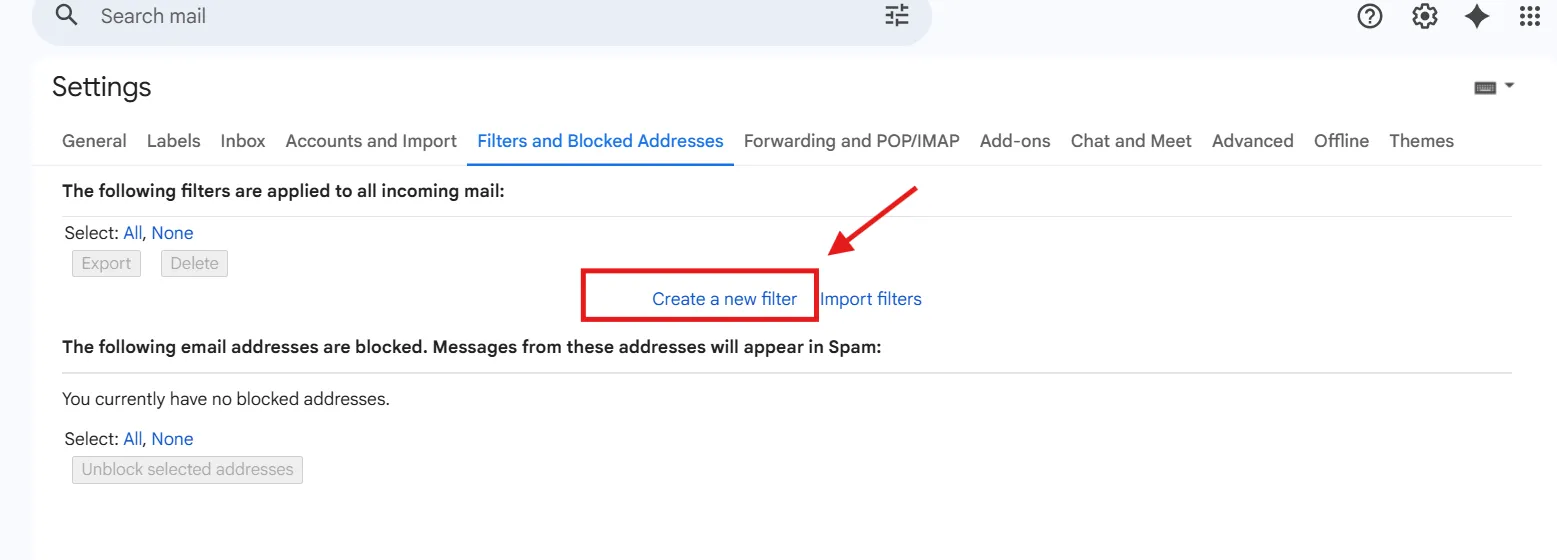
- Click Create a new filter
4. Set the Filter Condition
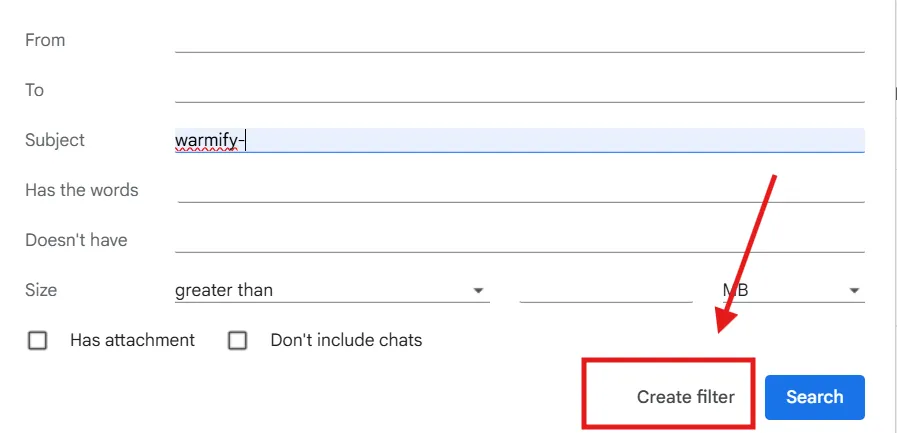
- In the Subject field, enter: warmify-
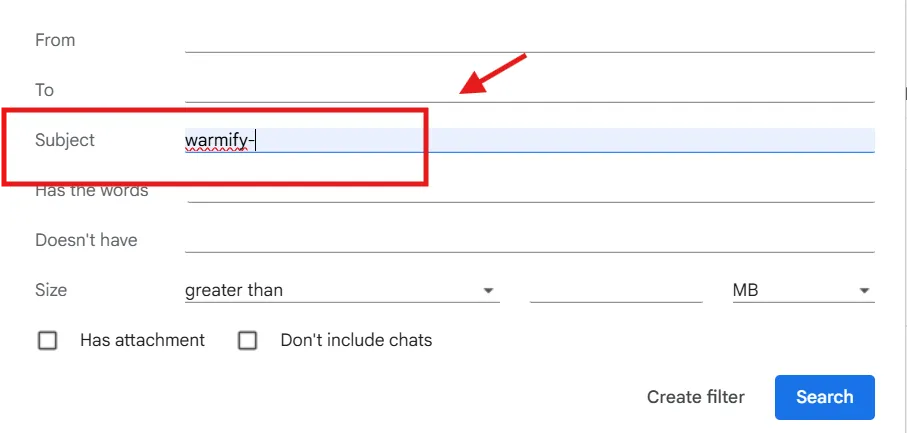
- Click Create filter
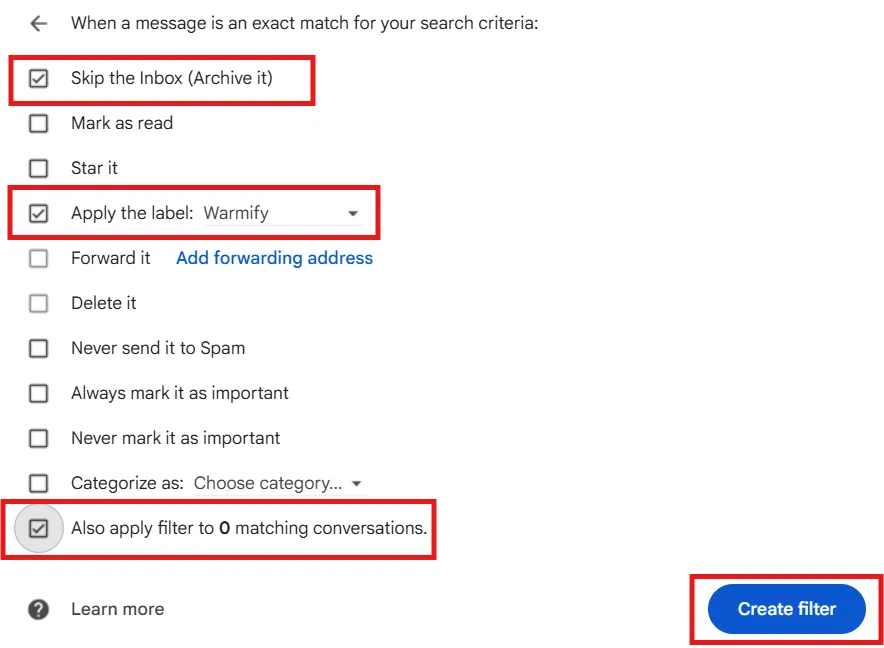
5. Choose the Filter Action
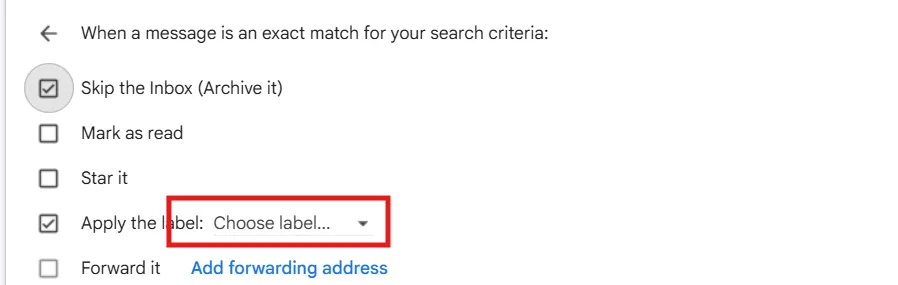
- Check Skip the Inbox (optional)
- Check Apply the label
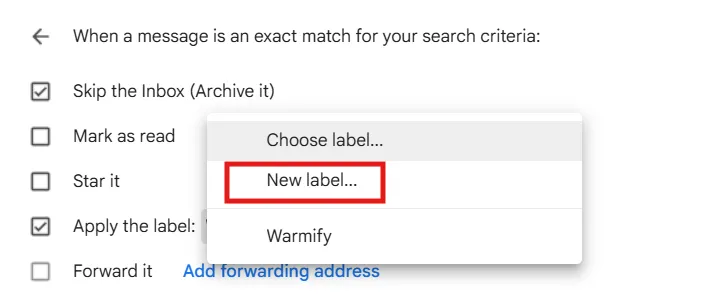
- Click Choose label → New label
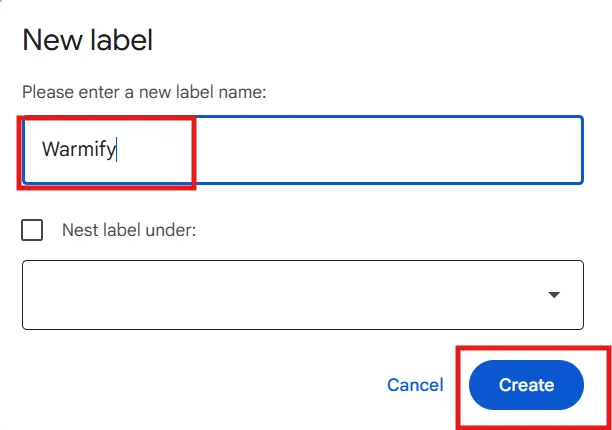
- Name it Warmify and Click Create
6. Apply & Save
- Check Also apply filter to matching conversations
- Click Create filter
❗️Important Note
Since you use Gmail to send and receive emails, this guide can only move Emails from your inbox to a designated folder. However, Gmail automatically stores a copy of every sent email in the "Sent" folder. Unfortunately, standard Gmail filters can't prevent or remove that; it's a system-level behavior within Google Workspace.
Two clean solutions:
Option 1: Dedicated Outreach Mailbox (Best Practice Long-Term)
Choose to run outreach from a dedicated mailbox (e.g., sales@ or partnerships@) instead of a personal working inbox.
This keeps your primary account completely clean while still allowing warm-up and AE outreach to run properly.
Option 2: Manual Cleanup (Simple & Immediate)
You can also periodically search in Gmail: in:sent label:Warmify
Select all and delete in bulk.
This takes just a few seconds and does not impact sender reputation in any way.