Step 6 — Grant WeTransact Access to Partner Center
8 min
The person doing that should have:
1. You must be signed in with a global administrator account in your Azure AD tenant. 2. You must have an owner role on Partner Center.
Check this guide to check user rights.
Once you have the proper permissions, please follow the loom or the steps below:
🟣 1. Sign In to partner Center (https://partner.microsoft.com/)
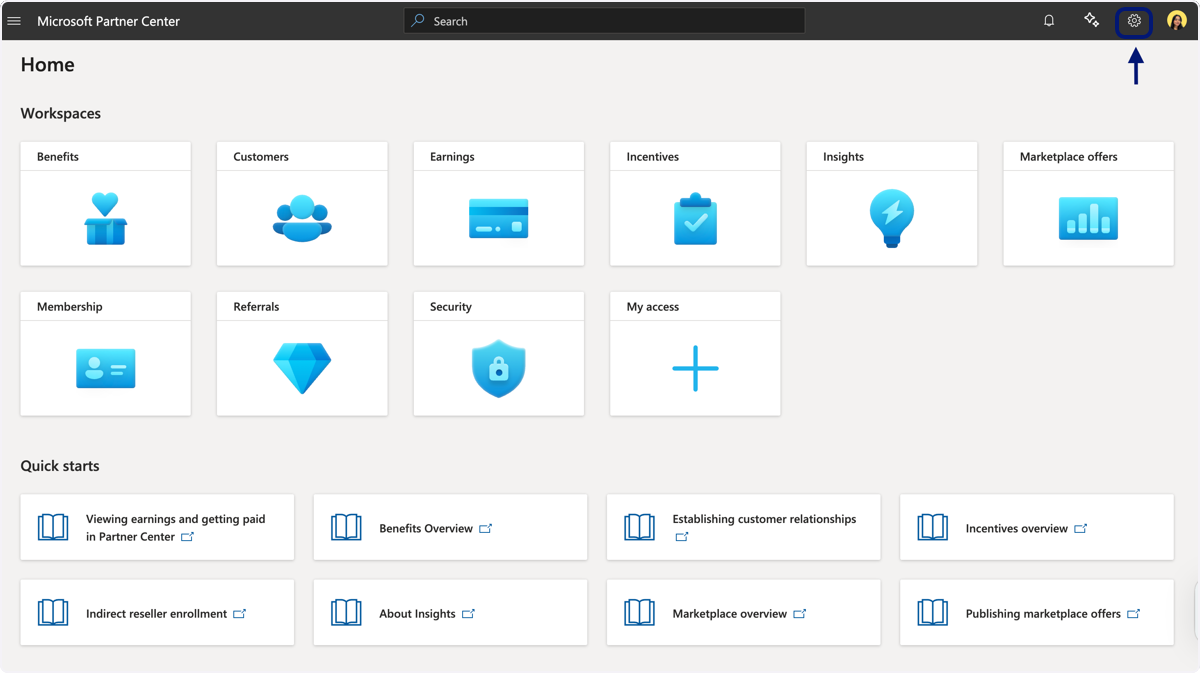
🟣 2. Click on Settings
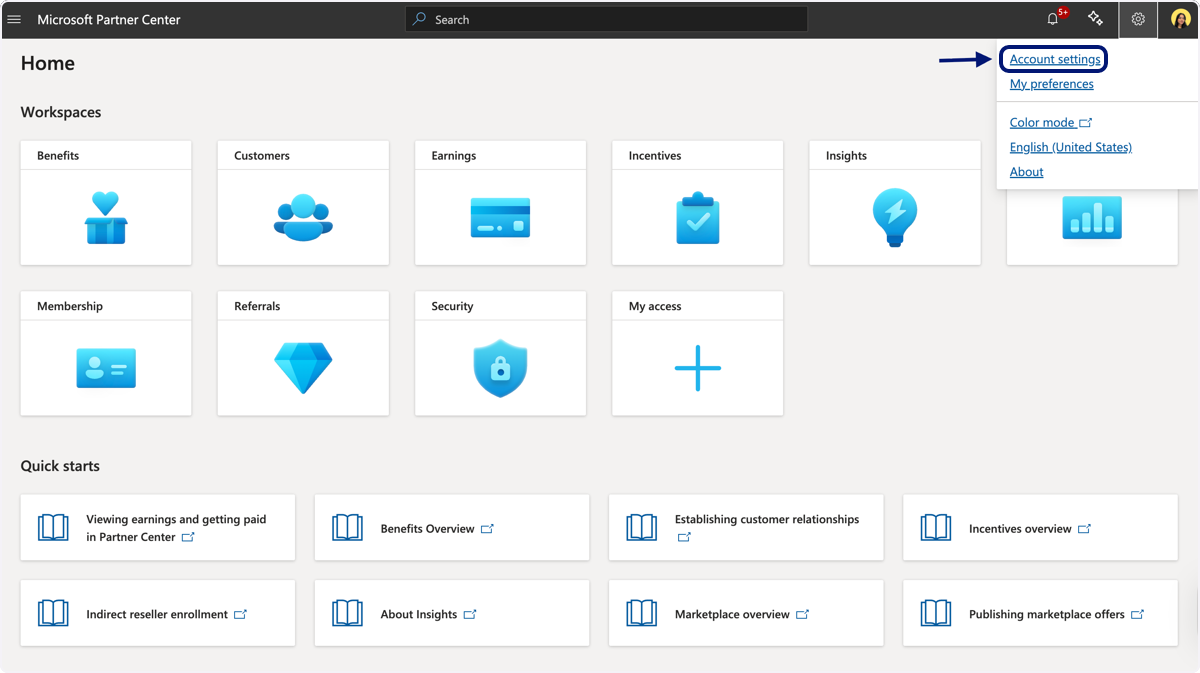
🟣 3. Click on Account settings
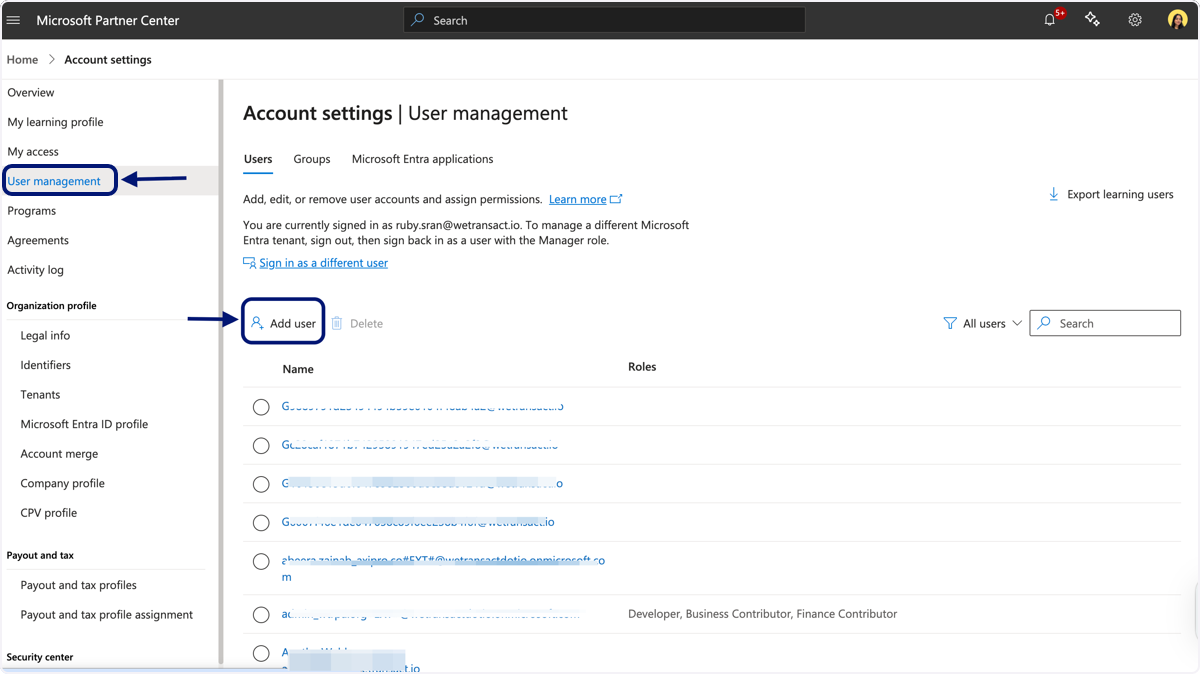
🟣 4. Click on Microsoft Partner Center
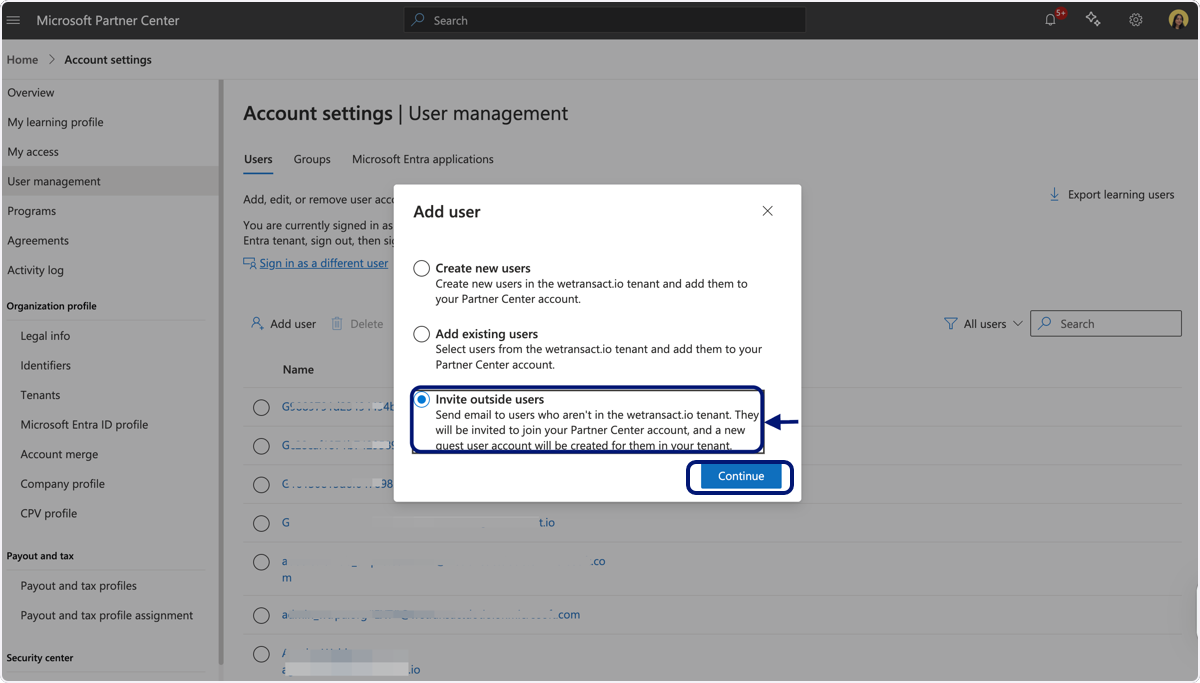
🟣 5. Click on "Invite outside users"
🟣 6. Paste "[email protected]" and "[email protected]" into "Email Adresses"
Tip: You can copy paste the following line below to invite both users at the same time:
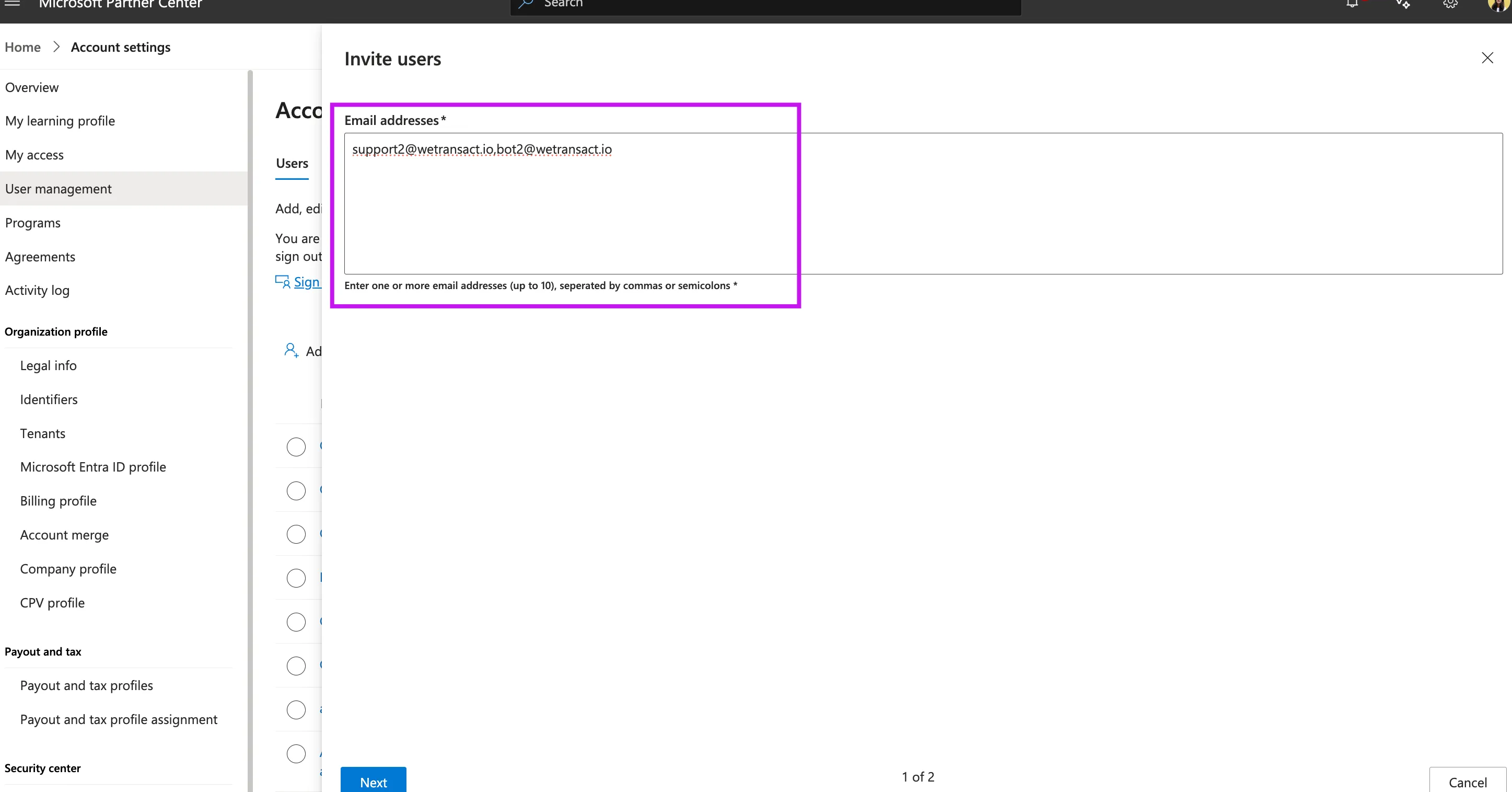
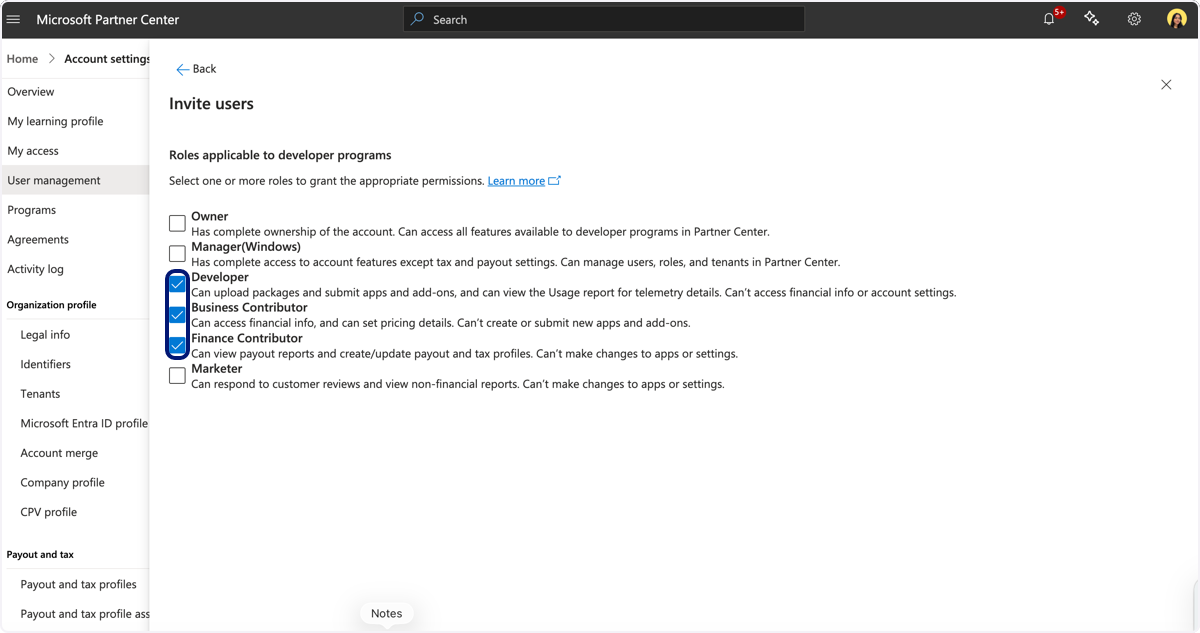
🟣 7. Click on "Developer" & "Business Contributor' & "Finance Contributor". Click on Invite
Pay attention the screenshot is only showing 2/3 options to click on
💬 Need Help?
Contact: [email protected]