How to Verify MCA (Microsoft Customer Agreement) Status - Customer Guide
5 min
Step 1 — Go to the Azure Portal
Sign in at portal.azure.com using your work account.
Step 2 — Search for "billing"
In the top search bar, type billing and click Cost Management + Billing from the results.

Step 3 — Check the Billing account type column
In the Billing Scopes table, look for the Billing account type column. If it shows Microsoft Customer Agreement, your customer has an MCA.
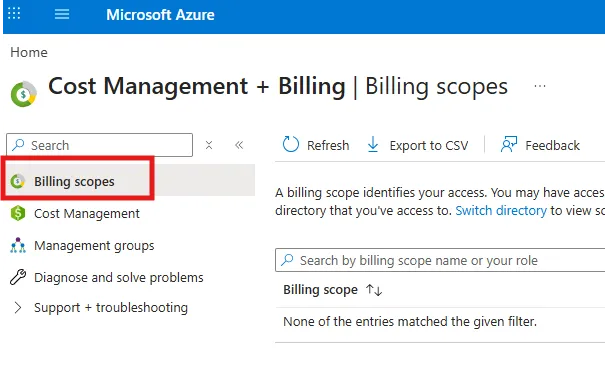
Step 4 — Confirm MCA status
If the value reads Microsoft Customer Agreement, MCA is confirmed. Your customer will receive their invoice the next day, and your payout timeline shortens to ~30–45 days instead of the standard 60–90 days.
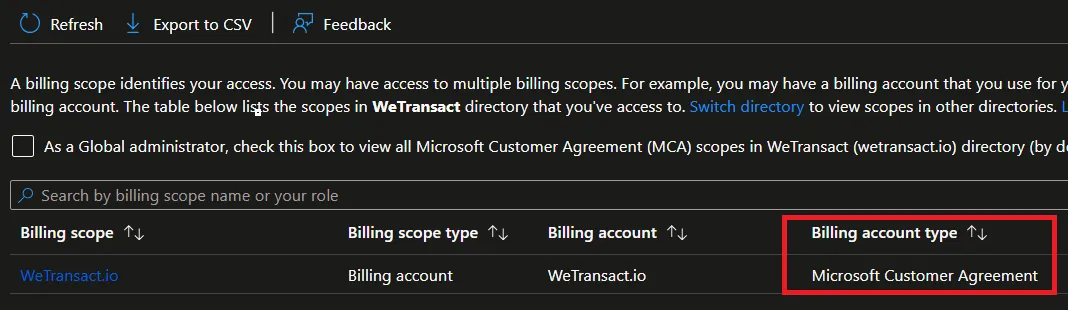
Note: If you only have access to one billing scope, go to Settings → Properties instead — the type will be shown on the properties page.