How do I add a subscription ID to the supplemental tab in the WeTransact portal?
6 min
Adding a Subscription ID to the Supplemental tab in the WeTransact portal links the customer’s Azure subscription to their purchase, ensuring proper provisioning, tracking, and billing for the Marketplace solution.
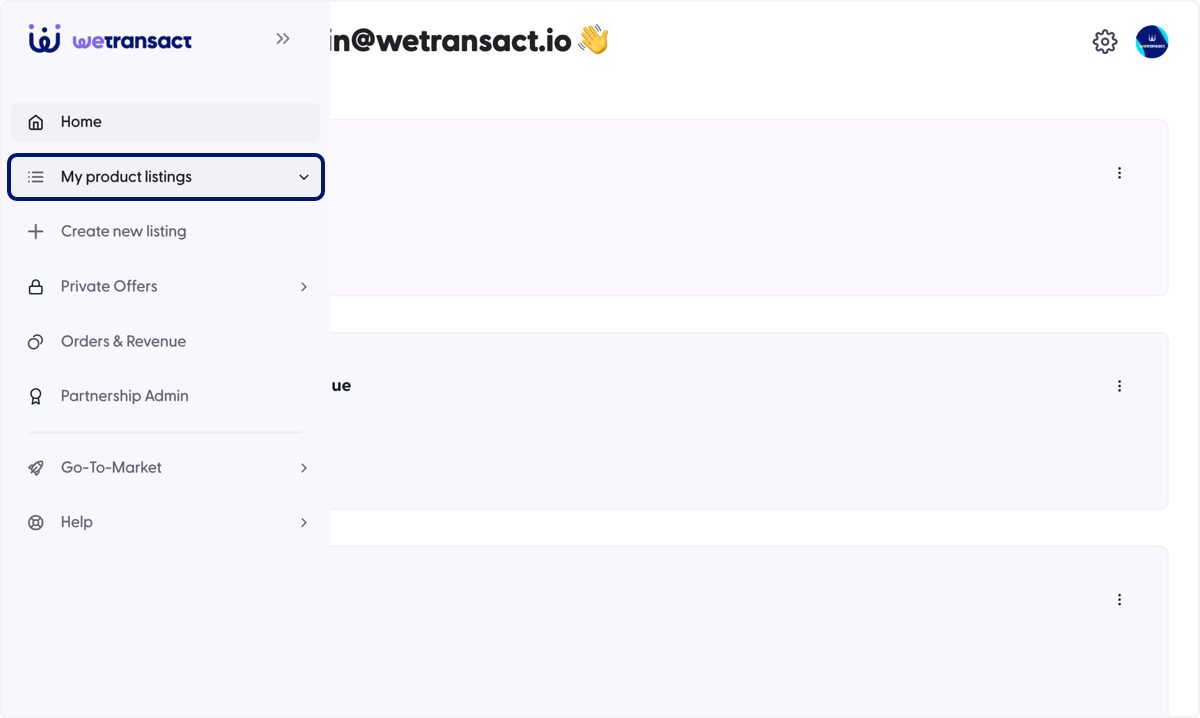
🟣 Click on My product listings
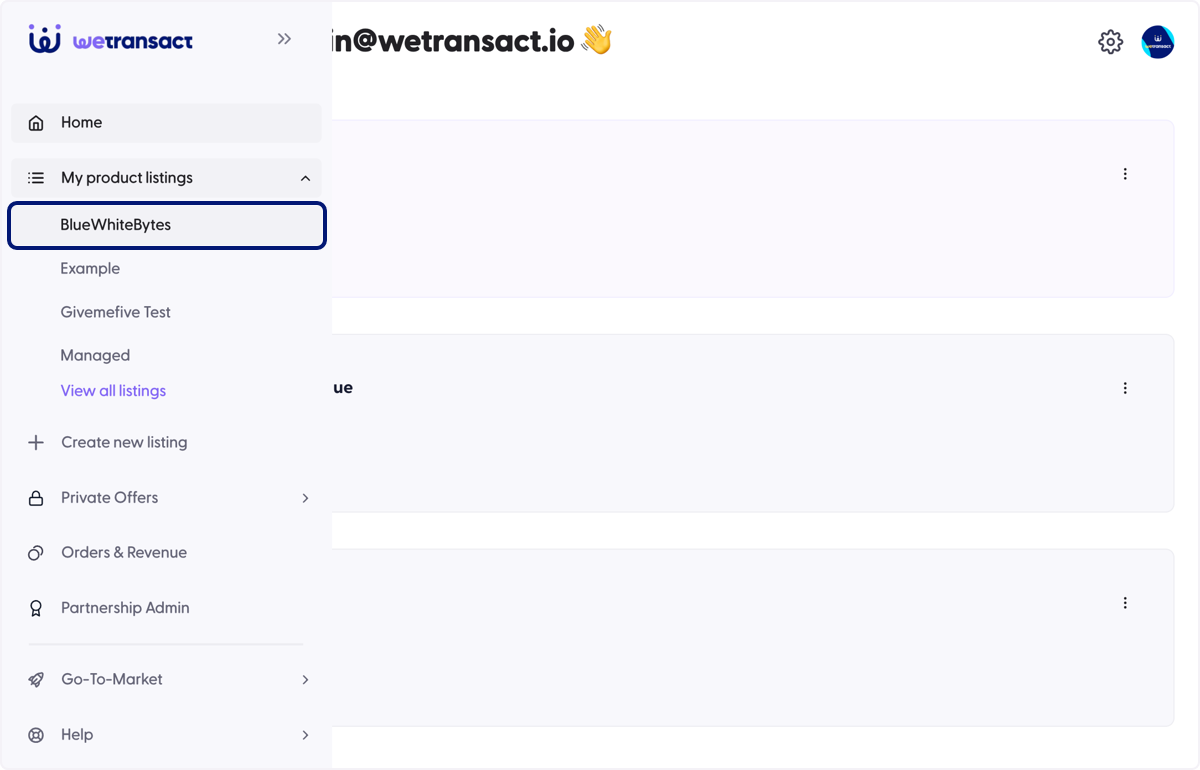
🟣 Click on your product listing
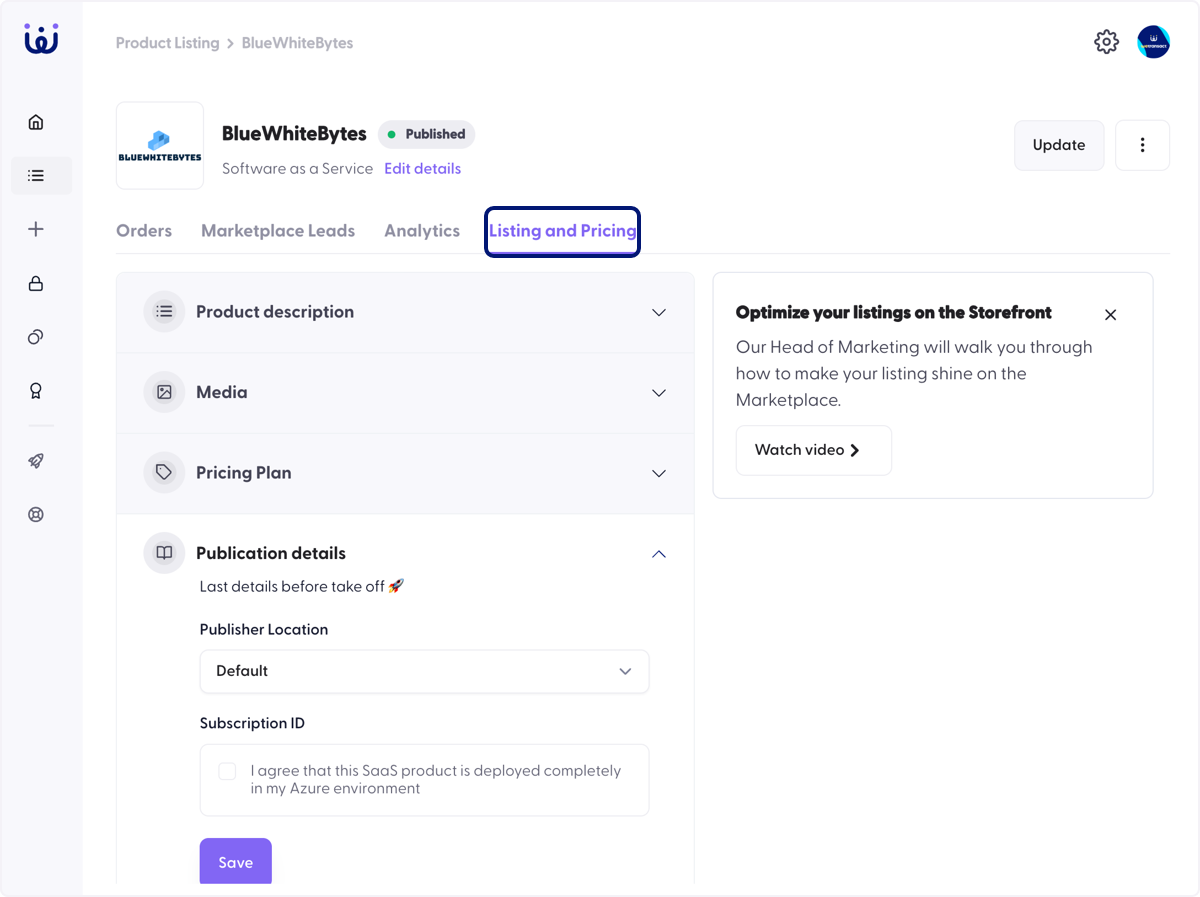
🟣 Click on Listing and Pricing
🟣 Scroll down to the Publication details
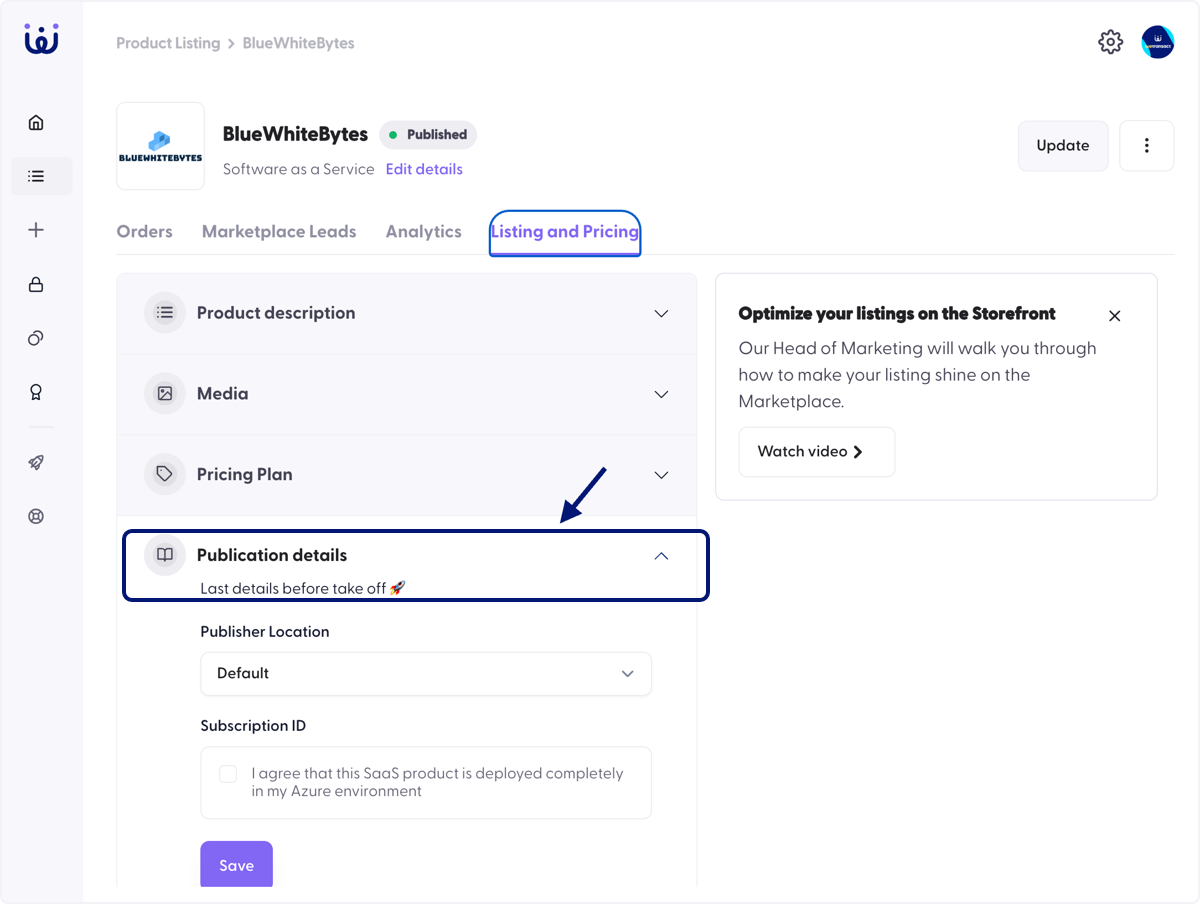
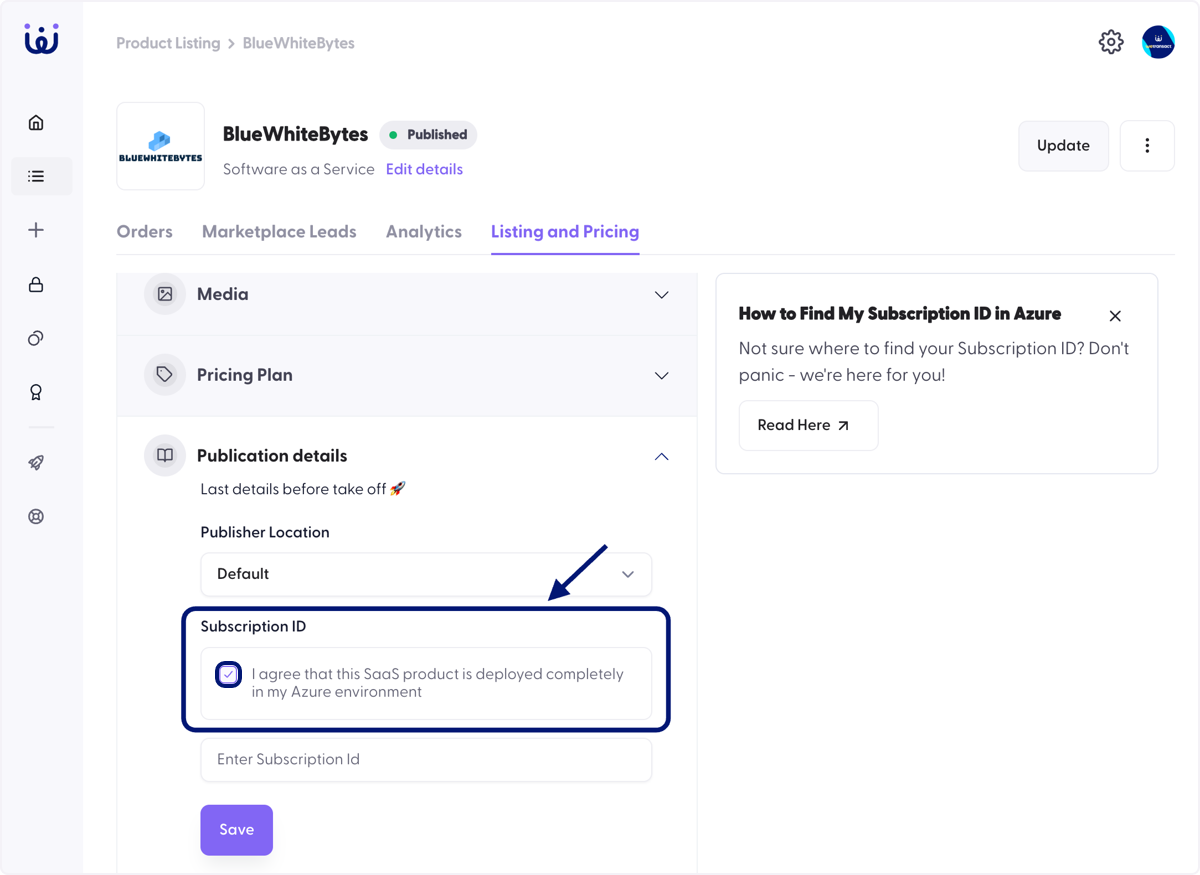
🟣 Check I agree, under Subscription ID section
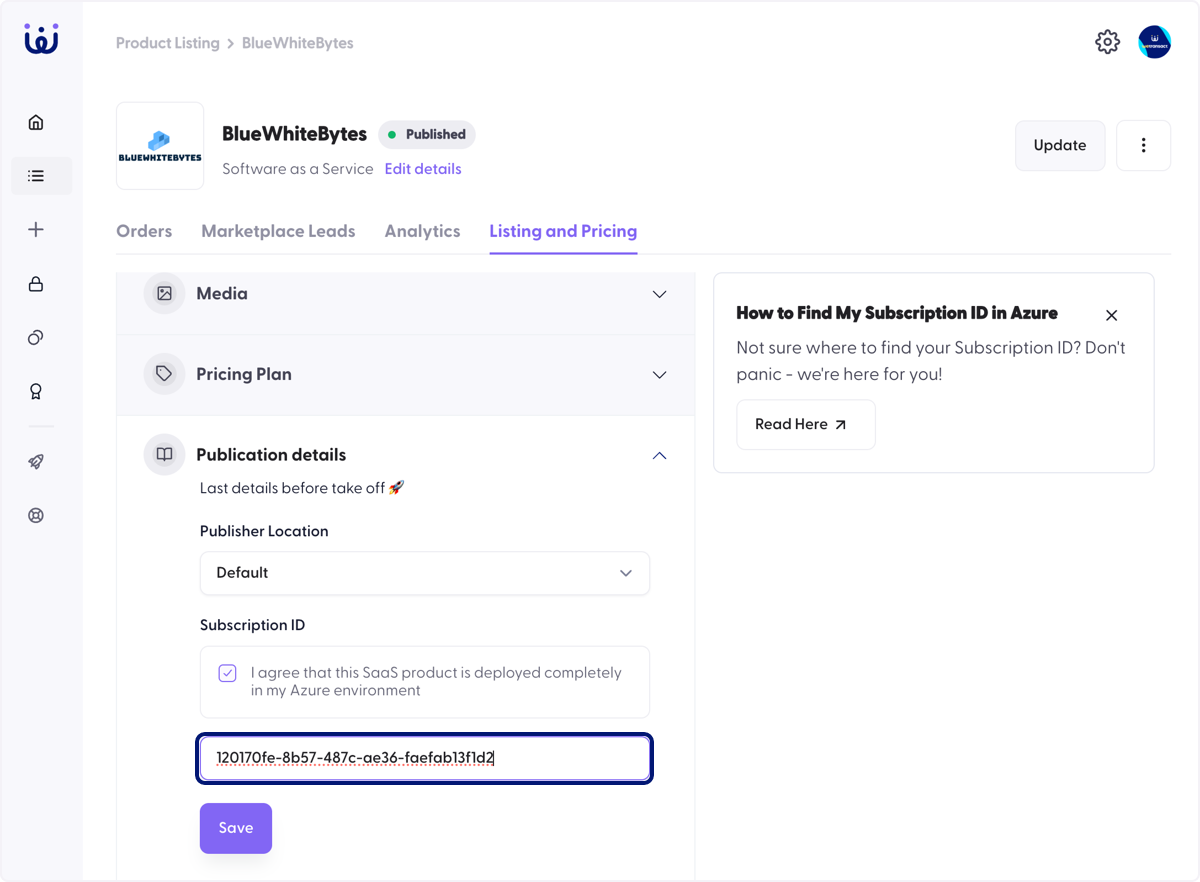
🟣 Paste your Subscription ID
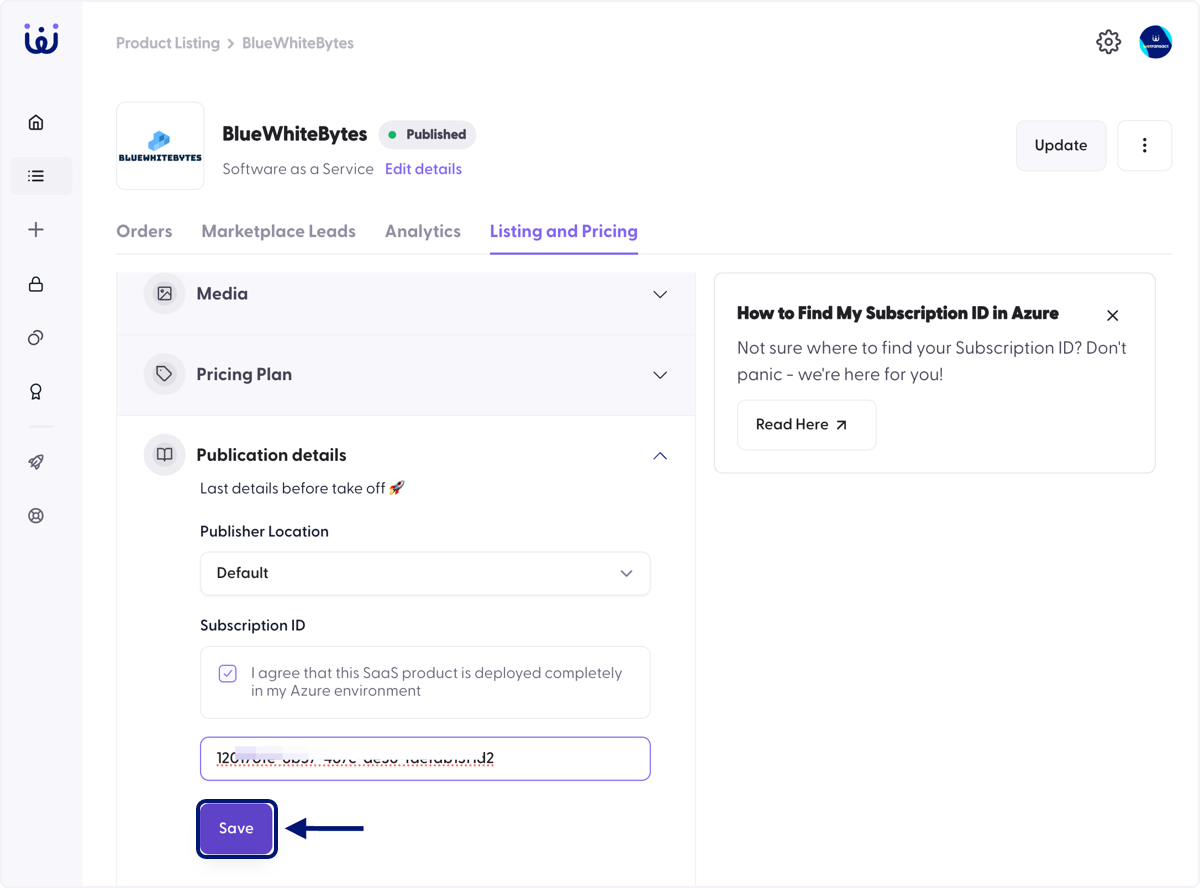
🟣 Click on Save
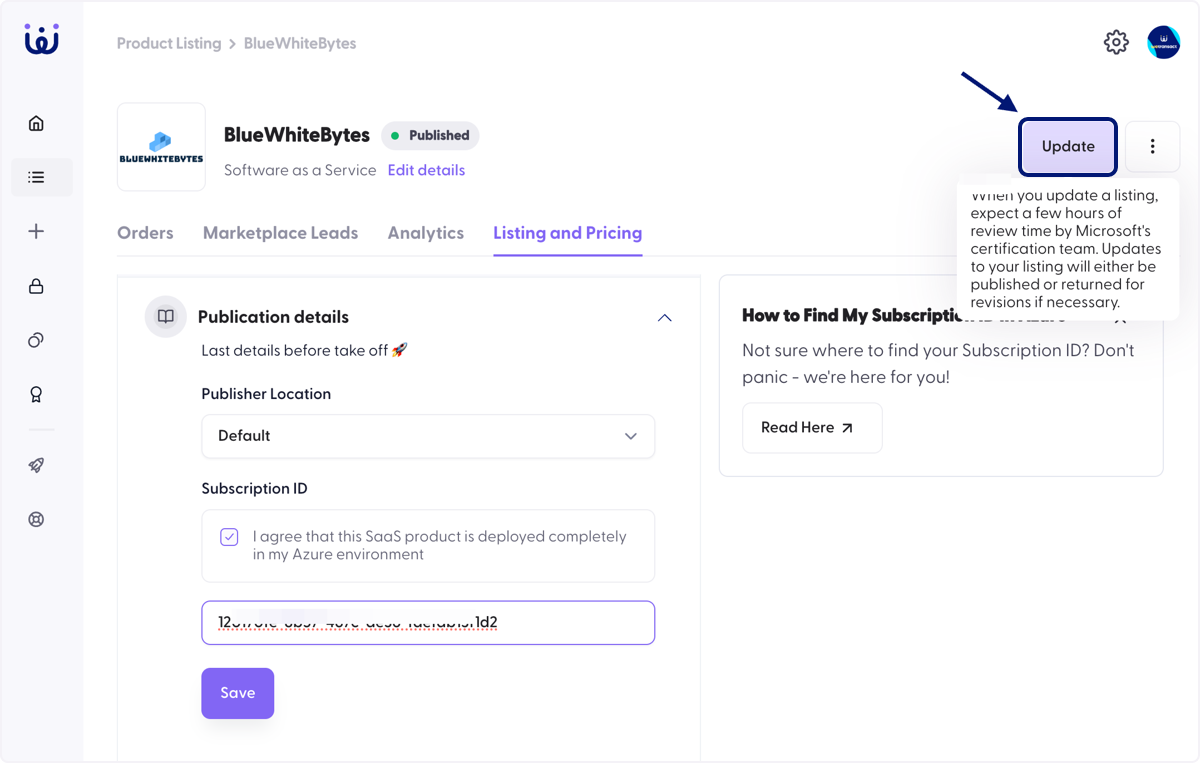
🟣 Click on Update
💬 For more, contact us at : [email protected]