Assign Global Admin to another user in Partner Center
6 min
This guide will help Global Admin to assign other users Global Admin. permissions.
Sign in to Microsoft Partner Center ( https://partner.microsoft.com/)
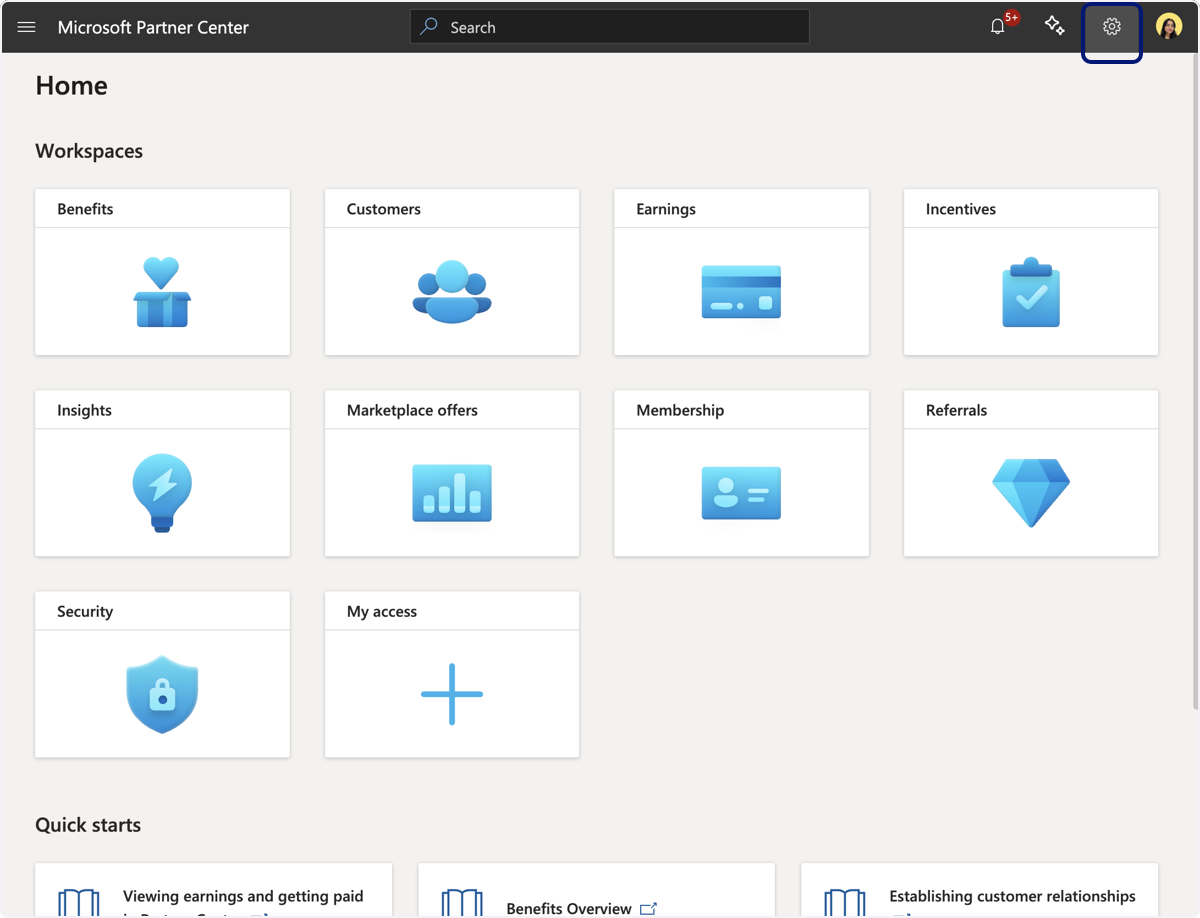
🟣 Click on Settings
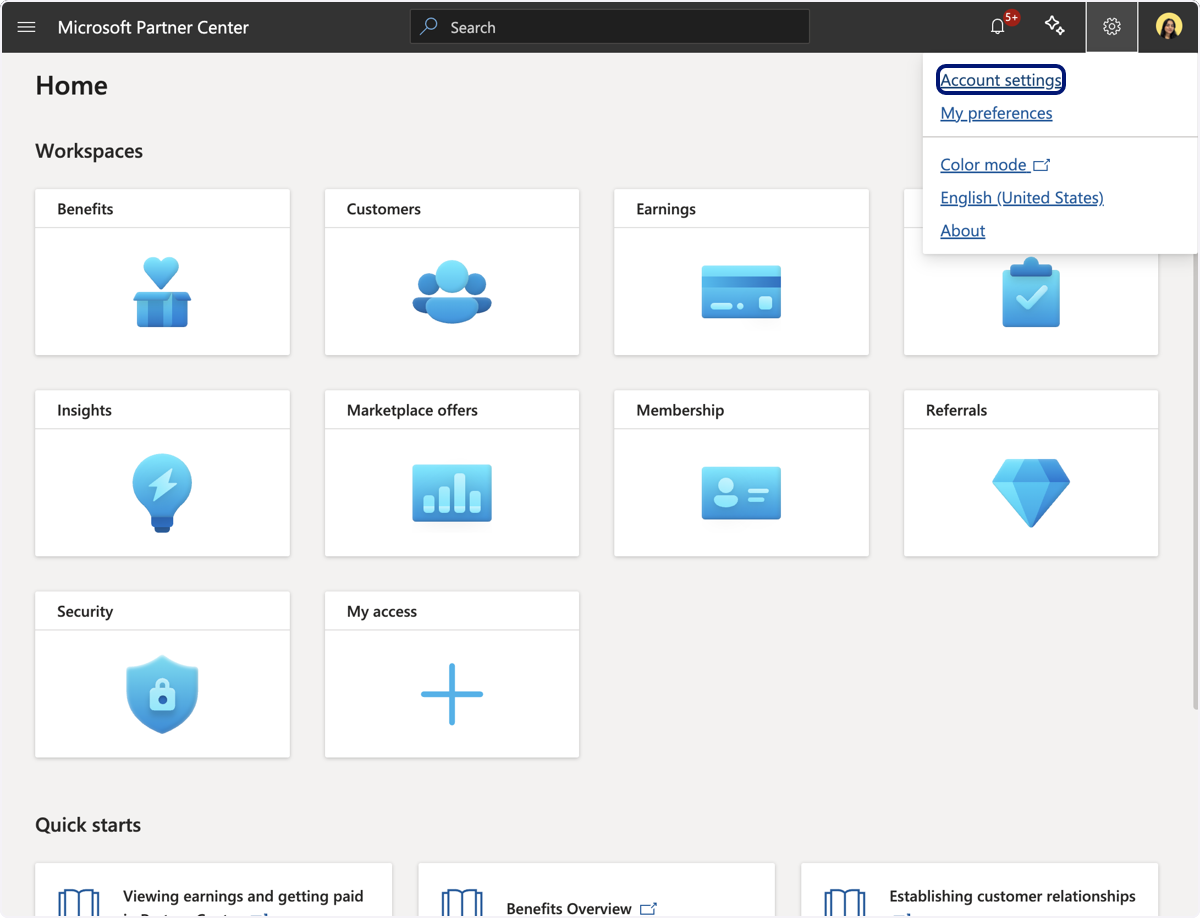
🟣 Click on Account Settings
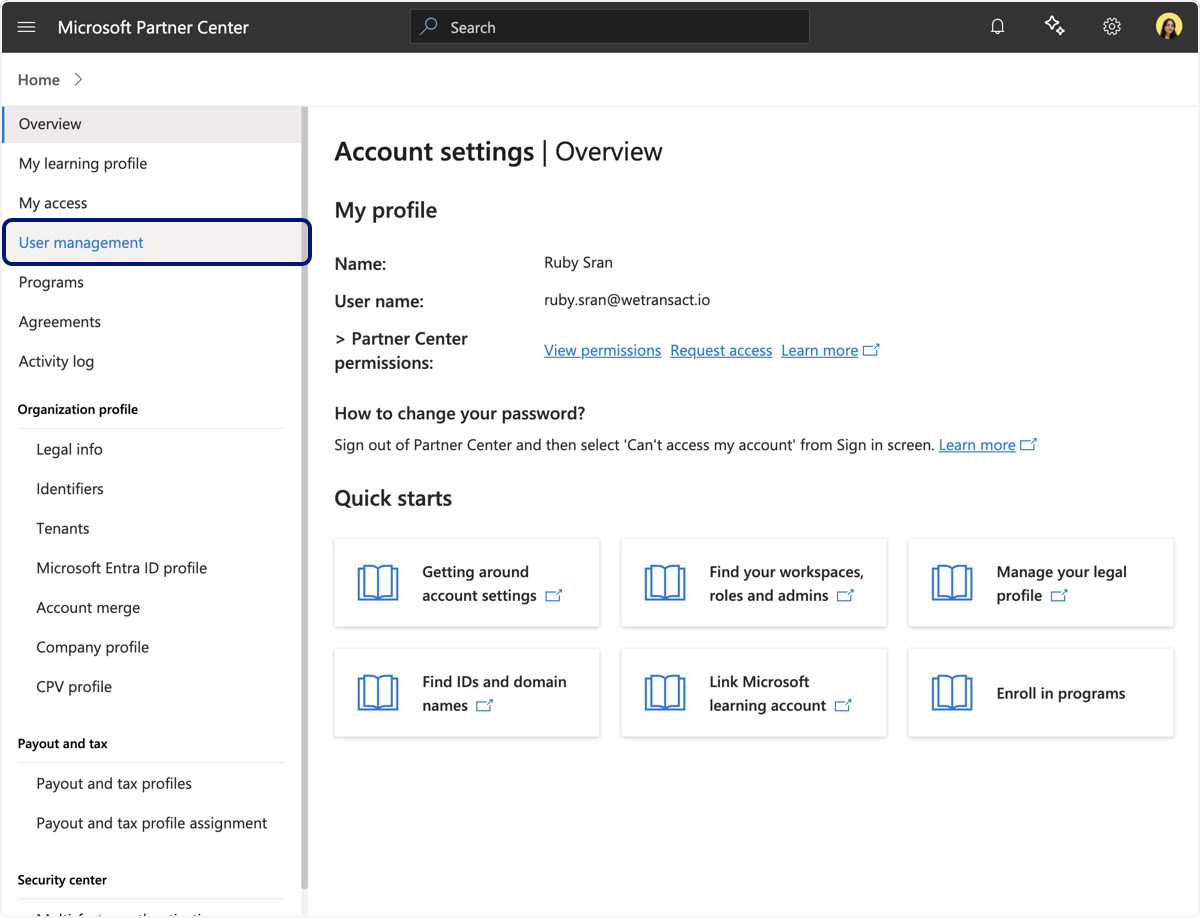
🟣 Click on User Management
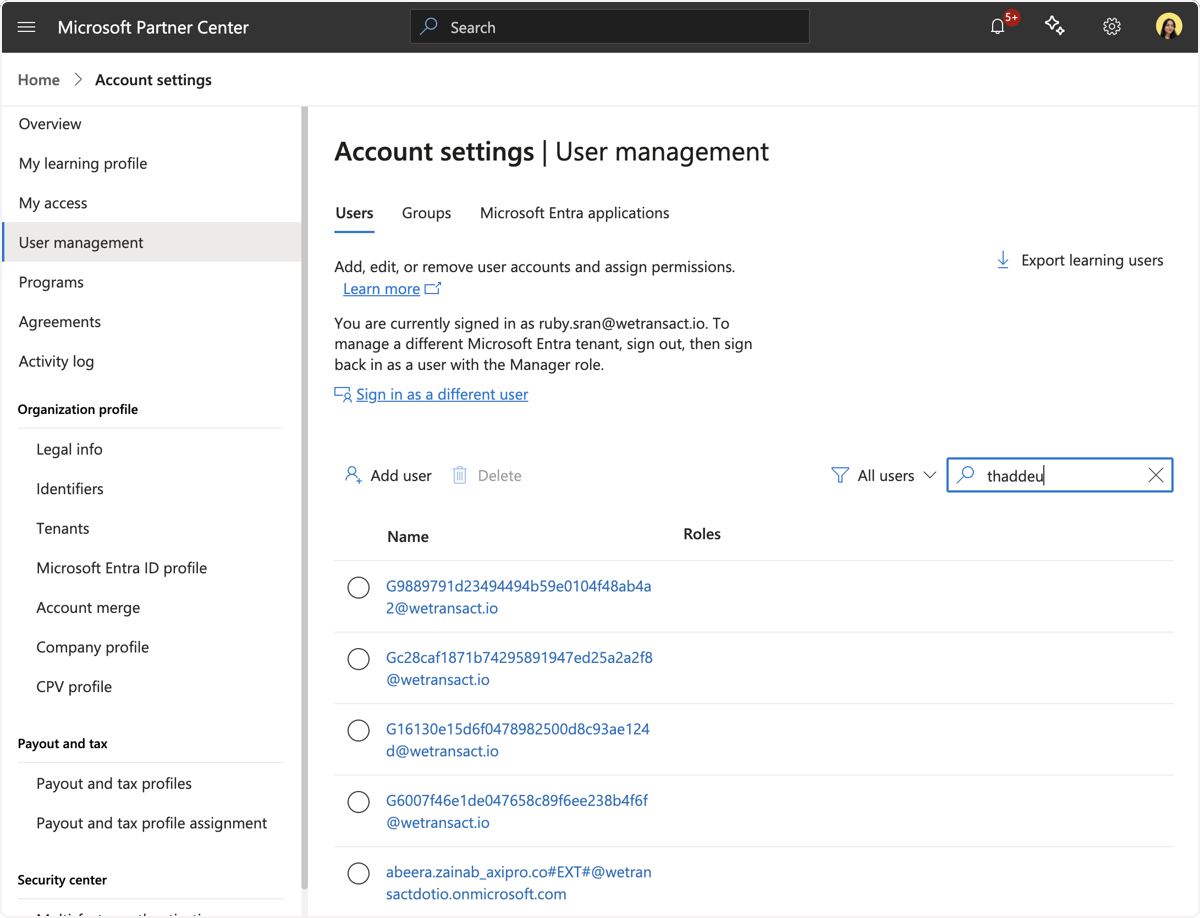
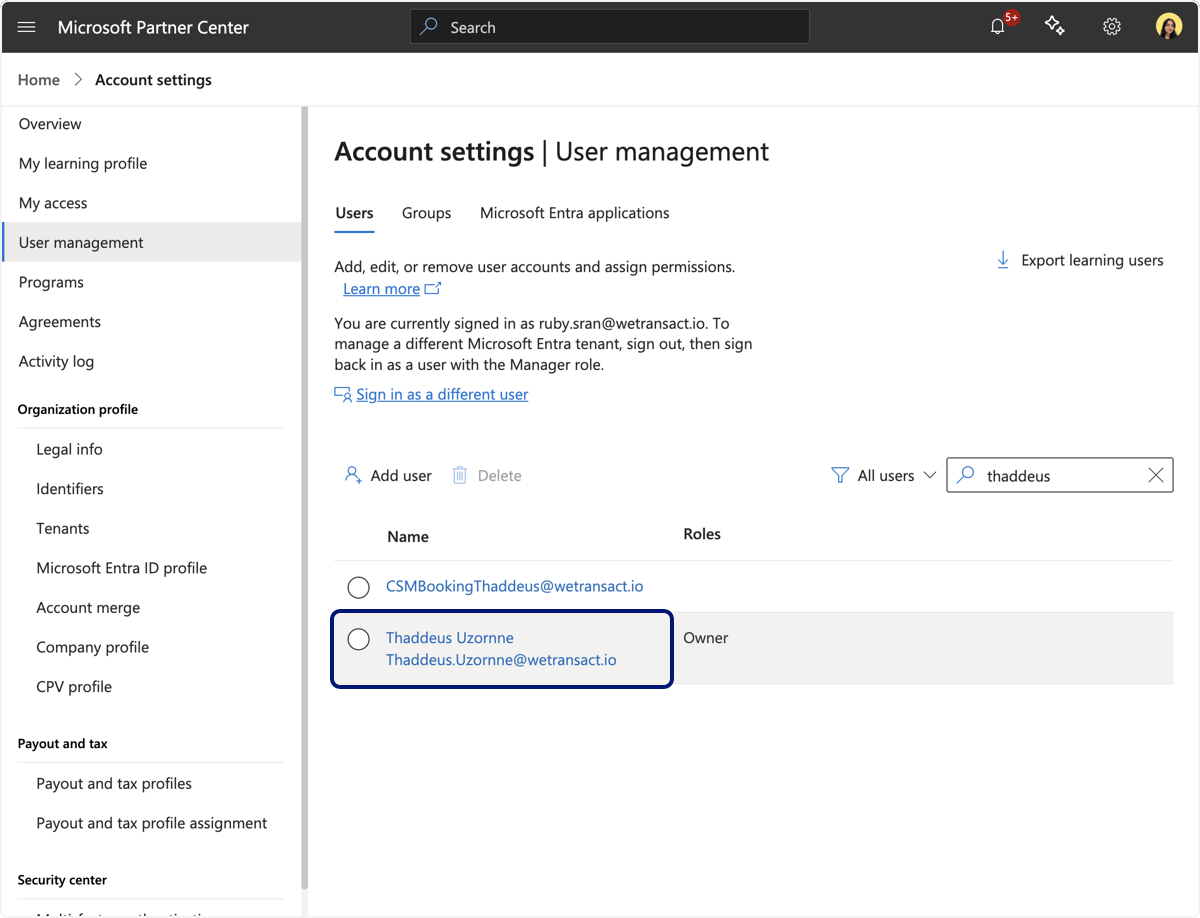
🟣 Search for the user name or email address of the user you want to assign the Global Admin role to.
🟣 Select the user
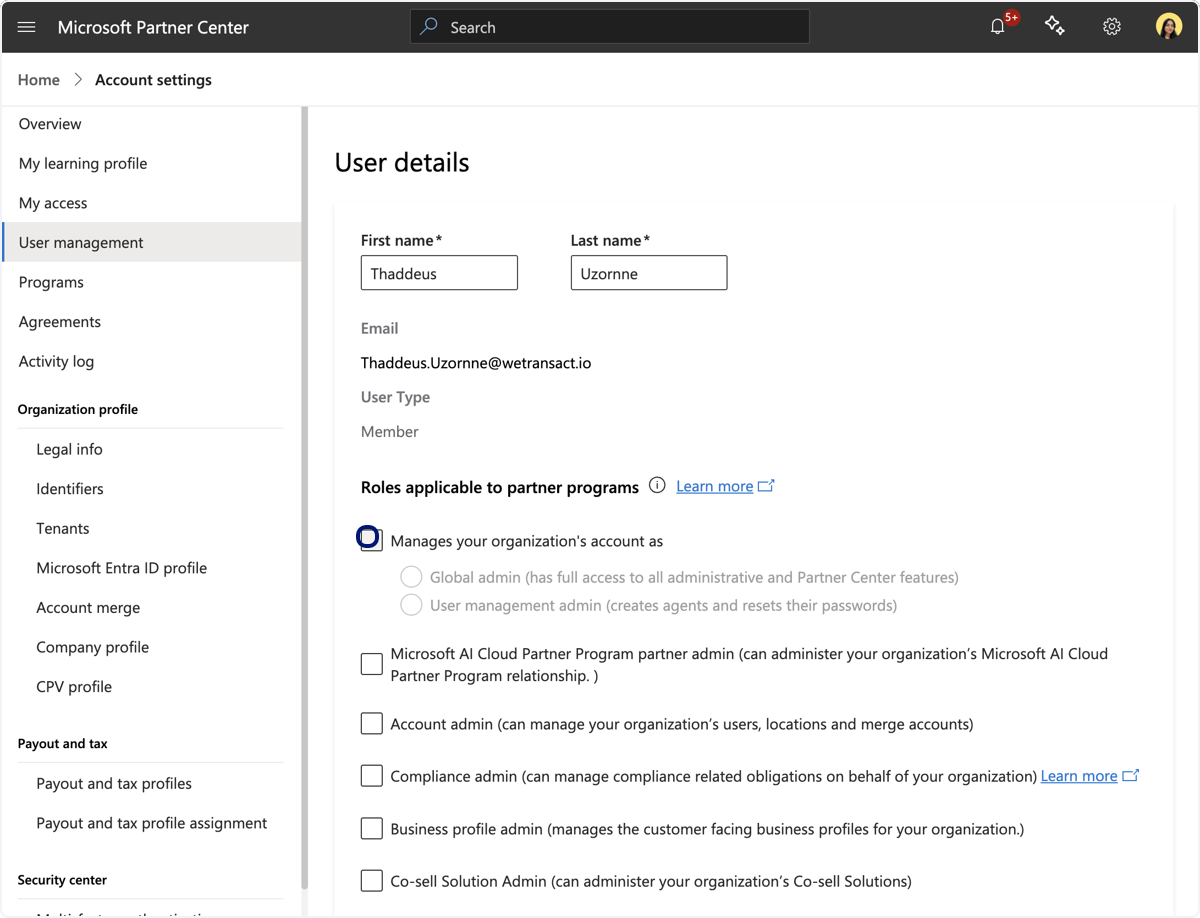
🟣 Check ' Manages your organisation's account as'
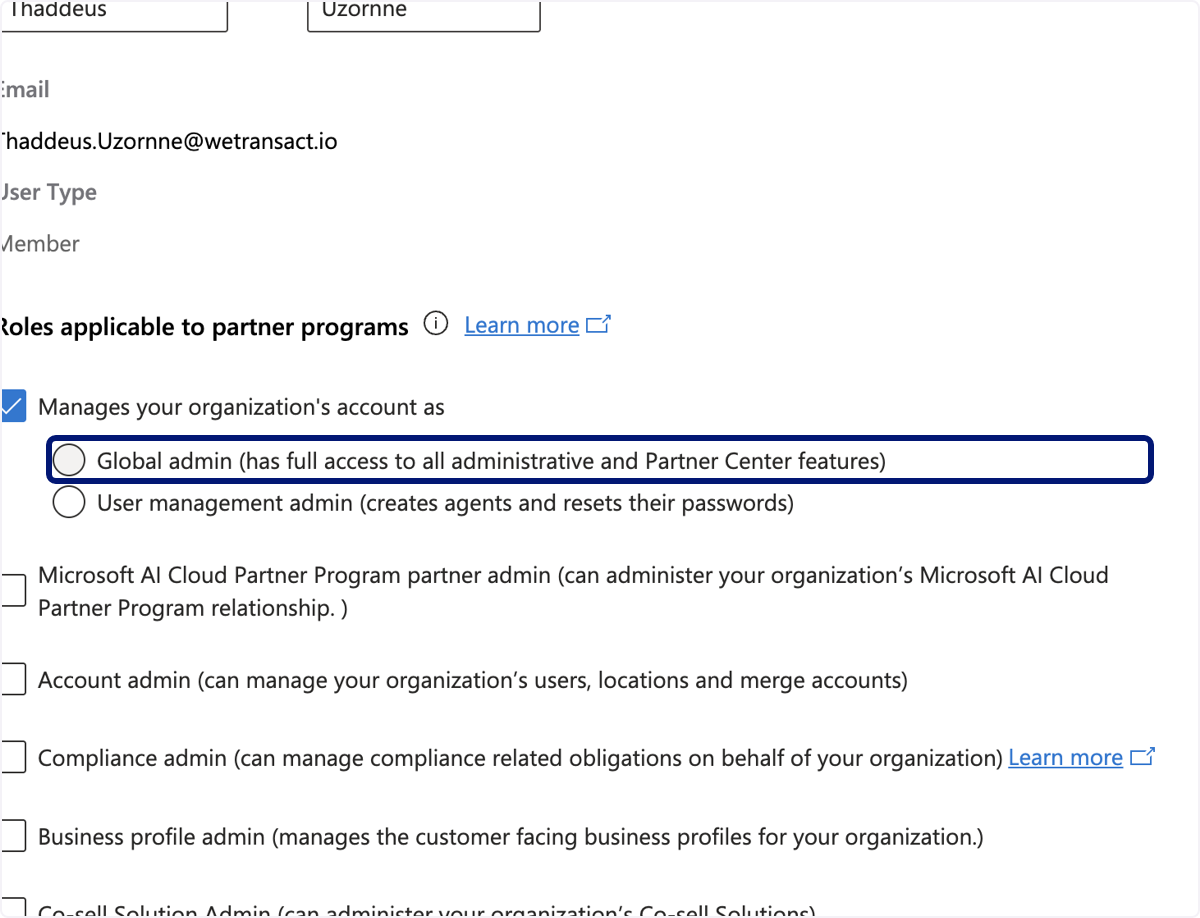
🟣 Click on Global admin (has full access to all administrative and Partner Center features)
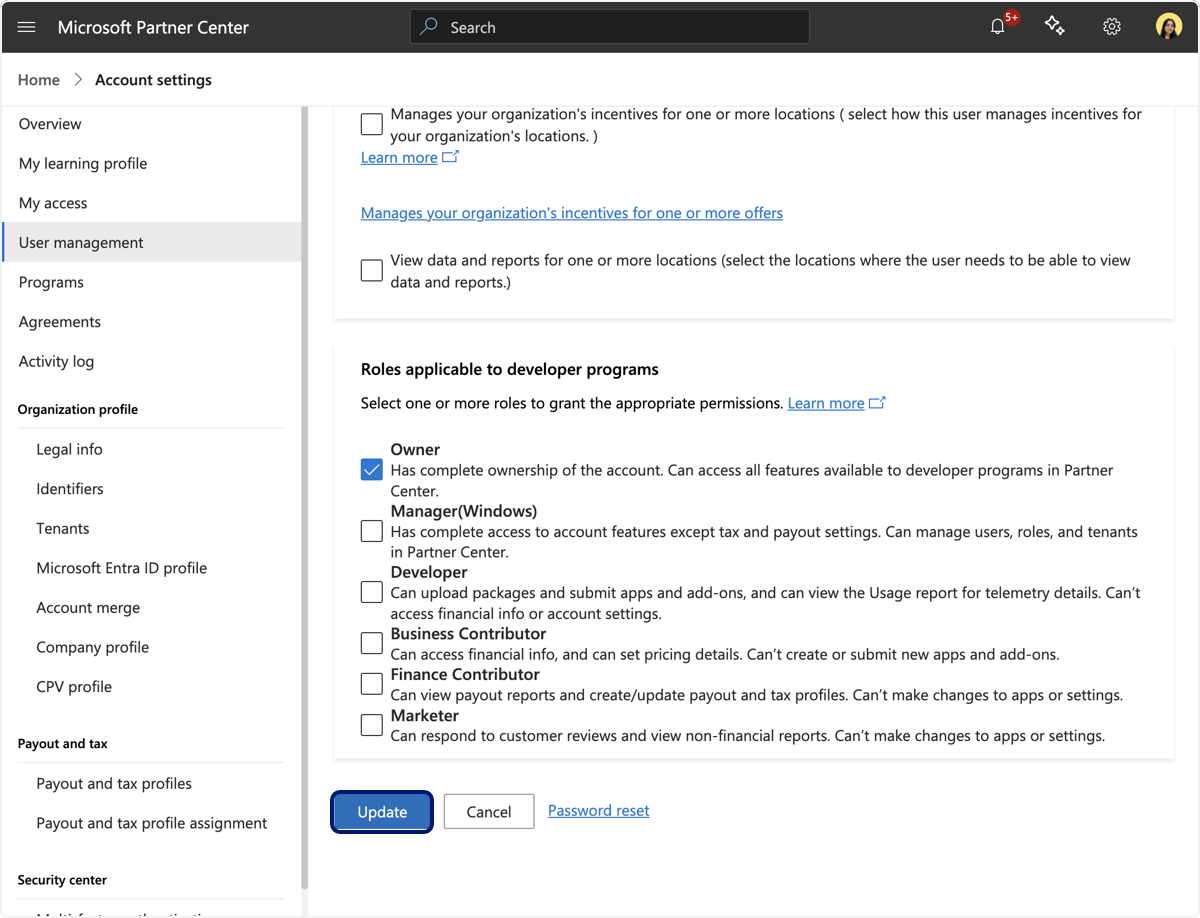
🟣 Click on Update
💬 For more, contact us at : [email protected]