How to verify the level of user rights?
3 min
Verifying your level of rights ensures you have the necessary permissions in Partner Center to manage offers, enrol in programmes, and perform required actions without access issues. Please follow the steps below:
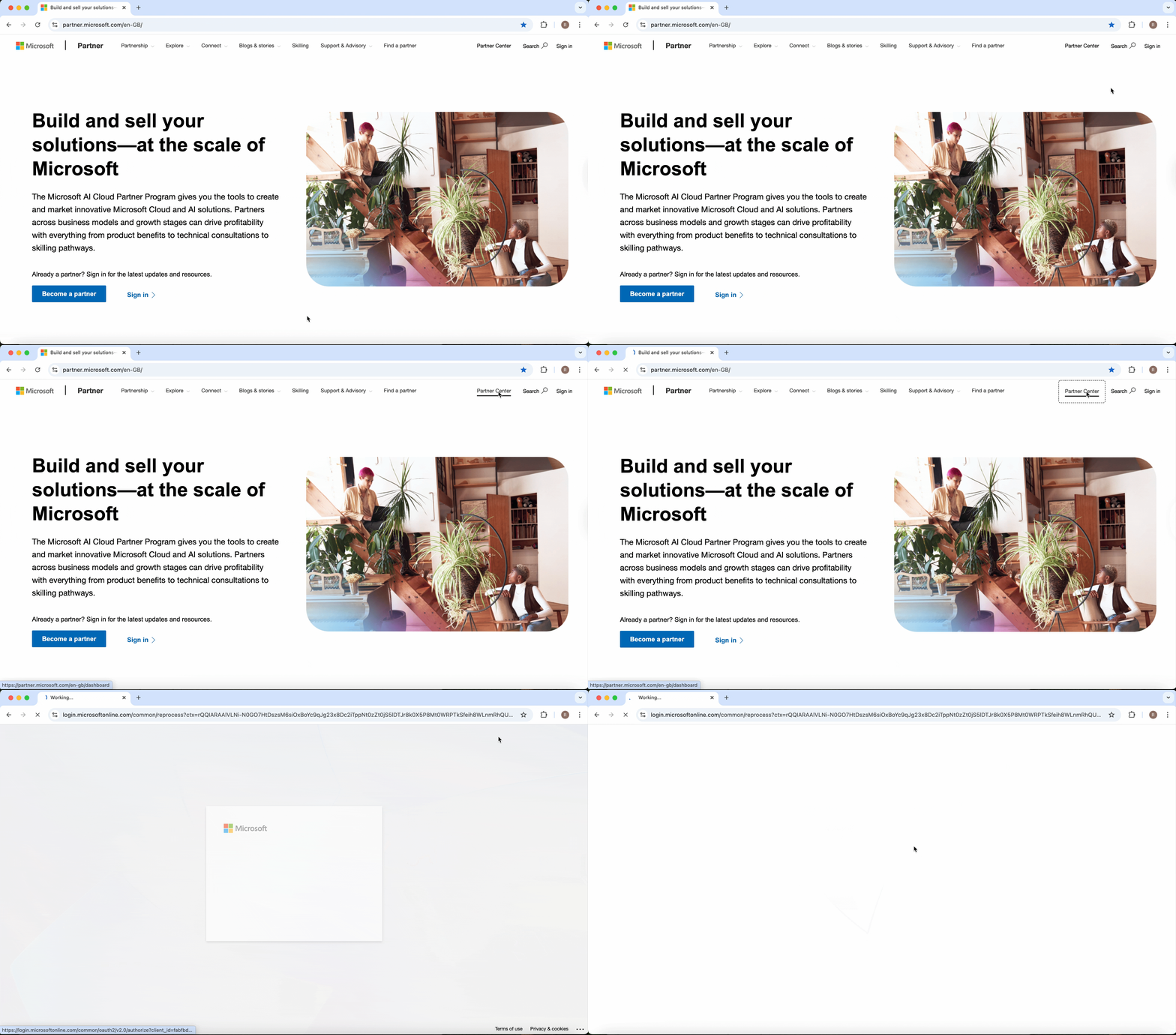
🟣 Log in to Microsoft Partner Centre
You can use this link: https://partner.microsoft.com
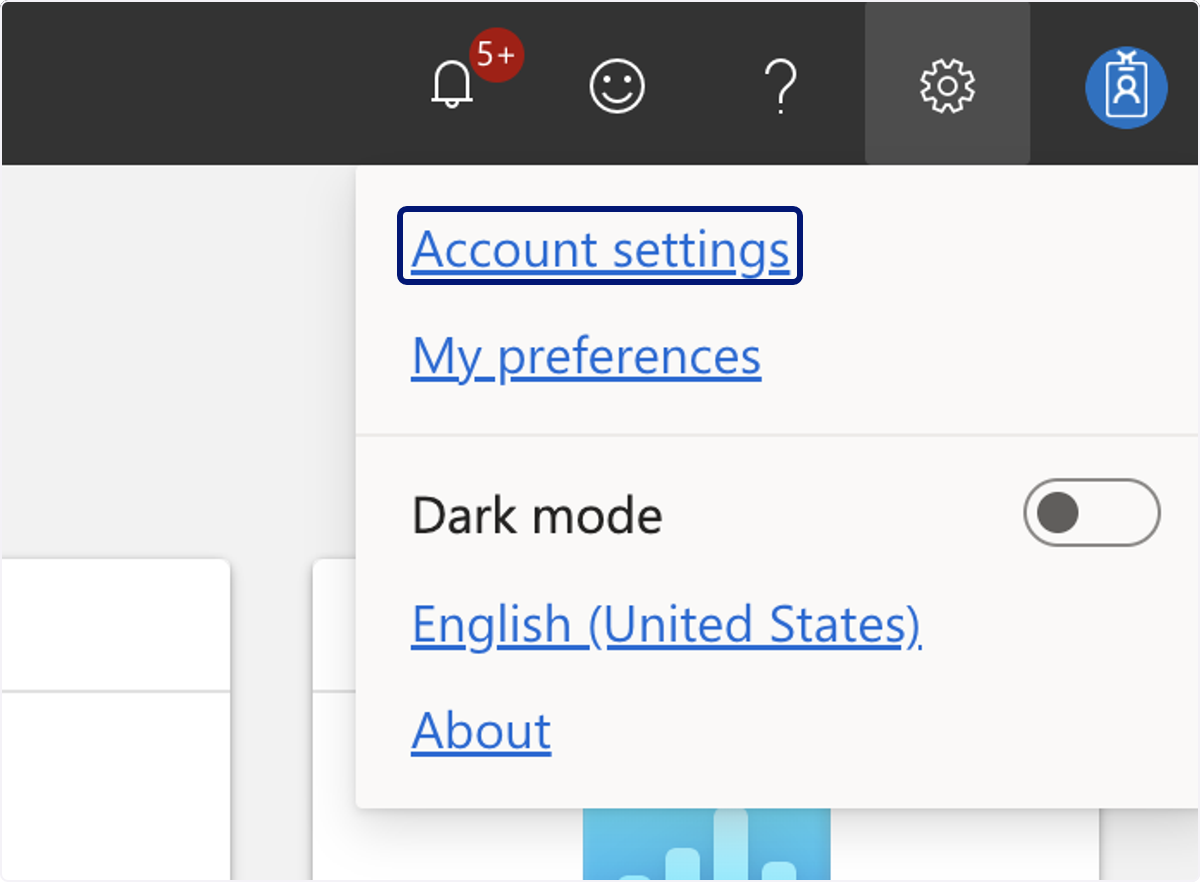
🟣 Click on Account settings
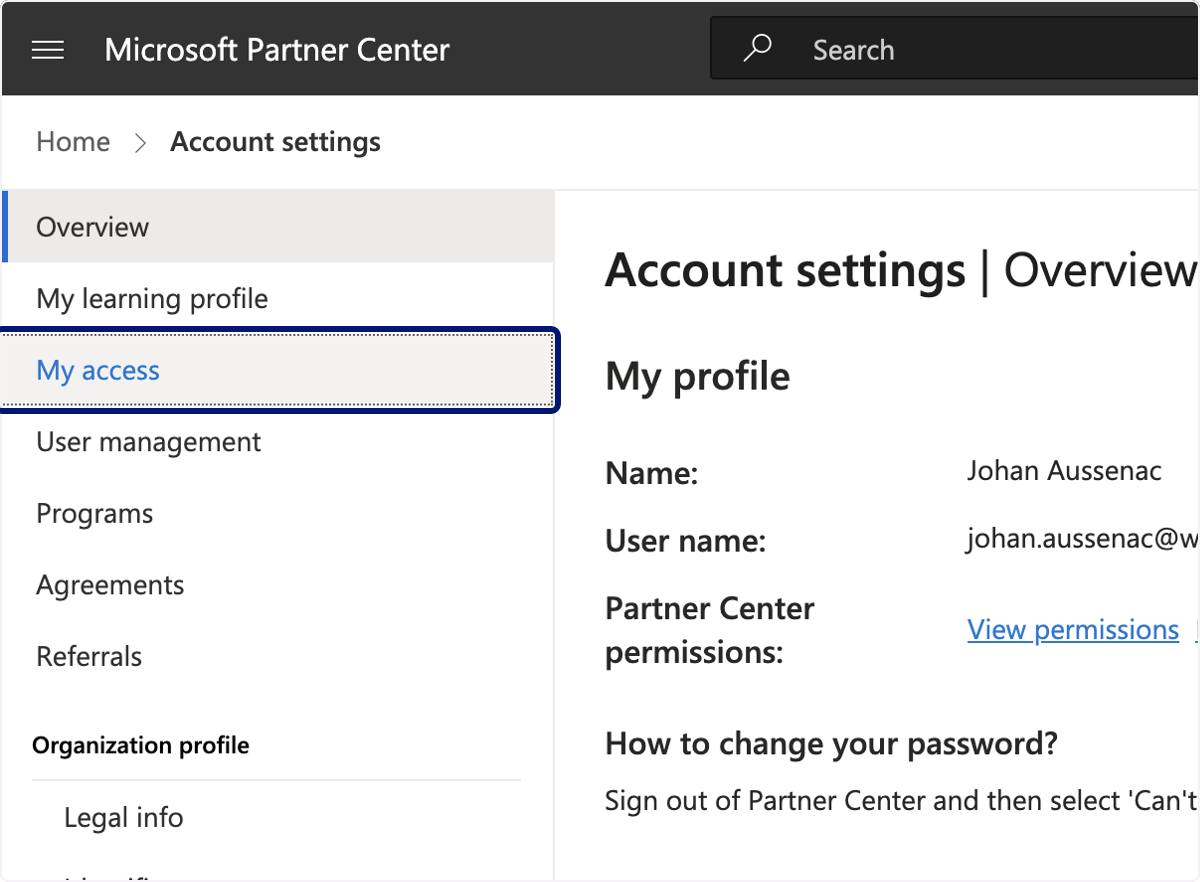
🟣 Click on My access
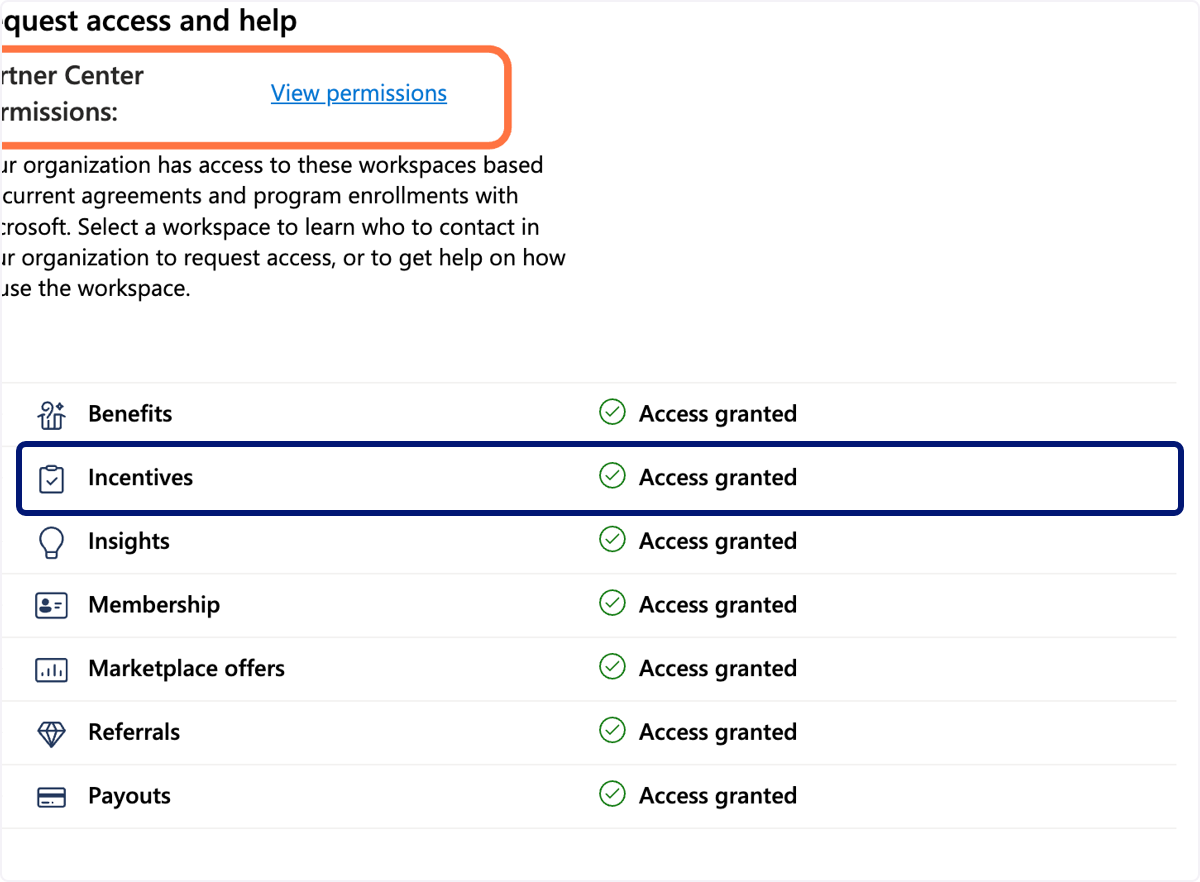
🟣 You see below the workspaces you have access to.
Click on Partner Center Permissions to see what permissions you have (e.g., are you an admin of one or several workspaces or not)
💬 For more, contact us at : [email protected]