Where to find your Private Offers ?
2 min
In Azure portal, the Private Offers section lets you view, manage, and track all your customized, non-public offers for you. To find the private offer please follow the steps below:
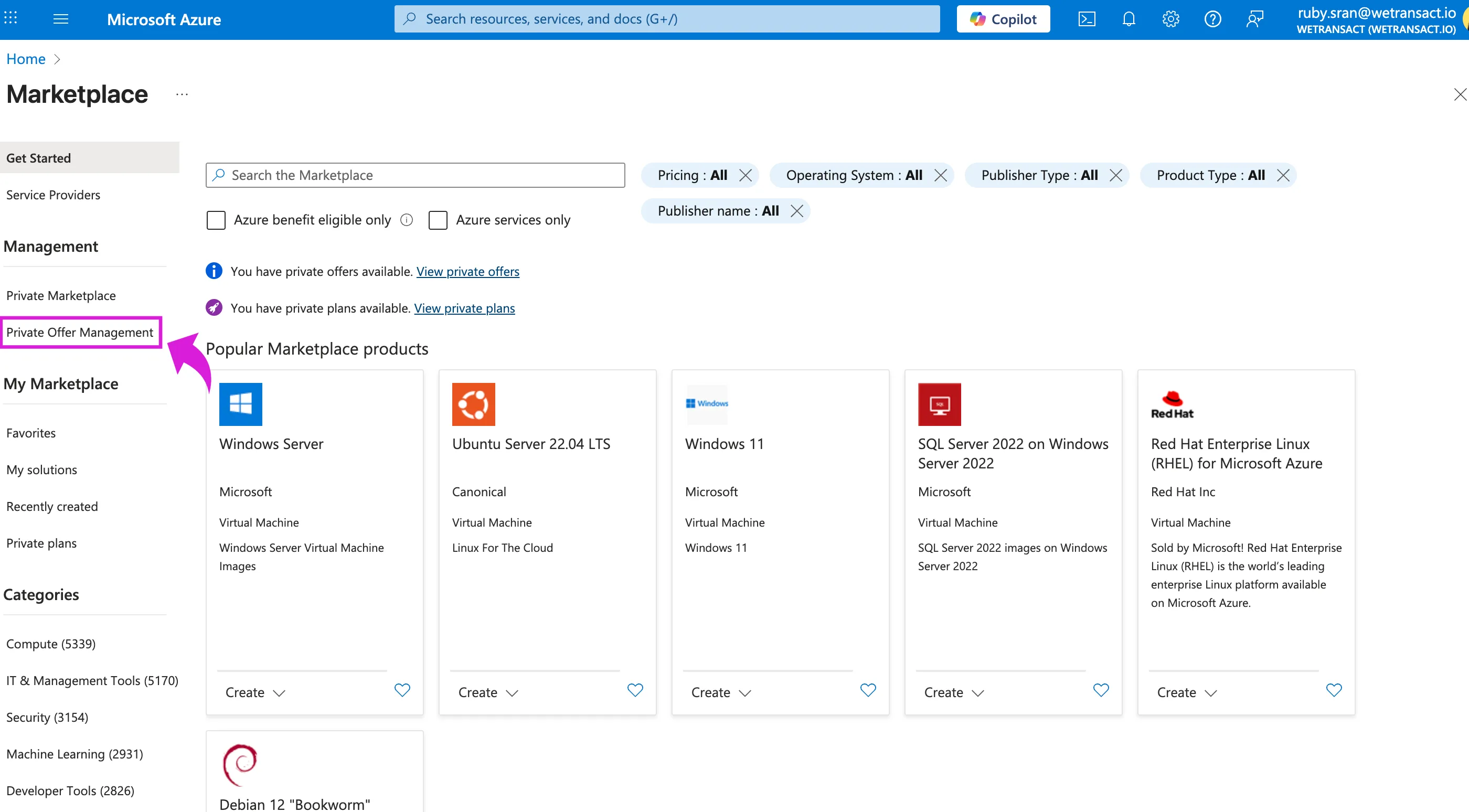
🟣 Sign in to Azure portal and search 'Marketplace' in the search bar and click on 'Marketplace'.

🟣 Click on Private Offer Management
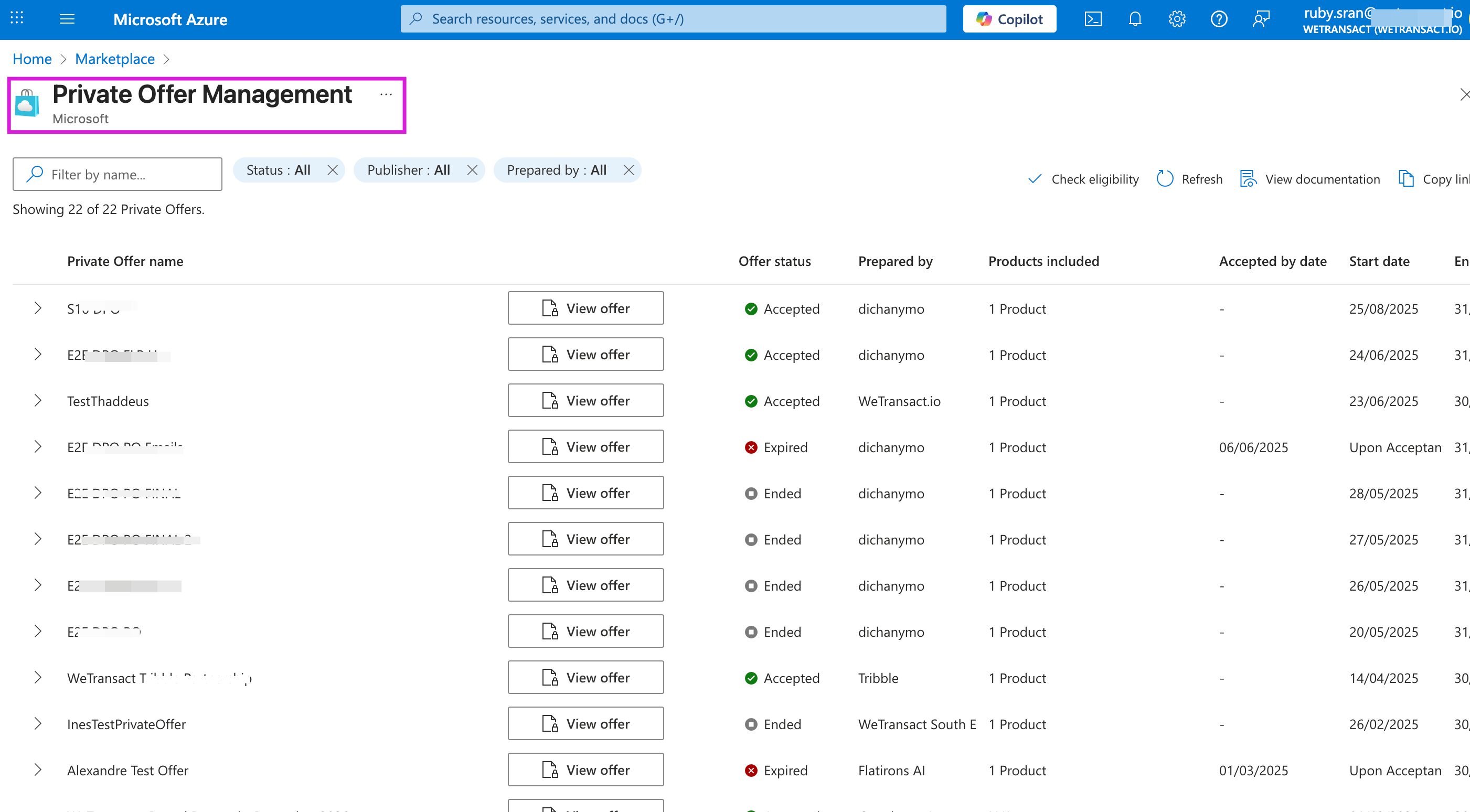
🟣 You will see all your private offers.
Accept the private offer and proceed with the purchase.
💬 For more, contact us at : [email protected]