How to Find a Billing ID?
3 min
Finding your Billing ID helps you identify the unique billing account number needed when creating a private offer, ensuring the offer is correctly linked to the customer’s payment account.
The user will need access to any Azure Subscription to view the Billing Profile. Any user assigned a role on the Azure Subscription (such as Owner, Contributor, or Reader) will be able to view the Billing Profile details.
Not sure who your Global Admin is?
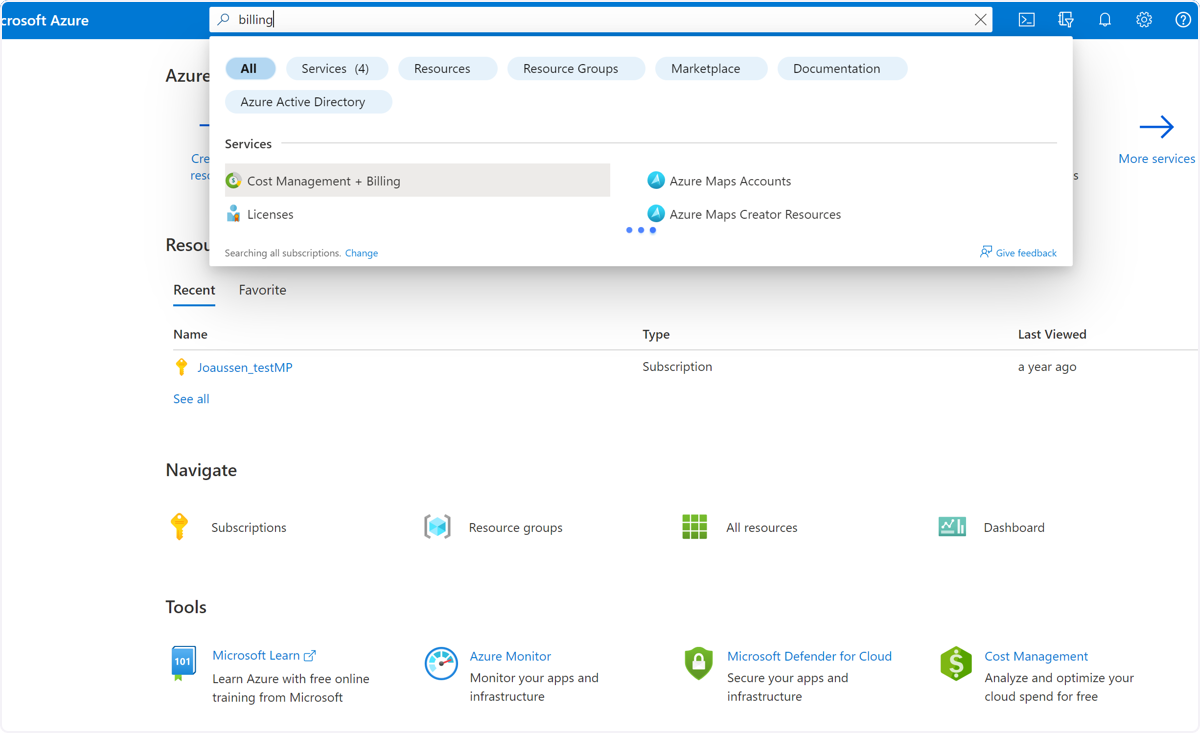
🟣 Type "billing" in the Search bar. Click on "Cost Management + Billing"
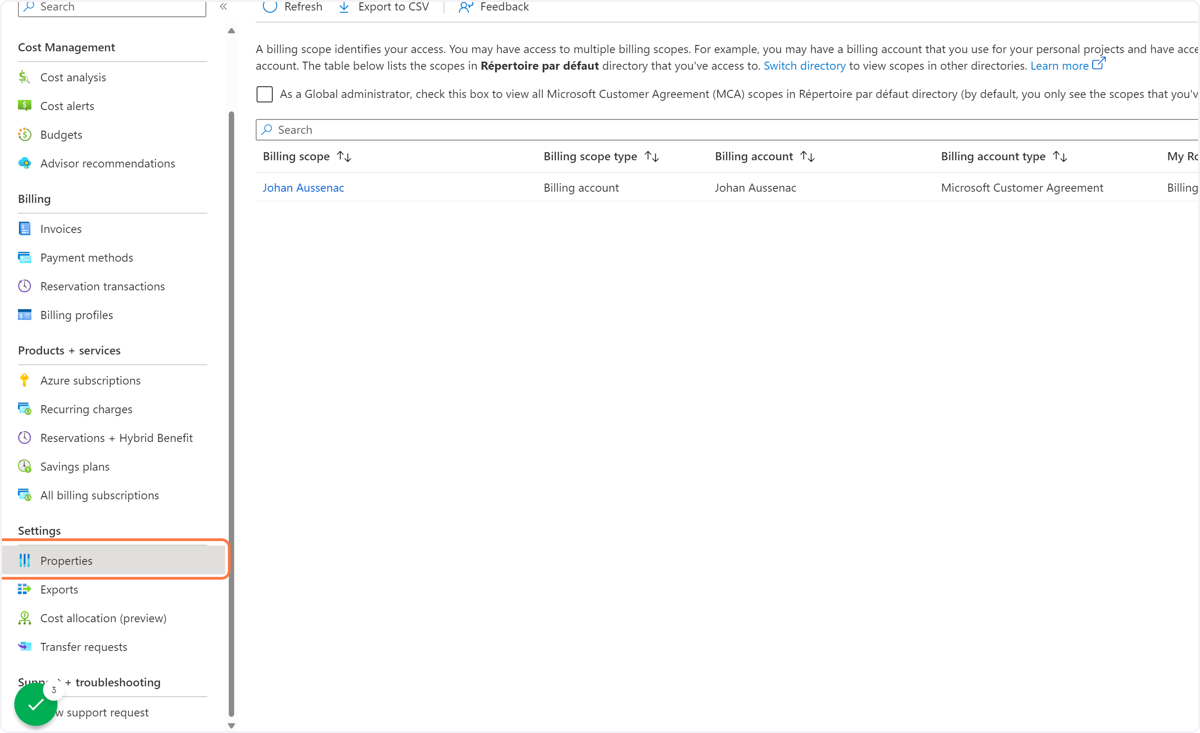
🟣 Click on the billing scope in question.
Navigate to 'settings', then "Properties" field
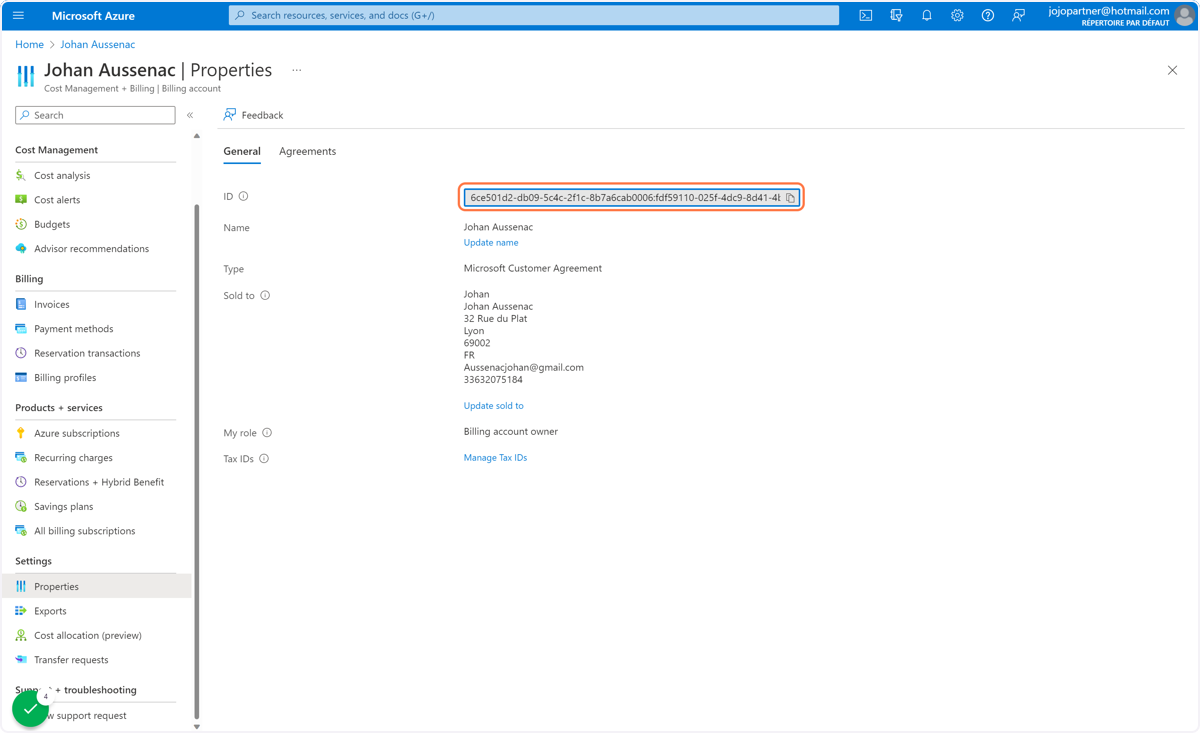
🟣 The "ID" field contains the "Billing ID" you are looking for. You can copy it in your clipboard
💬 For more, contact us at : [email protected]