How to create a Private Offer?
Creating a private offer in the WeTransact portal lets you provide a custom, non-public deal to a specific customer with tailored pricing and terms. You define the offer details, select the target customer, set the validity period, and publish it so only that customer can view and accept it through the Marketplace.
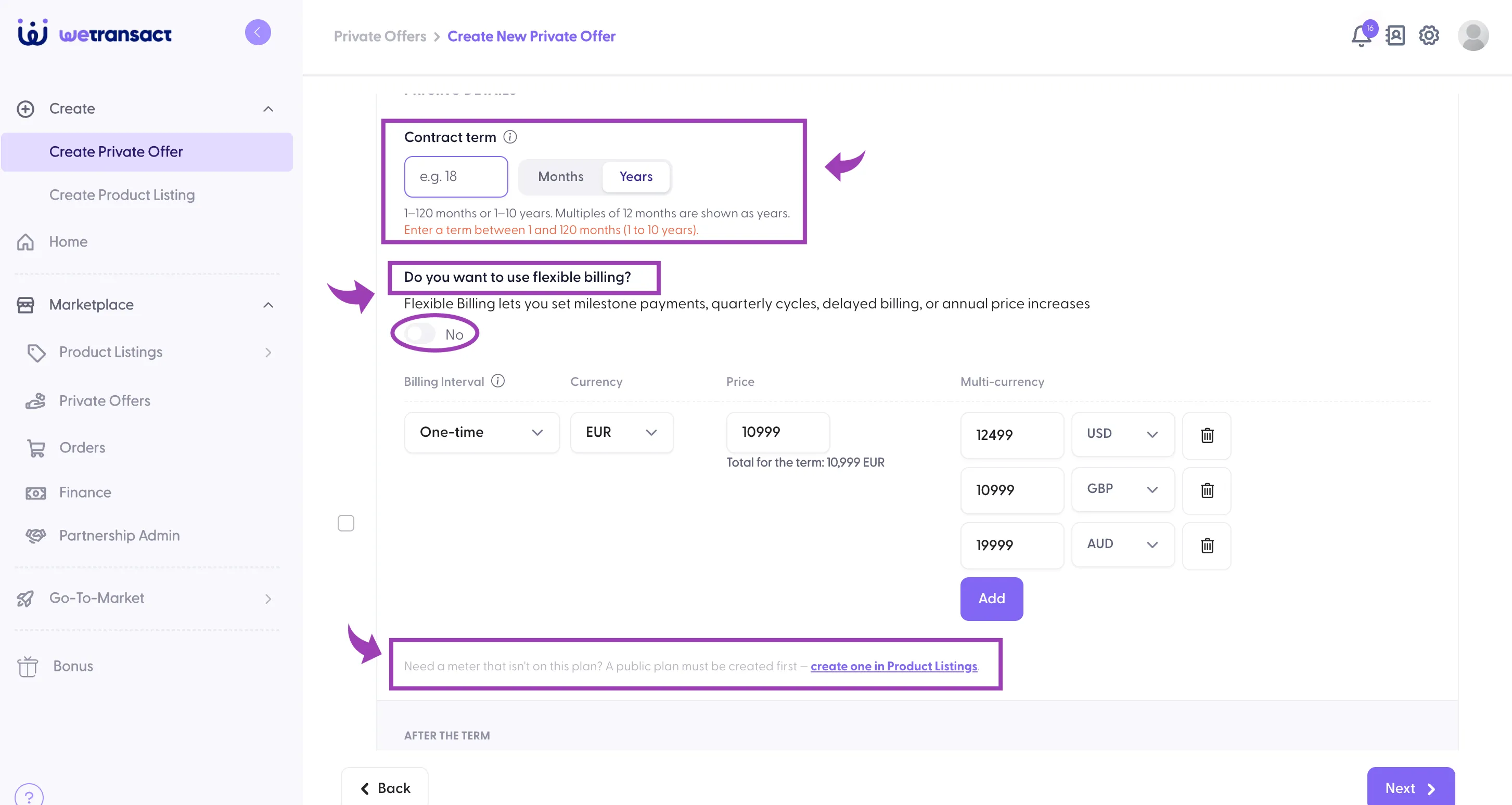
You can create up to 120 months or 10 years subscription length in Private Offer.
🟣 Prerequisites for Private offer
Billing ID of the customer
Terms and Conditions (Optional)
Acceptance before the start date
Final negotiated price
🟣 Sign in to Wetransact portal and click on Private offer tab
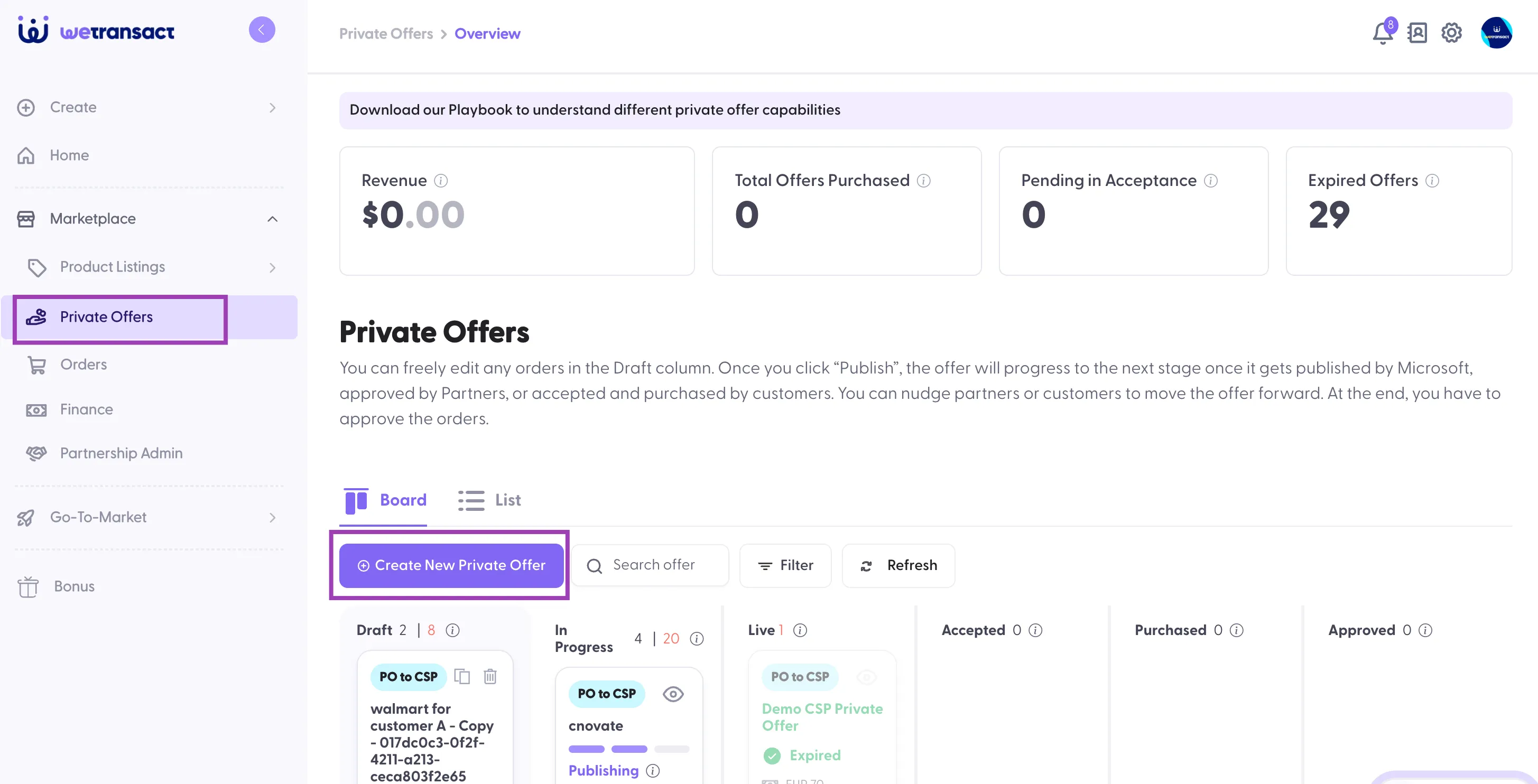
🟣 Choose 'Direct private Offer' option
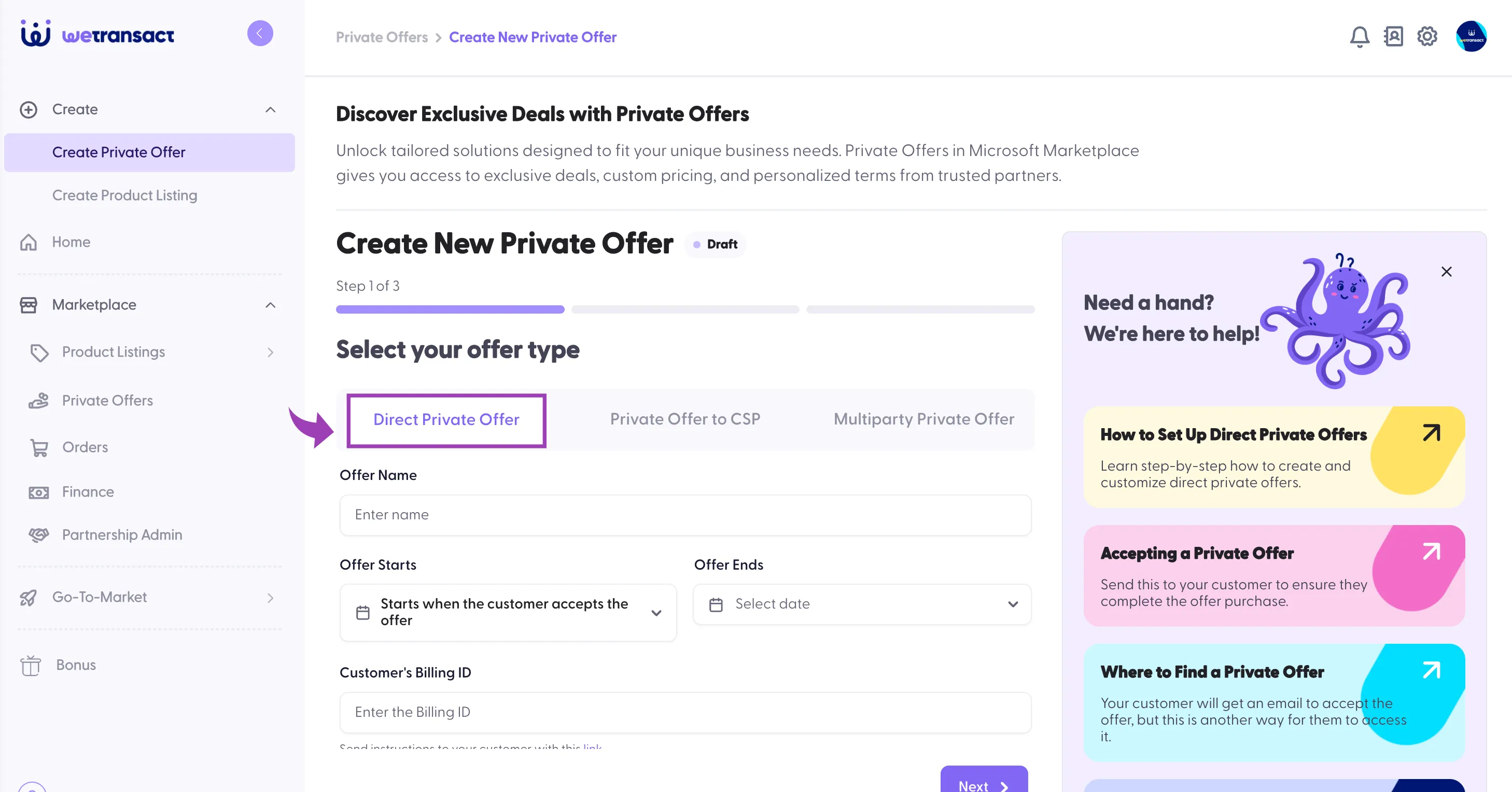
🟣 Fill out the details
| |
|---|---|
Offer Name | Enter the Name of the private offer |
Offer Starts | When you want the offer to start |
Offer Ends | Offer end date |
Customer's Billing ID | Customer's billing ID |
Renewal Toggle | If the private offer is a renewal, use this toggle |
Who needs to be notified? | Customer's email, up to 5 emails can be added |
Prepared By | Email of the user who's preparing the private offer |
Customer Acceptance Deadline | You can set a deadline, if the date passed, offer will be expired. |
Select Publisher Location | If you have more than one location |
Choose Product Listings | if you have more than one listing choose the listing you want to use. |
Attach Terms & Conditions File (Optional) | MSA or any agreement that you wish to be accepted by the customer |
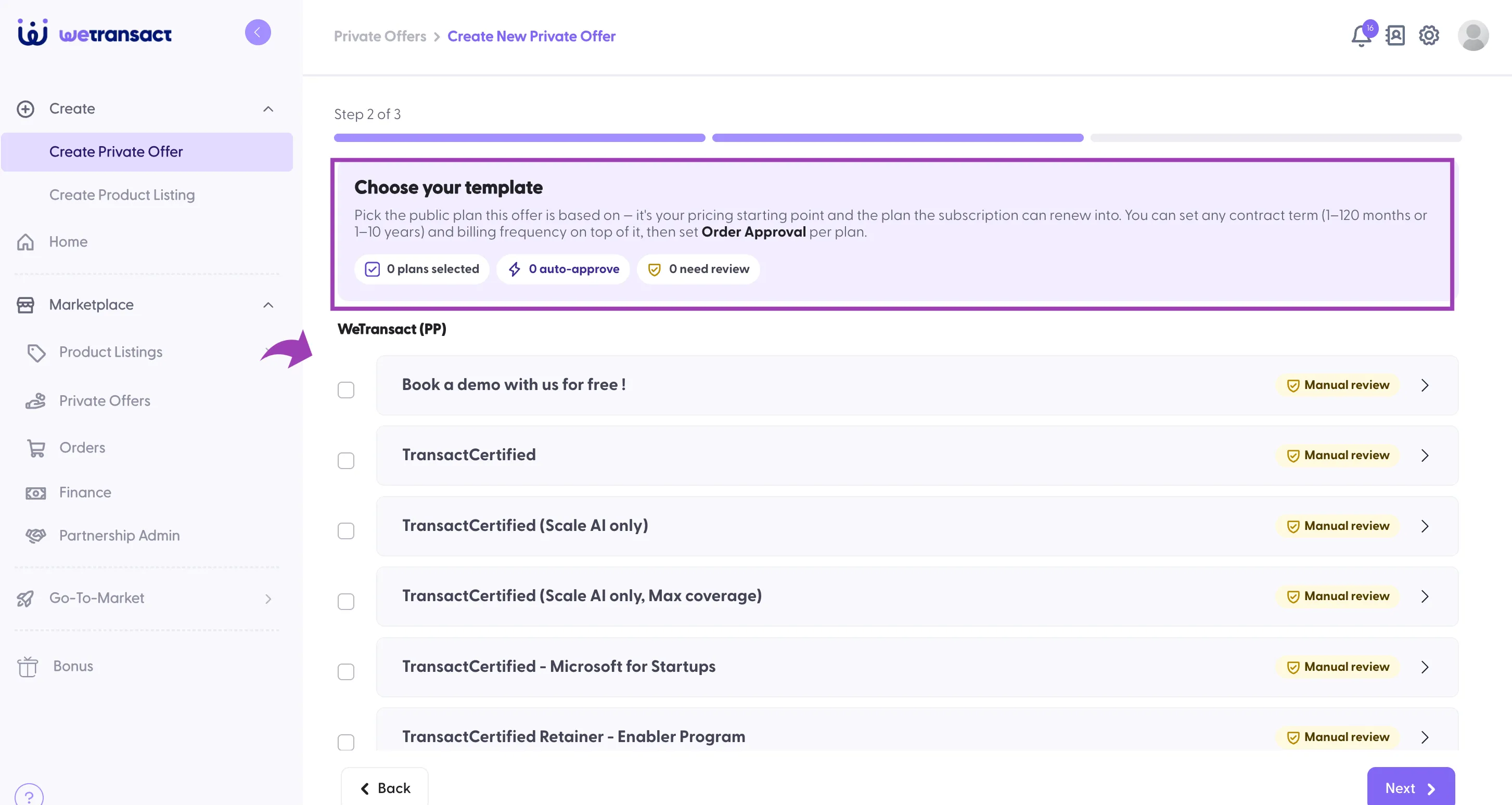
🟣 Pick the public plan this offer is based on
Now, you will need to pick a existing public plan to base the offer on,
🟣 Choosing the length of the subscription / contract term
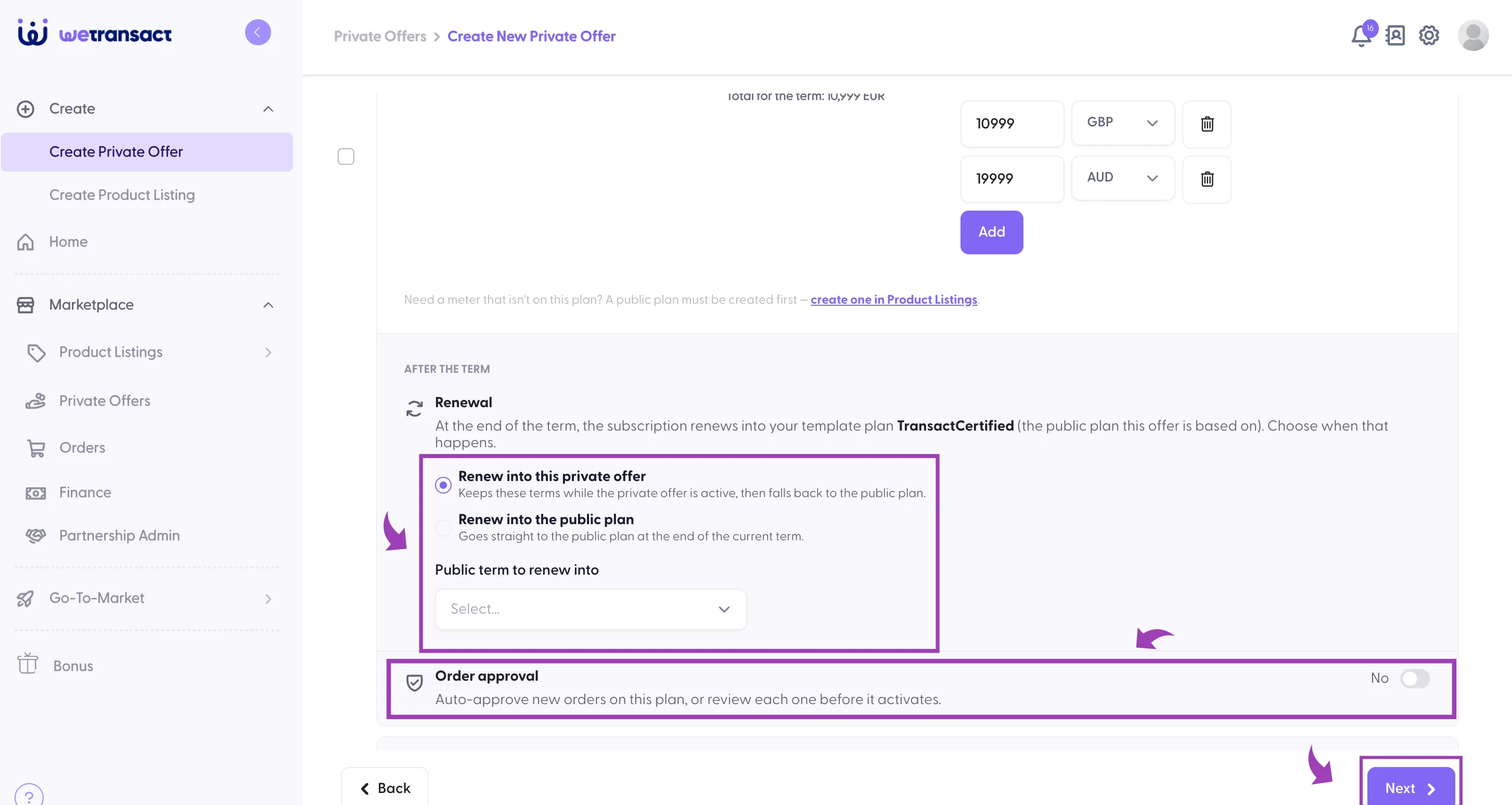
🟣 Renewal
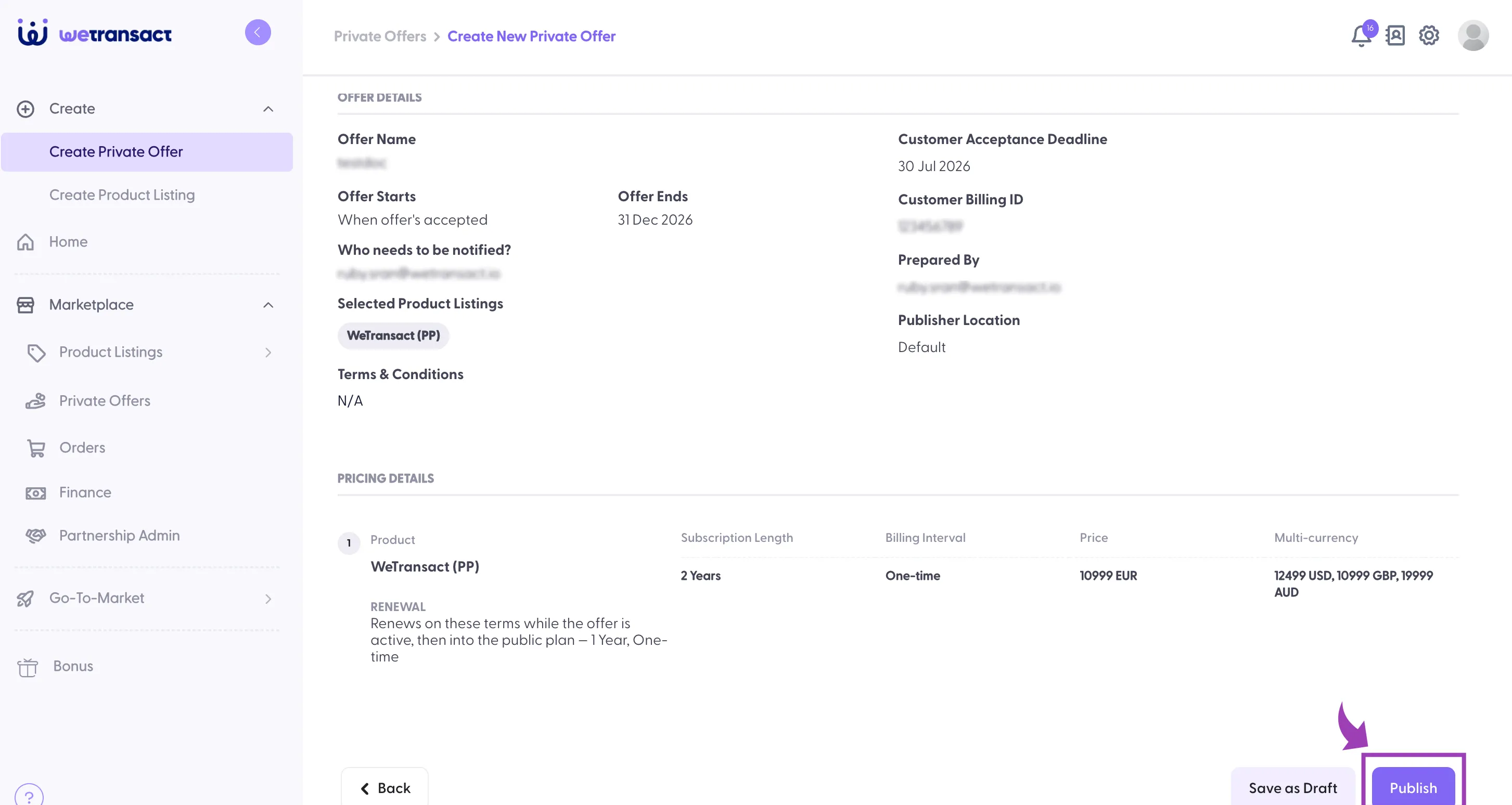
🟣 Review the private offer and publish it
If you are looking for how to create a private offer to a CSP: https://docs.wetransact.io/how-to-create-a-private-offer-to-csp
💬 For more, contact us at : [email protected]