Error: Please contact Support
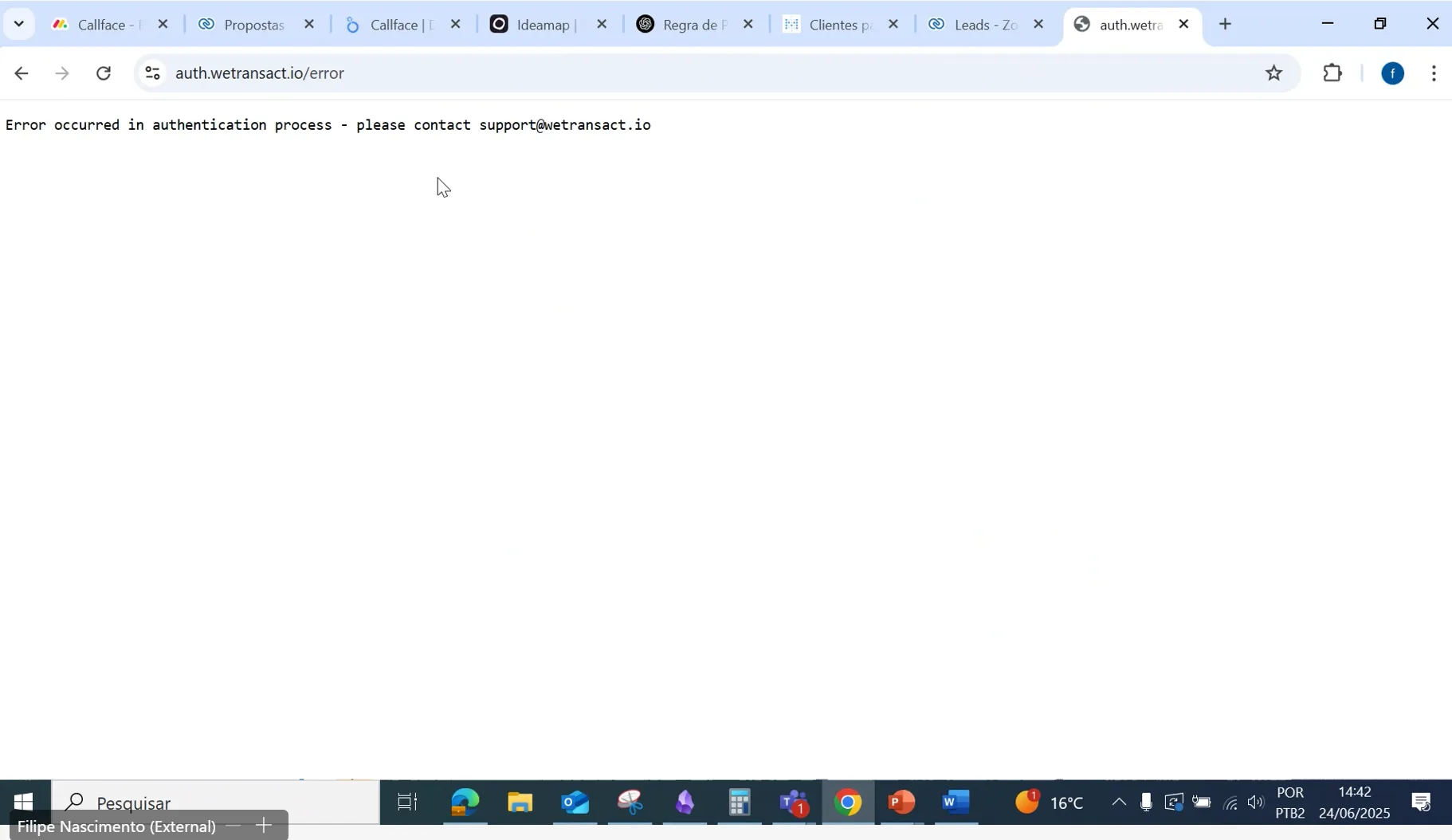
If you see the error below 👇🏻 while setting up the Deal registration tab, use this guide to fix it.
🟣 User Rights in Partner Center
To set up the Deal Registration tab in the WeTransact portal, you will need the Referral Admin user rights in Partner Center.
Note: Only a Global Admin can assign you the Referral Admin user rights.
🚀 Please check the loom to assign the Referral Admin user rights in Partner Center.
🟣 User Rights in Azure portal
To fix this issue, please follow the steps in this Loom video. You will need 'Owner or Contributor' user rights for any subscription.
If you have 'Global Admin' user rights but not access to the subscriptions, please follow this guide to Assign Yourself as a Subscription Owner
🚀 Incident 1: Once you have the appropriate user rights, please follow the steps to fix the issue
🔹 Step 1: Please check below
- In the Azure Portal, search for "Entra ID".
- Under Manage, go to App registrations.
- Click on All applications.
- Select the app: api-yourcompanynamewetransact. (Like api-abcwetransact)
- Under Manage, go to App permissions.
- Click Add a permission.
- In the pop-up, choose “APIs my organization uses”.
- Search for this Application ID: 4990cffe-04e8-4e8b-808a-1175604b879f in the search bar.
- Select Microsoft Partner and check the box that says 'User Imp...'
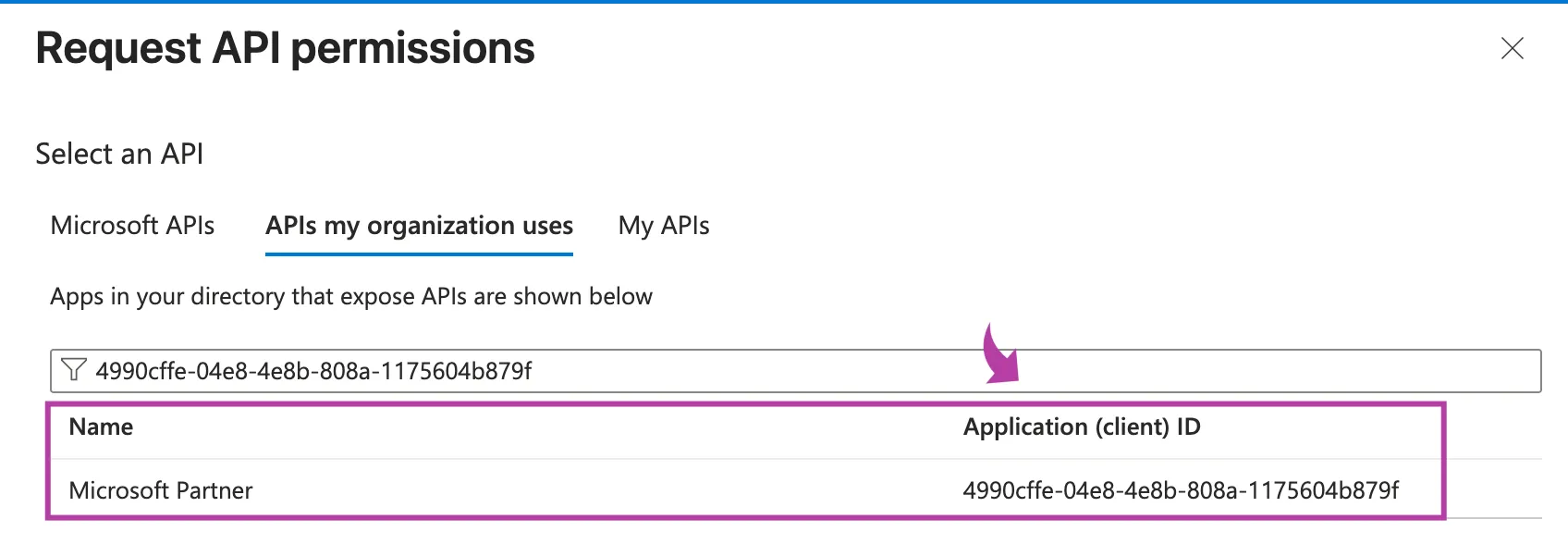
If you don't see Microsoft Partner after the search , Please go to Incident 2: 👇🏻
🔹 Step 2: Follow the instructions mentioned in the loom or written below.
- Login to the Azure Portal Go to https://portal.azure.com and sign in with your organization’s admin account.
- Search for Microsoft Entra ID In the top search bar, type Microsoft Entra ID and click on it.
- Open Enterprise Applications
- In the left-hand menu, click Enterprise applications.
- Search for and select WeTransact.
- Go to Security Permissions
- In the left menu under the WeTransact app, click Security → Permissions.
- Grant Admin Consent
- You will see a blue button that says: Grant admin consent for <Your Company Name> (example: “Grant admin consent for Fero Labs” or “Grant admin consent for Wevy”).
- Click this button and confirm.
- Log in to the WeTransact Portal
- Go to the WeTransact portal.
- Navigate to the Deal Registration section.
- Sign in when prompted and give consent.
🚀 Incident 2: If the above steps doesn't work please follow the three steps below.
🔹 Step 1: Run PowerShell Commands
- Log in to the Azure Portal.
- Ensure the user has PowerShell Contributor rights.
- Open the PowerShell console (next to the Copilot button).
- Select PowerShell (not Bash).
- Run the following commands one by one:
🔹 Step 2: Please check below
- In the Azure Portal, search for "Entra ID".
- Under Manage, go to App registrations.
- Click on All applications.
- Select the app: api-yourcompanynamewetransact. (Like api-abcwetransact)
- Under Manage, go to App permissions.
- Click Add a permission.
- In the pop-up, choose “APIs my organization uses”.
- Search for this Application ID: 4990cffe-04e8-4e8b-808a-1175604b879f in the search bar.
- Select Microsoft Partner and check the box that says 'User Imp...'
🔹 Step 3: Follow the instructions mentioned in the loom or written below.
- Login to the Azure Portal Go to https://portal.azure.com and sign in with your organization’s admin account.
- Search for Microsoft Entra ID In the top search bar, type Microsoft Entra ID and click on it.
- Open Enterprise Applications
- In the left-hand menu, click Enterprise applications.
- Search for and select WeTransact.
- Go to Security Permissions
- In the left menu under the WeTransact app, click Security → Permissions.
- Grant Admin Consent
- You will see a blue button that says: Grant admin consent for <Your Company Name> (example: “Grant admin consent for Fero Labs” or “Grant admin consent for Wevy”).
- Click this button and confirm.
- Log in to the WeTransact Portal
- Go to the WeTransact portal.
- Navigate to the Deal Registration section.
- Sign in when prompted and give consent.
🚀 Once this is completed, you should be able to setup the Deal Registration tab in WeTransact by clicking on 'Login and Give Consent'.
💬 Need Help?
Contact: [email protected]