How to find and purchase a private plan?
13 min
This guide explains how to find a private plan in the Azure Portal and complete your purchase. Private plans are only visible to customers they are assigned to and can be accessed by signing in under the private plan tab
USER RIGHTS: The user need contributor or Owner rights to complete the purchase.
🔍 Step 1 — Find your Private Plan
🟣 Sign in to your Azure Portal.
🟣 On the homepage, search 'Marketplace' in the search bar
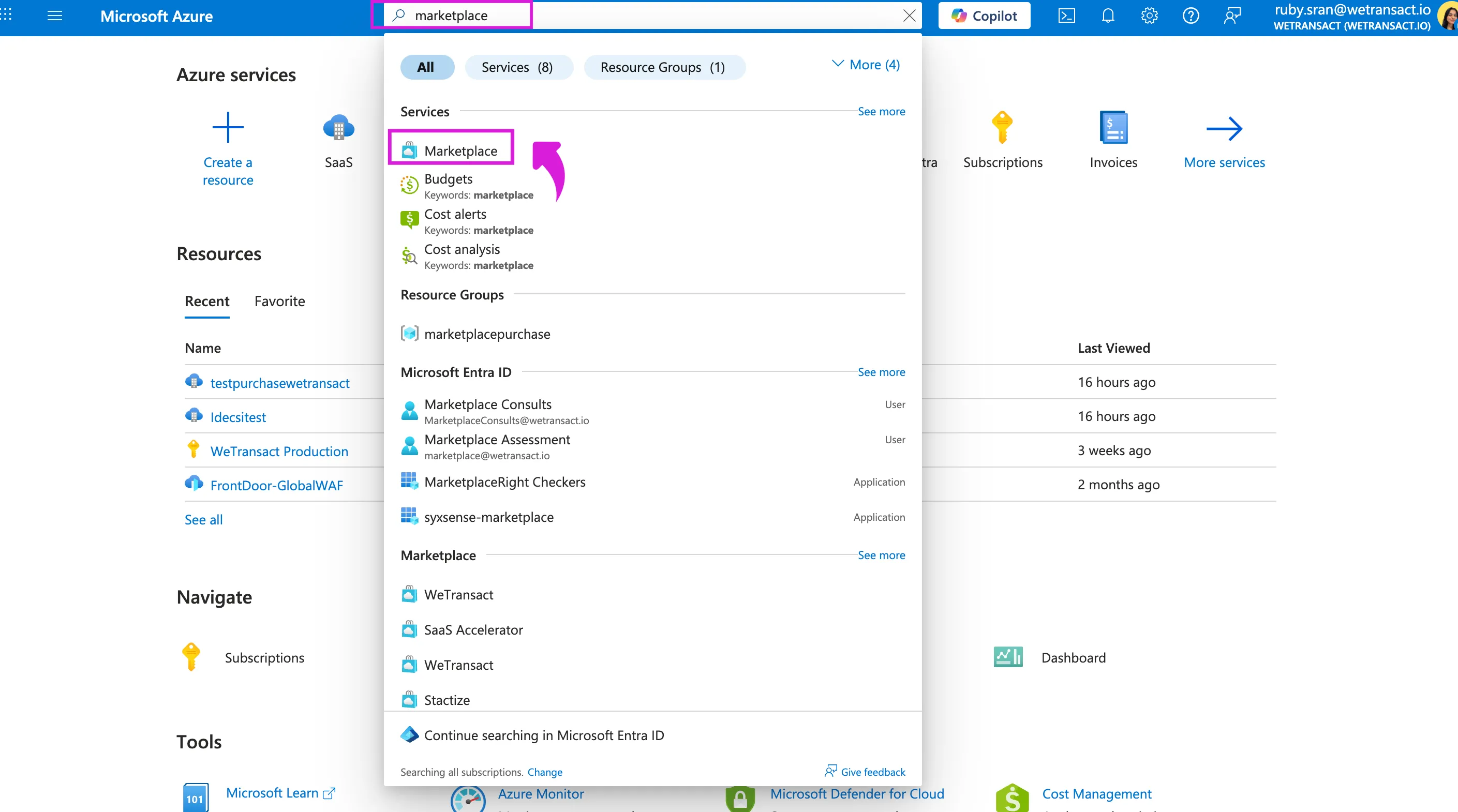
🟣 Click on Marketplace; you will see a purple icon that says 'You have private plans available.'
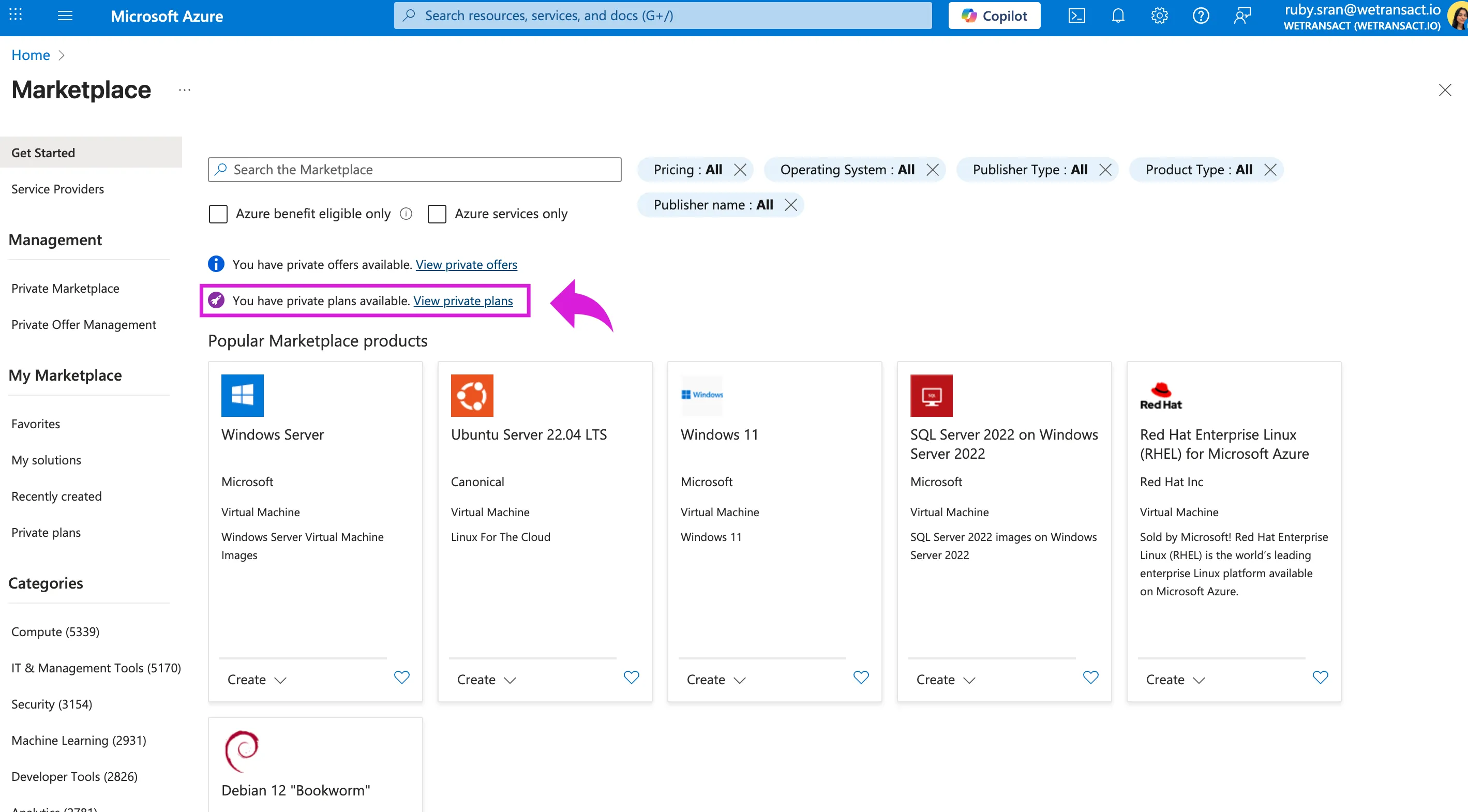
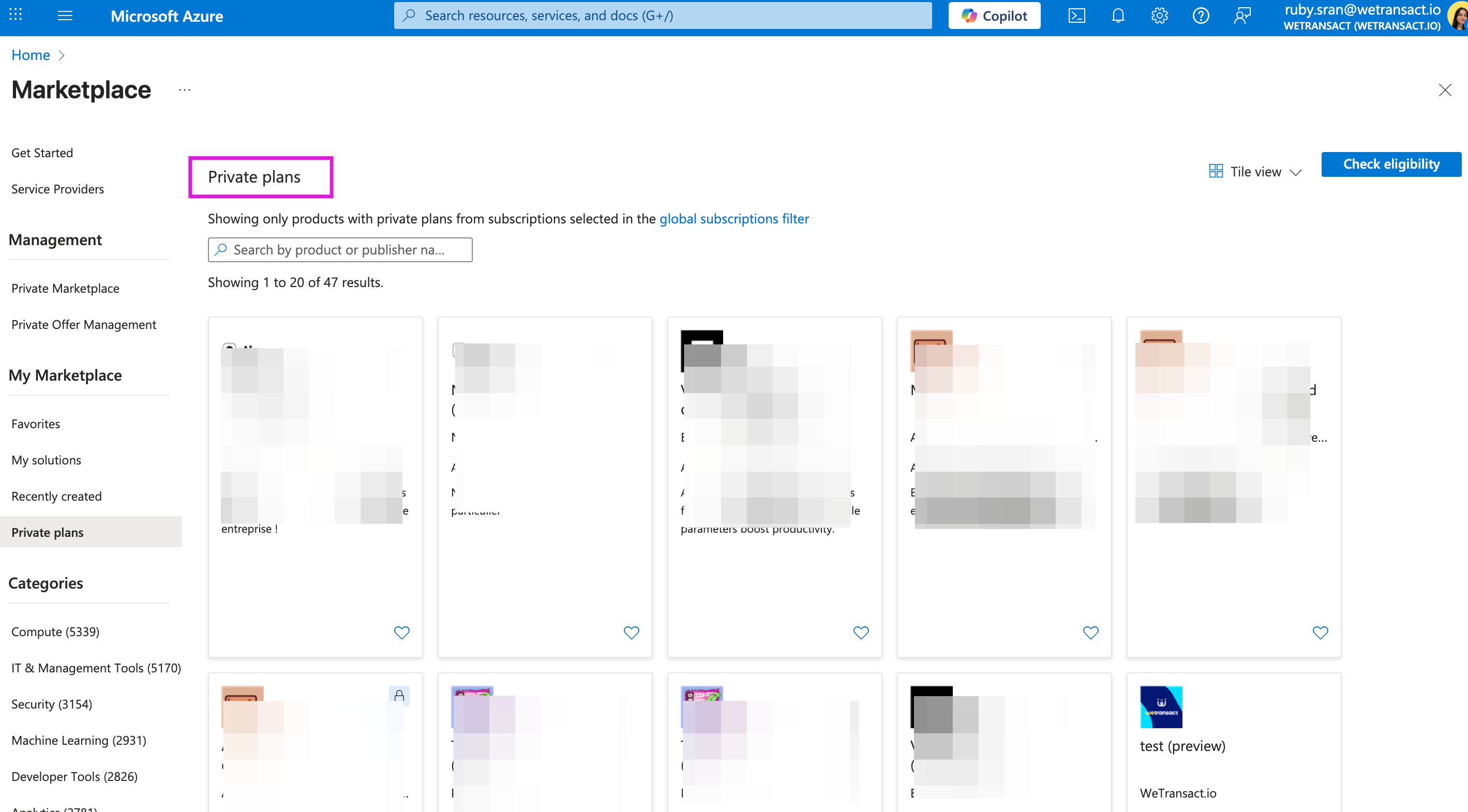
🟣 Click on 'View private plans.' You will see the private plans, click on the plan and proceed with purchase.
🛒 Step 2 — Complete your purchase
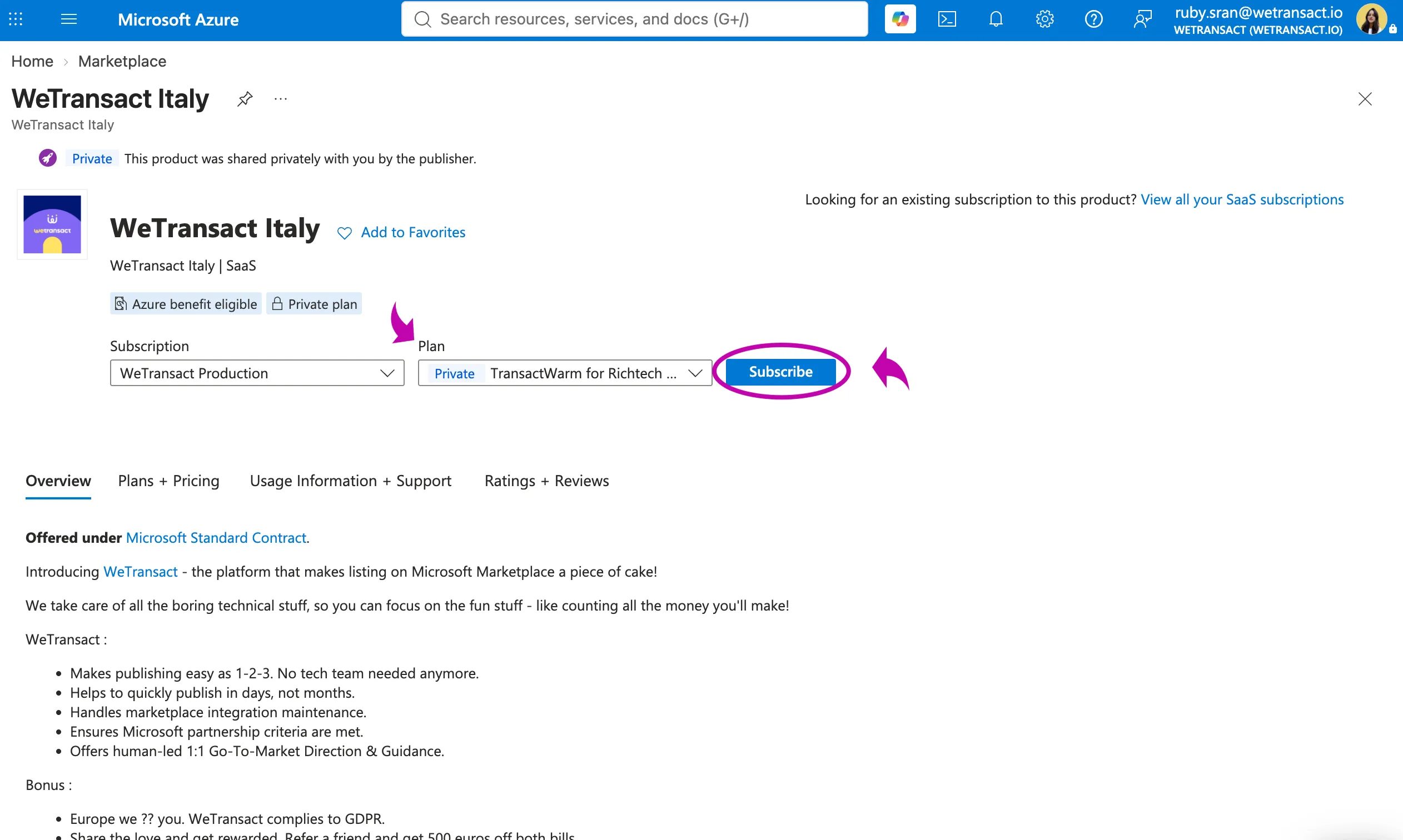
🟣 Choose the right subscription for the purchase
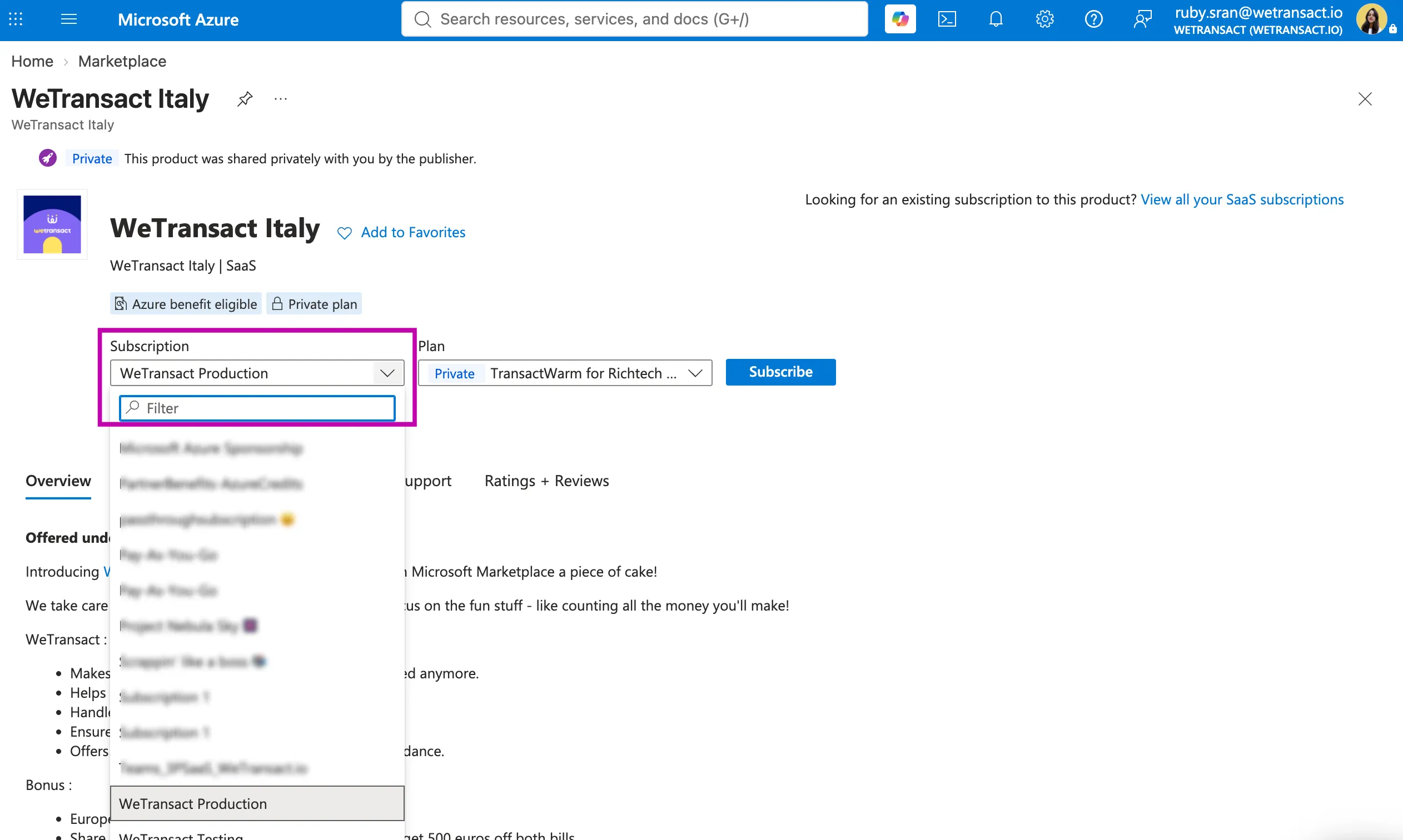
🟣 Verify you have selected the right Plan and then click on "Subscribe"
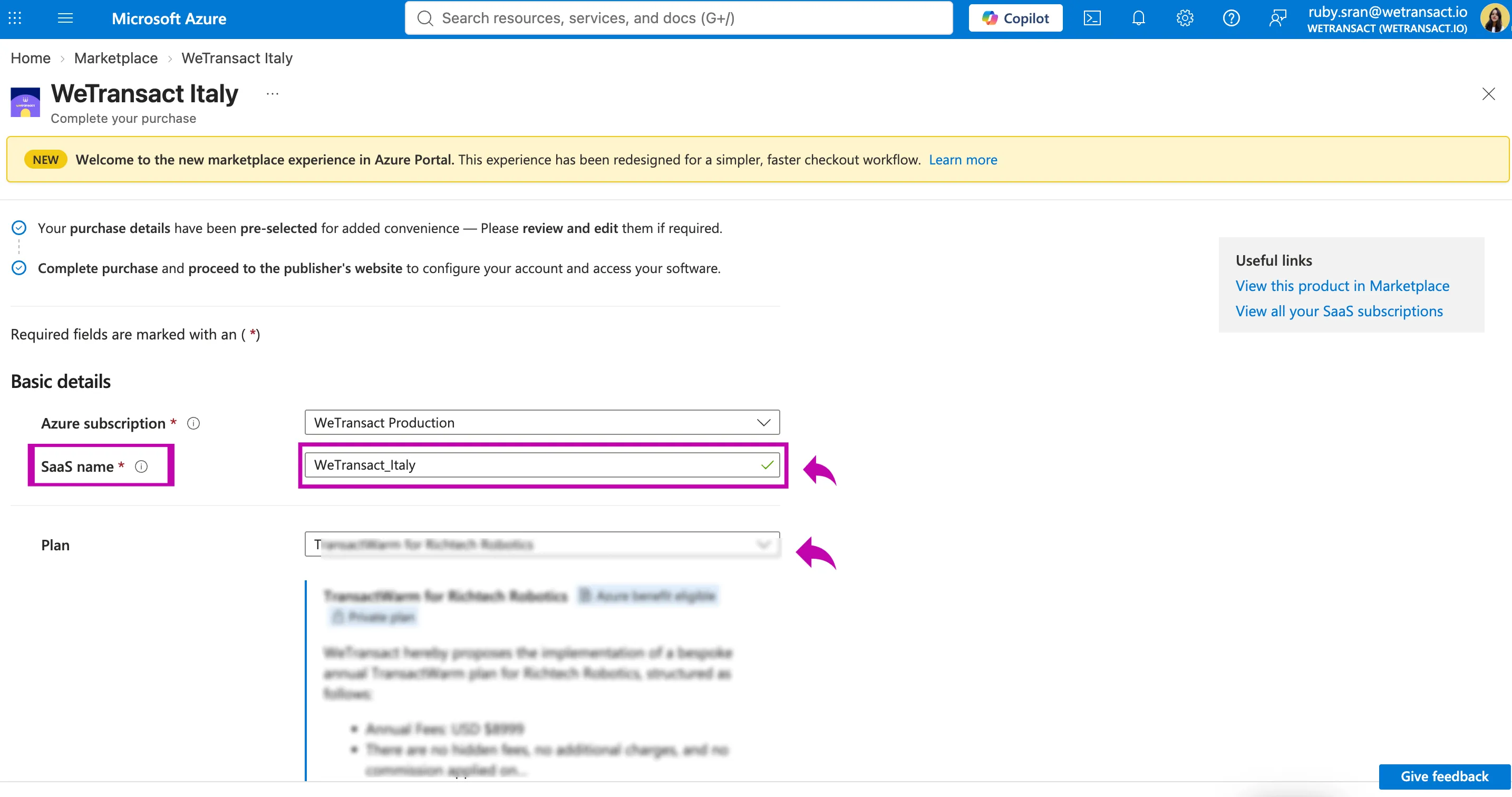
🟣 Add ' SaaS Name' It's a display name the you give to your SaaS subscription resource in Azure
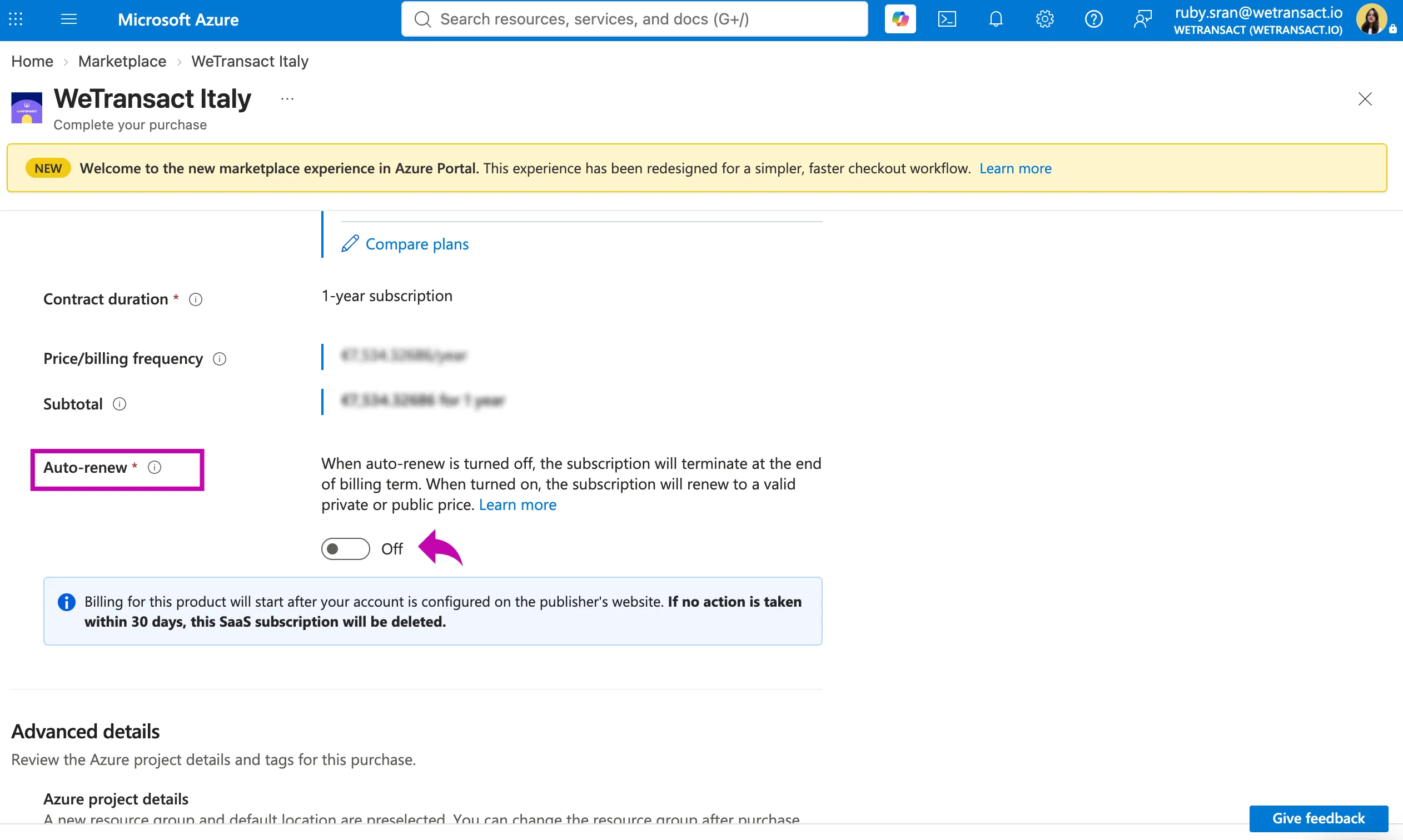
🟣 Choose recurring billing 'Auto - Renew' on or off
For Start-Ups you can leave the recurring billing on. There will be no discount changes from one year to the other.
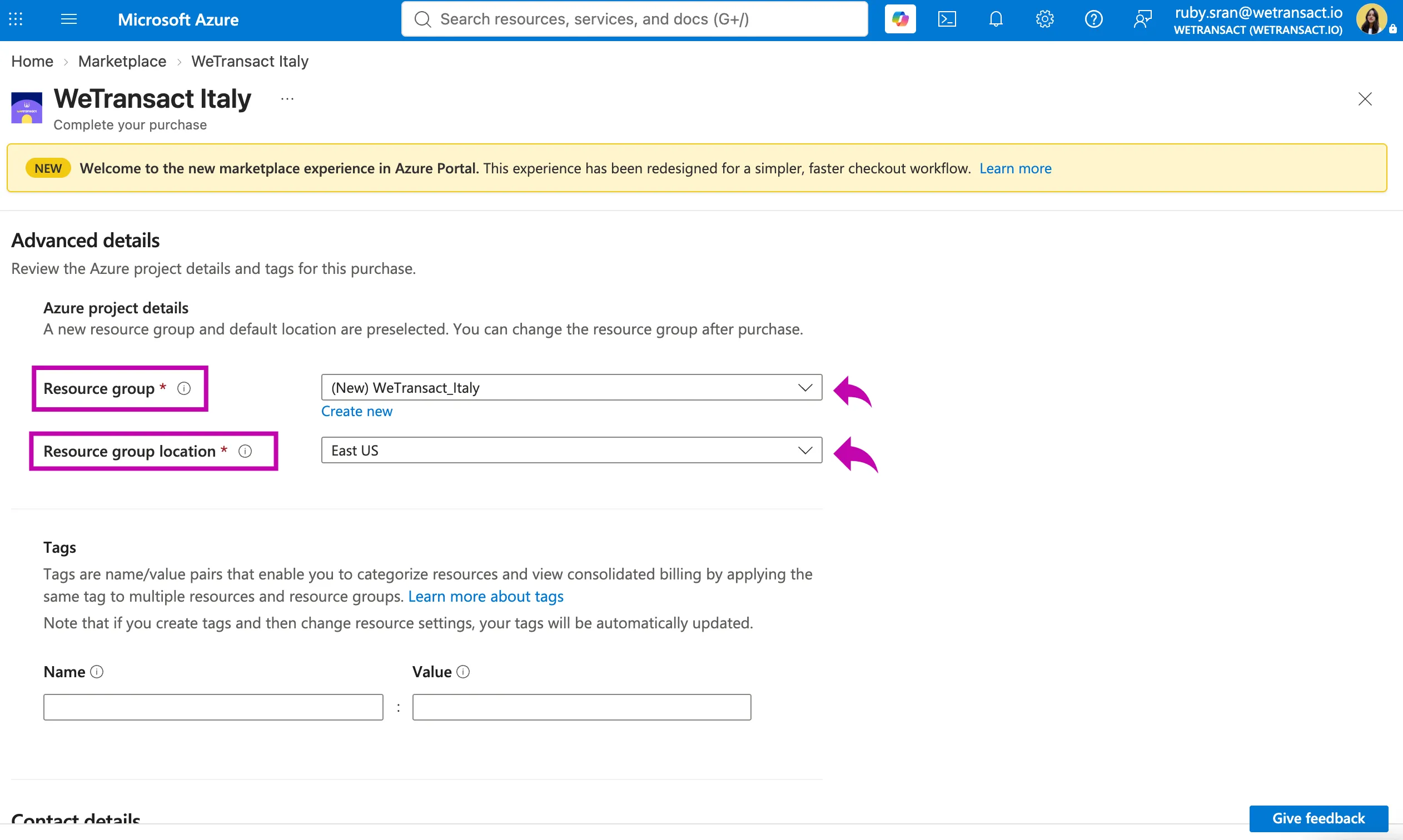
🟣 Select the "Resource Group" into which the SaaS subscription's resource will be deployed
FAQ at this stage:
- Which Resource Group should I deploy into?
- Answer: I would advise creating a new one named "MarketplacePurchases". This is where you'll find all your apps procured through Marketplace.
- Why did Azure create a 'SaaS resource' if the application isn't running in my Azure account?
- Answer: The reason Azure creates SaaS resources is to ease transactions with the product. In other words, you'll find all the transaction information about one product by clicking on the SaaS resource. You will also be able to cancel/change or deactivate the renewal of the subscription clicking on that resource.
- Resource group location ?
- Answer: the "Resource group location" only determines where the resource group's metadata is stored in Azure. Azure requires every resource group to have a region, so the field is mandatory even when it's irrelevant.
- What it's not: it has nothing to do with where the SaaS software runs. A SaaS subscription is just a billing/entitlement record in the customer's Azure environment — the actual application runs on the publisher's own infrastructure (in this case, wherever WeTransact hosts). Choosing East US vs West Europe doesn't move any data, change performance, or affect pricing.
- Data residency: if a customer raises residency concerns at this step, the answer is that this field is cosmetic for SaaS. Where their data lives is determined by the publisher's hosting, not by this dropdown.
🟣 Add Contact details (optional) and Click on 'Complete Purchase'
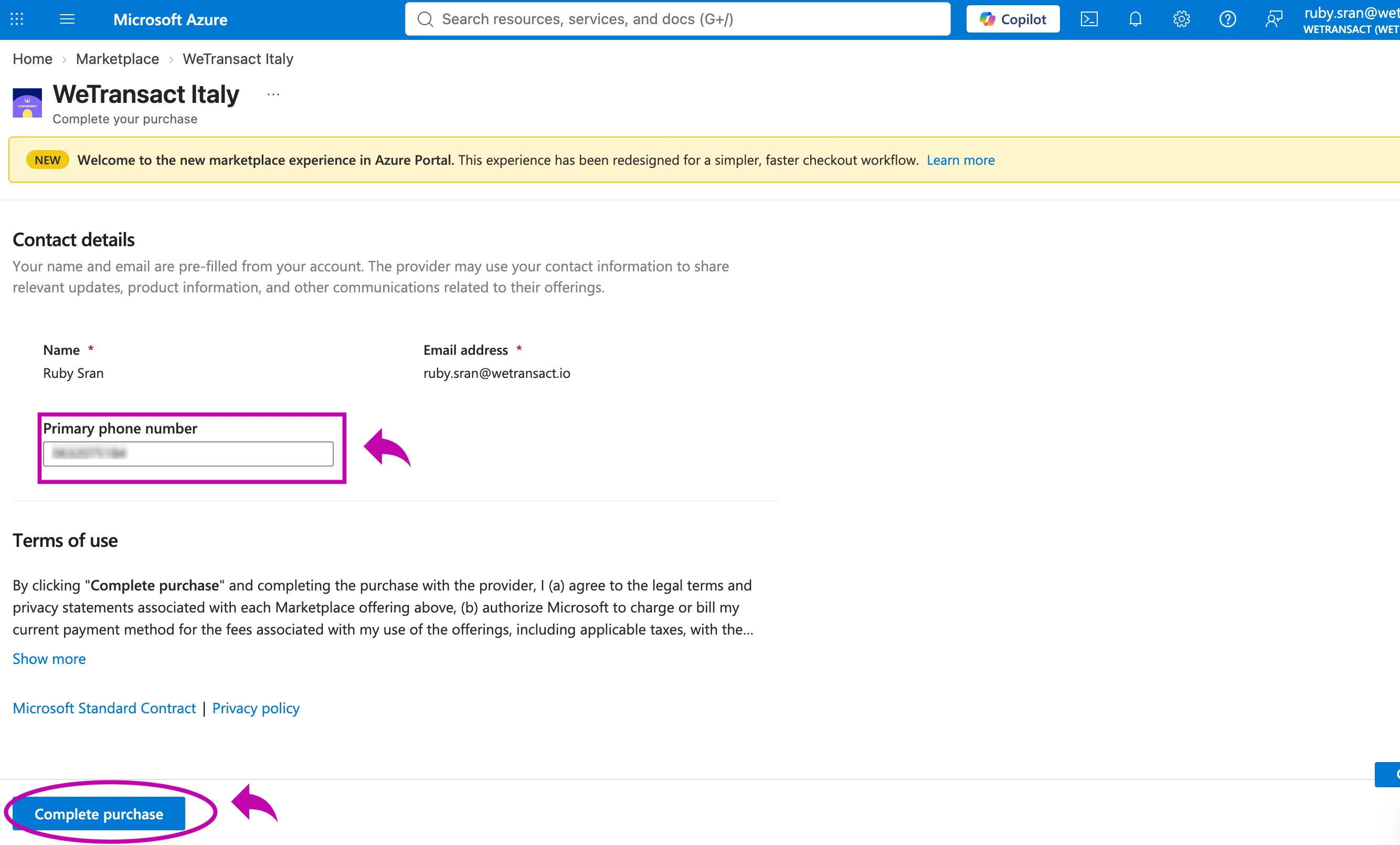
🟣 After 2 min, the "Continue to publisher's website" button will appear. Please click on it.
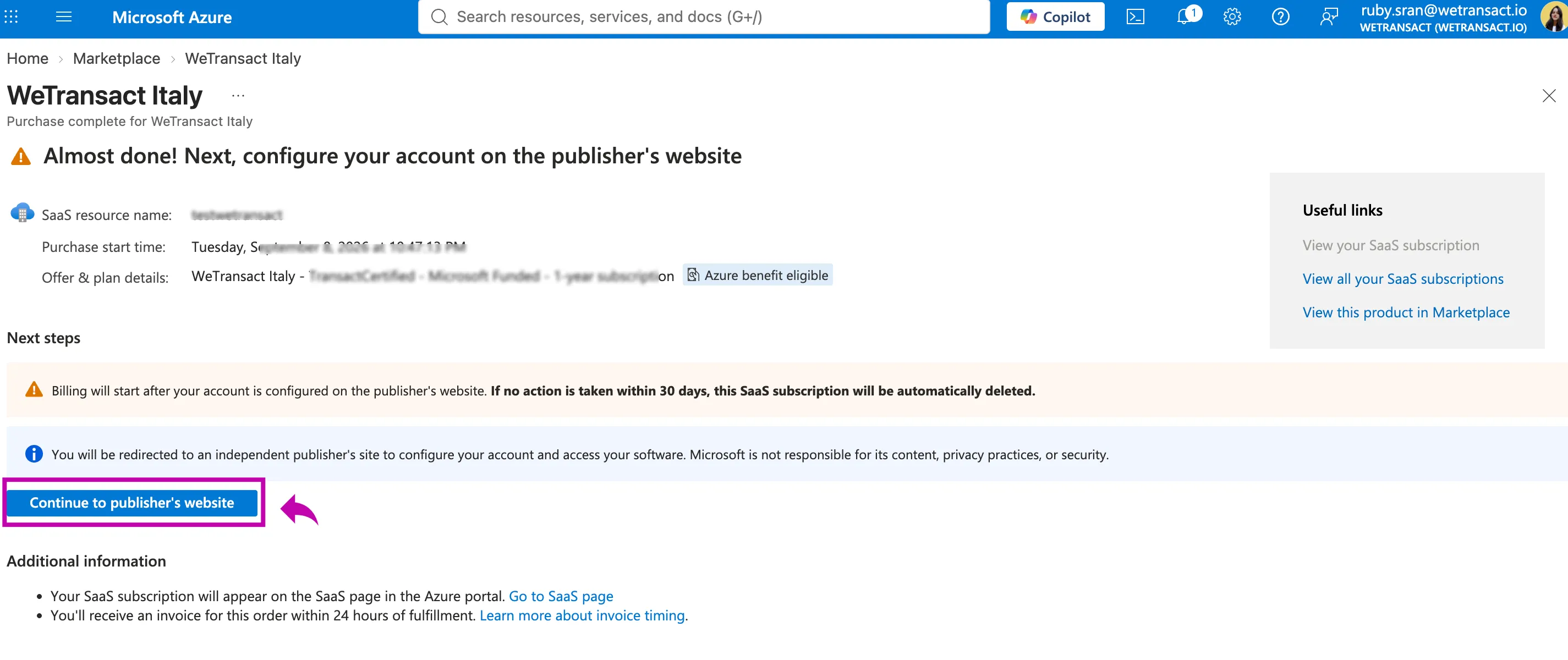
🟣 Sign into your account
Sign in with the Microsoft Work account (email address you made the purchase with )
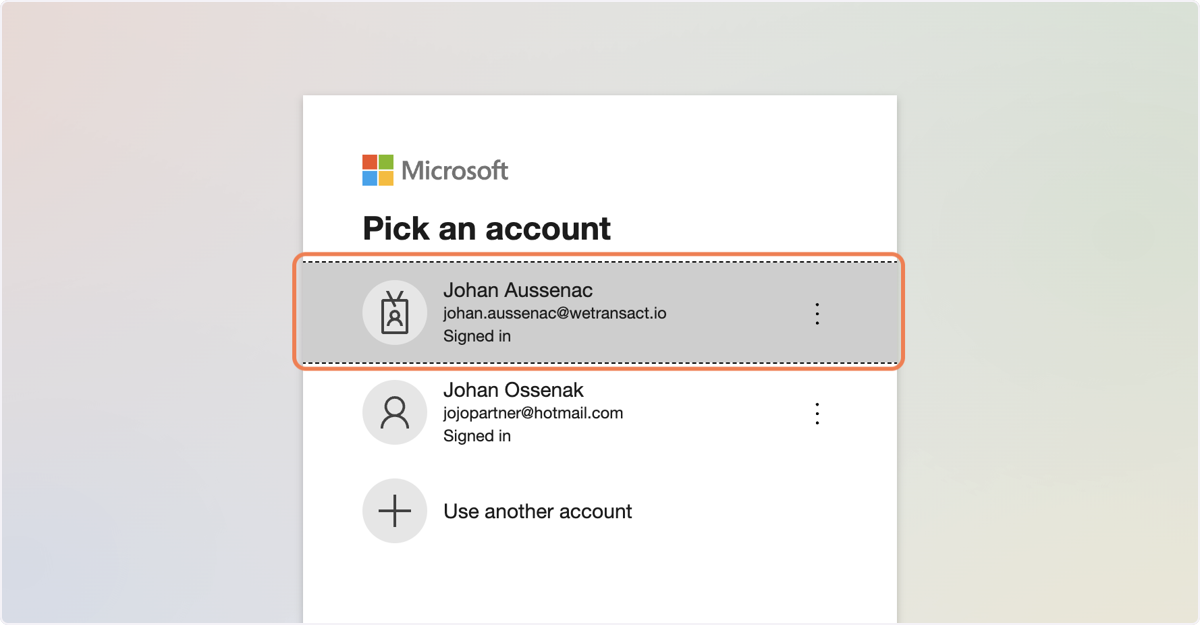
🟣 On the Landing Page, please enter your company name.
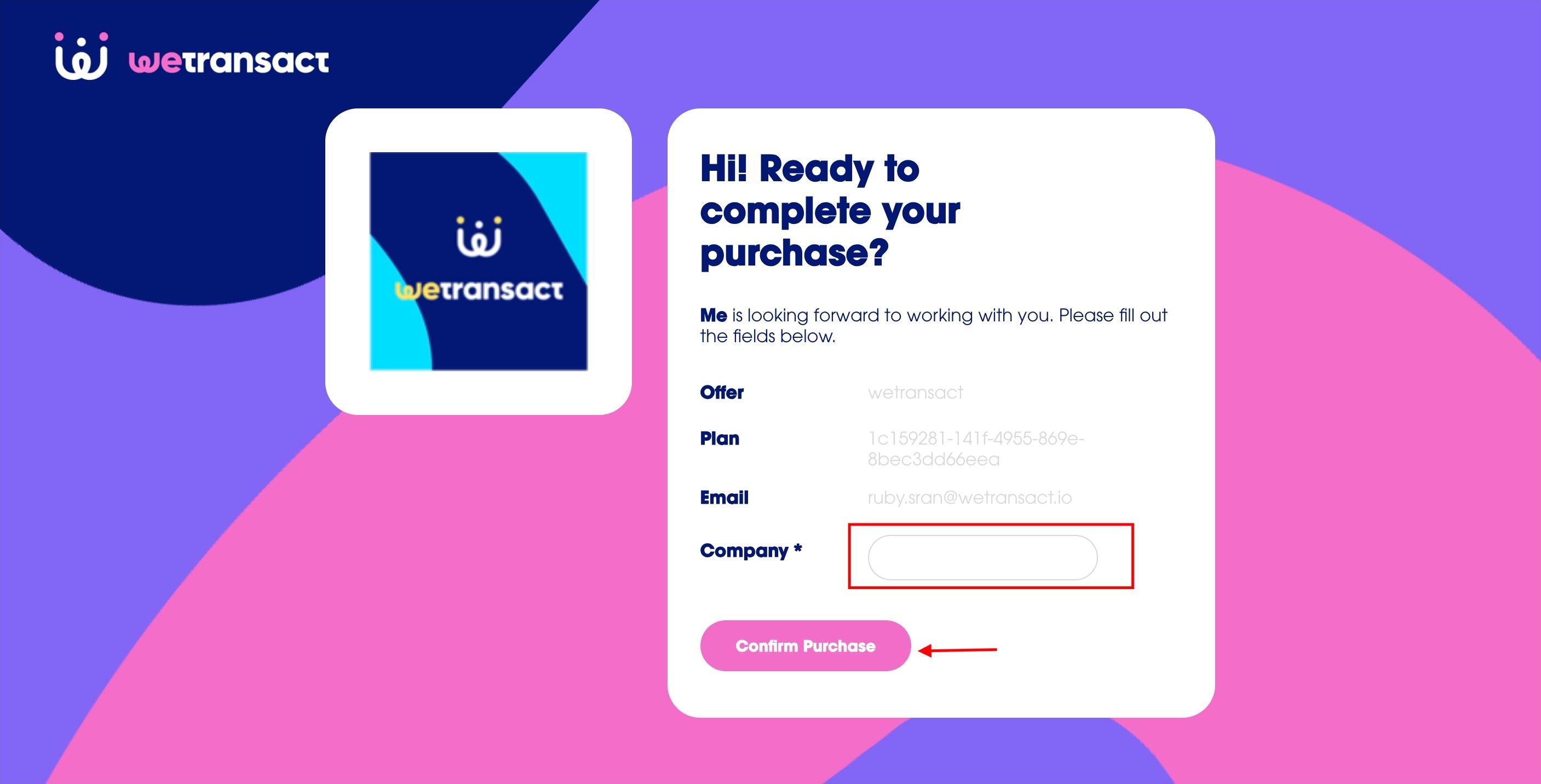
🟣 Click on "Confirm Purchase" and you're done! 🎉
We'll be in touch via email within one business day to provide you with account log in details.
💬 For more, contact us at : [email protected]